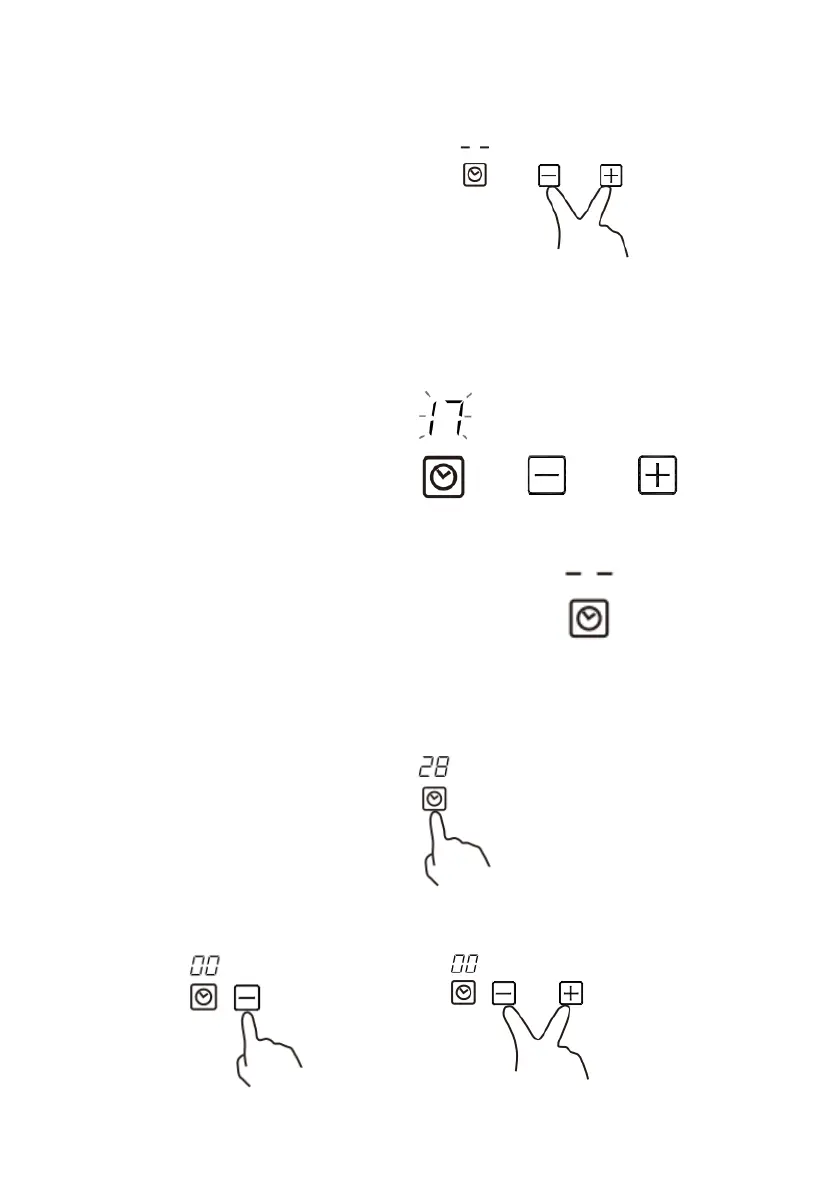
4. Touching the”-“ and “+” together, the timer is cancelled, and the ”--“ will
show in the minute display.
5. When the time is set, it will begin to count down
immediately. The display will show the remaining
time and the timer indicator will flash for 5 seconds.
6. Buzzer will beep for 30 seconds and the timer indicator
shows “- - “ when the setting time finished.
Cancel the Minute Minder
1.Make sure no zone is selected
2.Touch timer control, it shows the remaining minute timer
3.Set the time by touching the”-“ or ”+” control to “00” as above.
Or touch the “-” and “+” together to set the timer to ”00” immediately.


 To Next Page