59
FREEZER COMPARTMENT SETTINGS
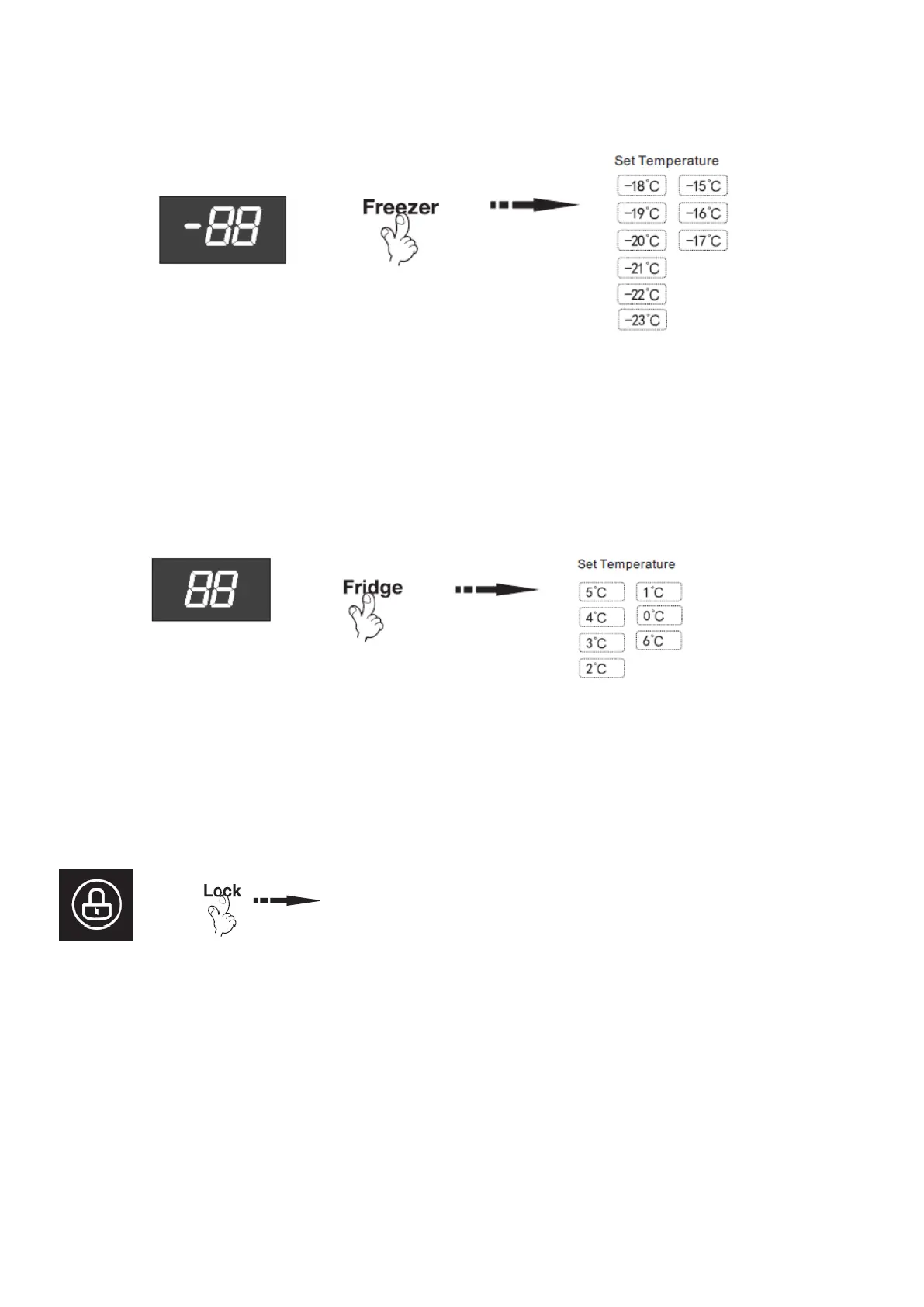
The default temperature of the freezer is -18°C. To change the temperature, press the “Freezer”
button to cycle through the set temperatures.
CAUTION: Do not put fresh foods directly on the frozen foods.
REFRIGERATOR COMPARTMENT SETTINGS
The default temperature of the refrigerator is 5°C. To change the temperature, press the “Fridge”
button to cycle through the set temperatures.
LOCK / UNLOCK BUTTON
This product has button lock function.
• Press the “Lock” button will enable lock mode and the lock icon
will be visible.
• While the Side by Side is in this mode the other buttons on the
control panel will not function, when the buttons are touched a
chime will sound and the lock icon will flash.
• To exit lock mode press and hold the lock button for 3 seconds
until the icon is no longer displayed.
OPEN DOOR ALARM
When the Side by Side door is open for above 1 min, the buzzer will alarm to remind users to close
the door. After the door is closed, the alarm sound will stop automatically.


 To Next Page