Instruction manual
John Lewis Spectrum
wireless speaker
Instruction manual
John Lewis Spectrum
wireless speaker
8 9
Quick start guide
To get started, switch the ON/OFF button to ON.
For Bluetooth:
1 Whenyourstturnonthespeaker,it
will enter Bluetooth search mode automatically.
2 Enable Bluetooth on your audio device, and
select “JLPWS02” from the list.
3 Open your music app to play songs or audio.
For Aux-in:
1 Insert a 3.5mm cable into the Aux-in socket. The
speaker will automatically switch to Aux-in mode.
2 Connect the other end of the 3.5mm cable to your
device.
3 Open your music app to play songs or audio.
Note: When the speaker is not in use for a long period, it
is recommended that you switch the main button to OFF.
Mode indicator
Mode indicator
Status
Fastashingbluelight In Bluetooth mode.
Ready to connect.
Solid blue light In Bluetooth mode.
Connected.
Solid blue and red light AUX in mode
Parts list
1 Spectrum wireless
speaker
1 USB cable
1 USB power adapter
1 Instruction manual
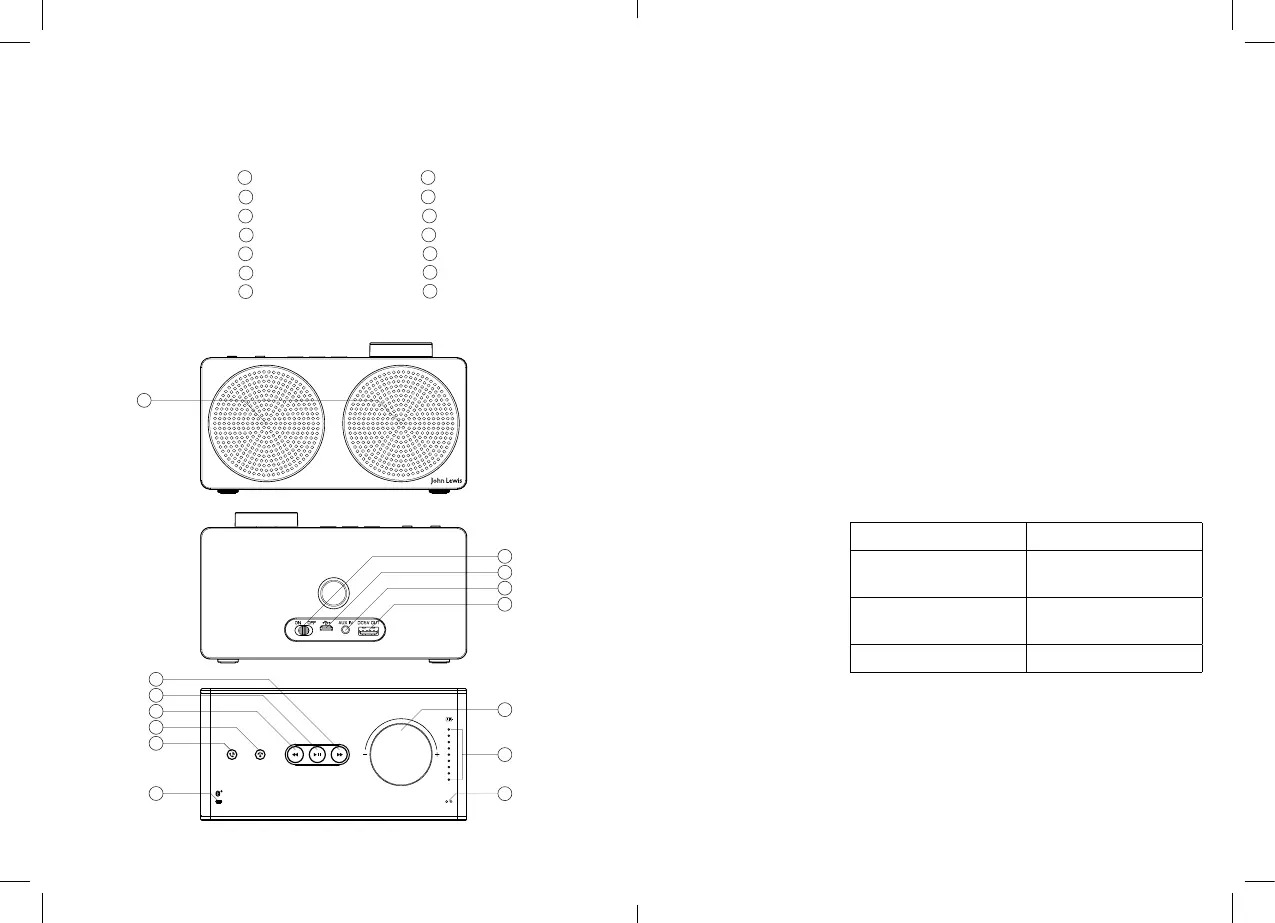
Diagram key
1 Speaker
2 ON/OFF button
3 microUSB port
4 3.5mm Aux-in
5 USB power output
6 Forward button
7 Play/Pause button
8 Back button
9 End call button
10 Receive call button
11 Volume dial
12 Battery indicator
13 Microphone aperture
14 Mode indicator
1
2
6
7
8
9
10
14
3
4
5
11
12
13


 To Next Page