M9300 Series Switch Kits Installation Guide
5
Removing the switch kit and conduit adaptor
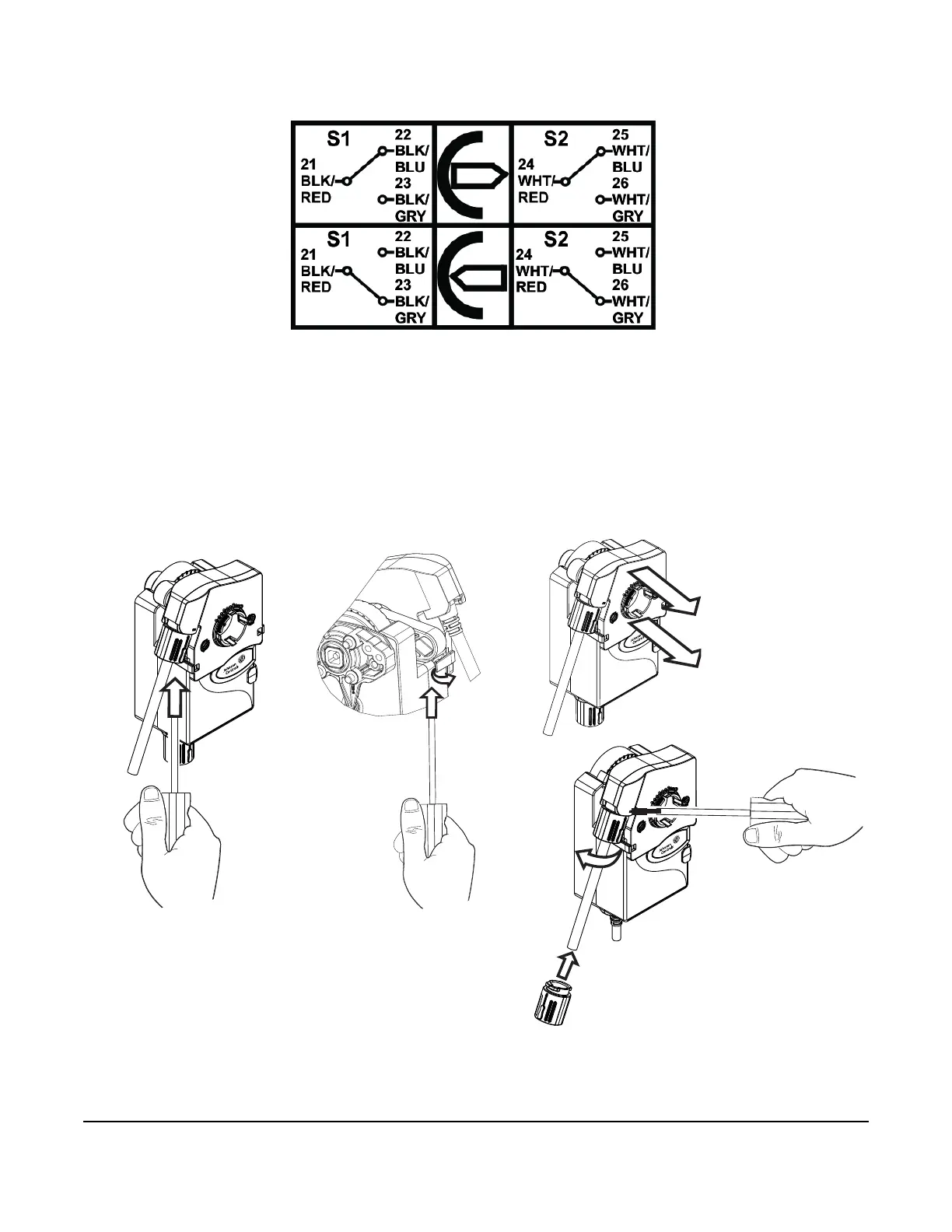
1. Place a screwdriver underneath the tab on each side of the actuator (1) and pull back the tab (2).
2. Remove the switch kit (3) from the actuator in the direction of the output axis (4).
3. To remove the conduit adaptor, insert a screwdriver into the slot (5) and turn the conduit adaptor
counterclockwise (6) to unlock it.
Figure 9: Wiring diagrams
Figure 10: Removing the switch kit and conduit adaptor
3mm
3mm


 To Next Page