EasyManua.ls Logo

Johnson Level & Tool 1435-1000D - User Manual

Johnson Level & Tool 1435-1000D
2 pages
Print Icon
To Next Page IconTo Next Page
Loading...
Thank you for purchasing this Johnson digital torpedo
level. This robust level is designed to provide years of
simple, reliable operation around your jobsite.
Key Features:
Backlit LCD
IP65 construction - dustproof and waterproof
Sub-display for showing reference angles
Strong rare earth magnets and V-groove top edge
1. Remove the battery door by
using a #2 Phillips screwdriver to
rotate the battery door retaining
screw counterclockwise.
2. Insert 1 x CR2032 battery
positive side up, as indicated on
the tool and shown to the right.
3. Replace the battery door and
gently tighten the battery door
retaining screw.
1. Power on the level by pressing .
2. Press to toggle between degrees, percent, in/ft, mm/m, 22.5°
and 45° modes.
3. Set the volume level by pressing and holding . The level will
cycle through high/low/o.
4. Enable the backlight by pressing while the level is powered on.
Press again to switch from low to high backlight.
5. To set a custom angle mode to replace the 22.5°/45° modes,
enable either the 22.5° or 45° mode, then press and hold .
6. The sub-display digits will flash, indicating they can be changed.
7. Press to change the active digit. Press to advance to the
next digit. The new value will be stored automatically.
8. An alternate single point calibration can be completed by
leveling the torpedo using the vial, and holding and while
the power is o. This mode is helpful when a flat, stable surface
is not available.
9. If needed, factory reset by holding , and for 10 seconds.
1. With power o, hold until the screen shows “CAL1”.
2. Position level upright with the LCD facing you and press to
store the first calibration point. The level will show “CAL2”.
3. Rotate the level 180° so that its still upright but with the
LCD now facing away from you. Press to store the second
calibration point.
4. Calibration is complete, and the level will operate normally.
MODULE OVERVIEW
INSERTING BATTERIES
OPERATING THE LEVEL
TWO-POINT CALIBRATION
BUTTON OVERVIEW
UNITS (2)
BATTERY INDICATOR
LEVEL INDICATORS (2)
DEGREES / PERCENT (2)
HOLD INDICATOR (2)
MAIN DISPLAY
SUB DISPLAY
CAL POSITION 1 CAL POSITION 2
1435-1000D Operator’s Manual
POWER: While o, press to power on or hold to
enter calibration mode. While on, press to enable
the backlight or hold to power o.
UNIT: Press while on to cycle through the
dierent operating units. Hold in 22.5°/45° mode
to enter custom setpoints.
HOLD: Press to enable hold mode. Press again
to transfer the hold measurement to the sub-
display. Hold to toggle volume high/low/o.
Download this manual at
www.johnsonlevel.com/manuals
1435-1000D
Question and Answer IconNeed help?

Do you have a question about the Johnson Level & Tool 1435-1000D and is the answer not in the manual?

Summary

Button Functions

Power Button Operation

Powers the level on/off and enters calibration mode.

Unit Button Operation

Cycles through units and sets custom setpoints.

Hold Button Operation

Enables hold mode and controls volume.

Battery Installation

Operating the Level

Two-Point Calibration Procedure

Common Applications

Troubleshooting Common Issues

Product Specifications

Product Warranty Information

Summary

Button Functions

Power Button Operation

Powers the level on/off and enters calibration mode.

Unit Button Operation

Cycles through units and sets custom setpoints.

Hold Button Operation

Enables hold mode and controls volume.

Battery Installation

Operating the Level

Two-Point Calibration Procedure

Common Applications

Troubleshooting Common Issues

Product Specifications

Product Warranty Information

Overview

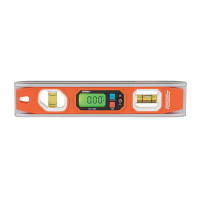
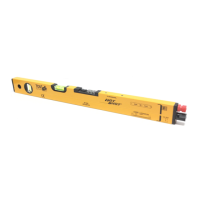
The Johnson 1435-1000D is a digital torpedo level designed for reliable operation in various jobsite conditions. It features a robust construction, a backlit LCD for clear visibility, and an IP65 rating, making it dustproof and waterproof. The level incorporates strong rare earth magnets and a V-groove top edge for secure attachment to ferrous surfaces and pipes.

Function Description:

The primary function of the Johnson 1435-1000D is to measure and display angles in various units. It can show measurements in degrees, percent, inches per foot (in/ft), and millimeters per meter (mm/m). The main display shows the current angle, while a sub-display can be used to store hold values or target values, which is useful for inspection checks and working in tight spaces.

The level offers preprogrammed 22.5° and 45° modes, simplifying common tasks like miter cuts and conduit bends. Users can also set custom angles to replace these modes. An audible indicator can be toggled between high, low, or off volume settings. The backlight has two stages (low and high) and automatically times out after approximately 20 seconds in a stationary position to conserve battery life. Moving the level slightly reactivates the backlight.

Important Technical Specifications:

  • Accuracy: ±0.1° at 0°/90°; ±0.2° for other angles.
  • Battery: 1 x CR2032, providing up to 16 hours of operation.
  • Units: Degree, Percent, in/ft, mm/m.
  • Backlight: Two-stage with timer.
  • Operating Temperature: 14°F - 122°F (-10°C - 50°C).
  • Weight/Dimensions/IP Rating: 8 oz, 10" x 2" x 3/4", IP65.

Usage Features:

  • Power On/Off: Press the POWER button to turn on. Hold the POWER button to turn off.
  • Calibration: The device supports a two-point calibration process. With the power off, hold POWER until "CAL 1" appears. Position the level upright with the LCD facing you and press POWER to store the first point. Rotate the level 180° (still upright, LCD facing away) and press POWER again to store the second point. Calibration is then complete. An alternate single-point calibration can be performed by leveling the torpedo using the vial and holding POWER and HOLD while the power is off.
  • Unit Selection: Press the UNIT button to cycle through degrees, percent, in/ft, mm/m, 22.5°, and 45° modes.
  • Custom Angle Setpoints: In 22.5° or 45° mode, hold UNIT to enter custom setpoint mode. The sub-display digits will flash, indicating they can be changed. Use HOLD to change the active digit and UNIT to advance to the next digit. The new value is stored automatically.
  • Hold Mode: Press HOLD to enable hold mode, which freezes the current measurement on the display. Press HOLD again to transfer the held measurement to the sub-display.
  • Volume Control: Hold HOLD to toggle the volume between high, low, and off.
  • Backlight Control: While powered on, press POWER to enable the backlight (low setting). Press POWER again to switch to high backlight.
  • Factory Reset: If needed, a factory reset can be performed by holding HOLD, UNIT, and POWER simultaneously for 10 seconds.

Maintenance Features:

  • Battery Replacement: The level uses one CR2032 battery. To replace, remove the battery door by rotating the retaining screw counterclockwise with a #2 Phillips screwdriver. Insert the new battery positive side up and replace the door, gently tightening the screw.
  • Troubleshooting:
    • If the tool does not power on or remain on, replace batteries and check polarity.
    • If the display is frozen, ensure hold mode is not enabled by pressing HOLD once or twice.
    • If the level is not reading correctly, perform a calibration.
    • If the backlight does not stay lit, move the level slightly to reactivate it, as it times out after 20 seconds of inactivity.
  • Product Registration: Users are encouraged to register their product within 30 days of purchase for warranty service and product recall notifications.
  • Warranty: Johnson Level & Tool offers a limited lifetime warranty on mechanical parts and a one-year warranty on electrical components. Users are responsible for verifying proper level calibration before each use. Customer service contact information is provided for support.

Johnson Level & Tool 1435-1000D Specifications

General IconGeneral
BrandJohnson Level & Tool
Model1435-1000D
CategoryLaser Level
LanguageEnglish

Related product manuals