Thank you for choosing this Johnson amplifier. Please read this manual
and completely before operating your new amplifier.
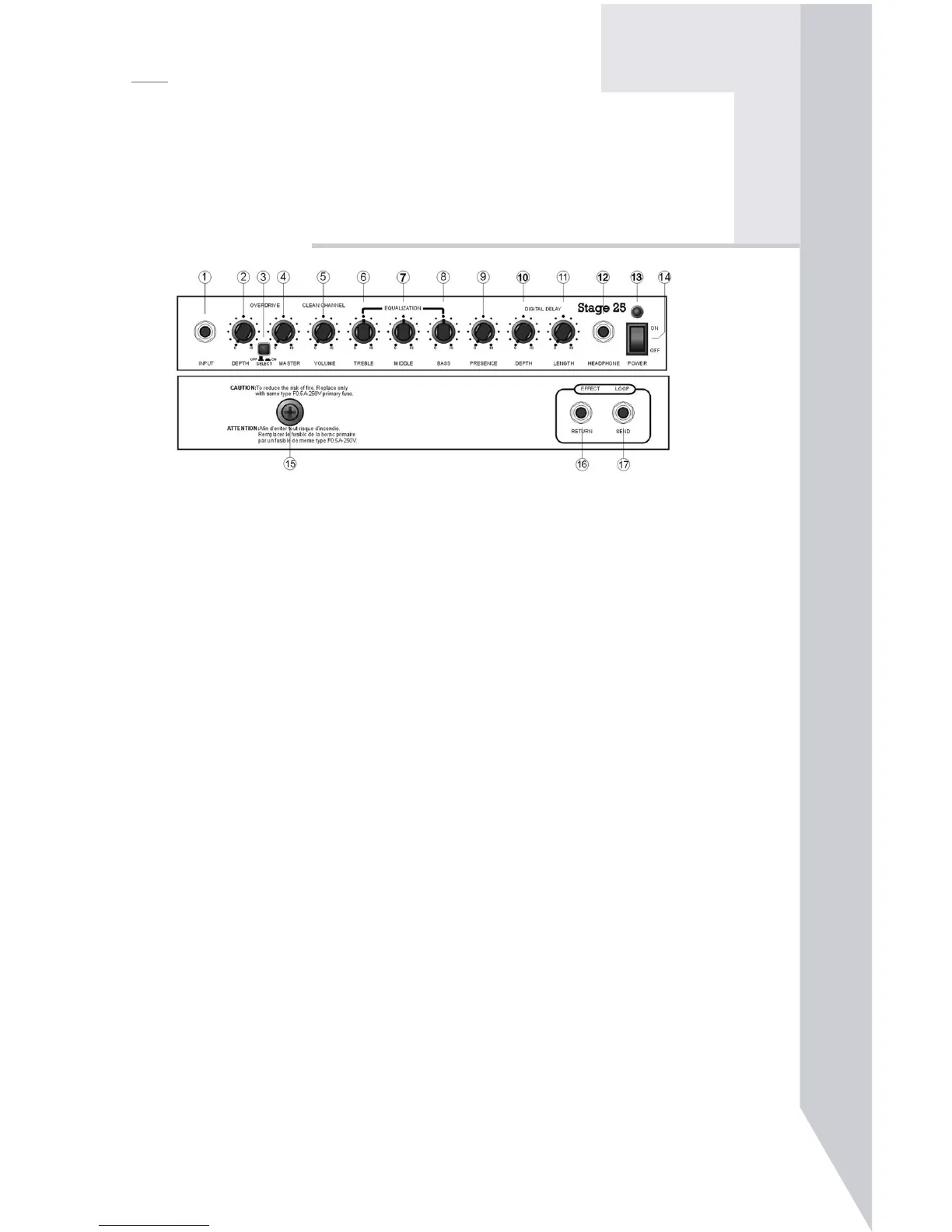
Connect the cable from your guitar’s output jack to this
jack. Always use an undamaged, shielded instrument
Used to adjust the amount of distortion routed to the signal.
Used to control the OVERDRIVE-SELECTOR switch. In the
“in” position, the signal is routed to the overdrive channel.
In the “out” position, the input signal is routed to the clear
Controls the volume level of the OVERDRIVE function.
Controls the volume level of the clean channel
Used to shape the amplifier’s tone by adjusting the high-end
Used to shape the amplifier’s tone by adjusting the middle
Used to shape the amplifier’s tone by adjusting the bass fre-



 To Next Page