11
2. USB flash drive export procedure
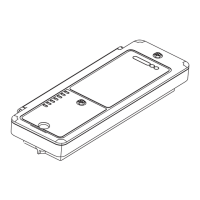
● Open the cap of the Bluetooth module and insert the
USB flash drive into the USB port. LED6 turns on when
the USB flash drive is connected to the module.
● Press SW2 twice in succession to export the fault data
and test run report to the USB flash drive. In this
process, LED4 blinks fast at 2.5Hz. If the export fails,
LED6 blinks slowly at 0.5Hz and you can try again by
pressing the button.
● The export ends when LED4 turns off. Unplug the USB
flash drive, and LED6 turns off.
3. Notes
● The module also supports the export of data to LetsLink.
● Analyze the fault record through diagnosis software
before reference.


 To Next Page