OPERATION
1. Setting the Clock
(1) Press “Timer/Clock” twice and then “0:00” will display.
(2) Turn the knob to set the hour figuers.The time should be within 0-23.
(3) Press “Timer/Clock” to confirm.
(4) Turn the knob to set the minute figuers. The time should be within 0-59.
(5) Press “Timer/Clock” to confirm.
2. Kitchen Timer
(1) Press “Timer/Clock” once and then “00:00” will display.
(2) Turn the knob to set the time.The time should be within 0:00~95:00
(3) Press “Start/+30Sec.” to confirm.
3. Microwave
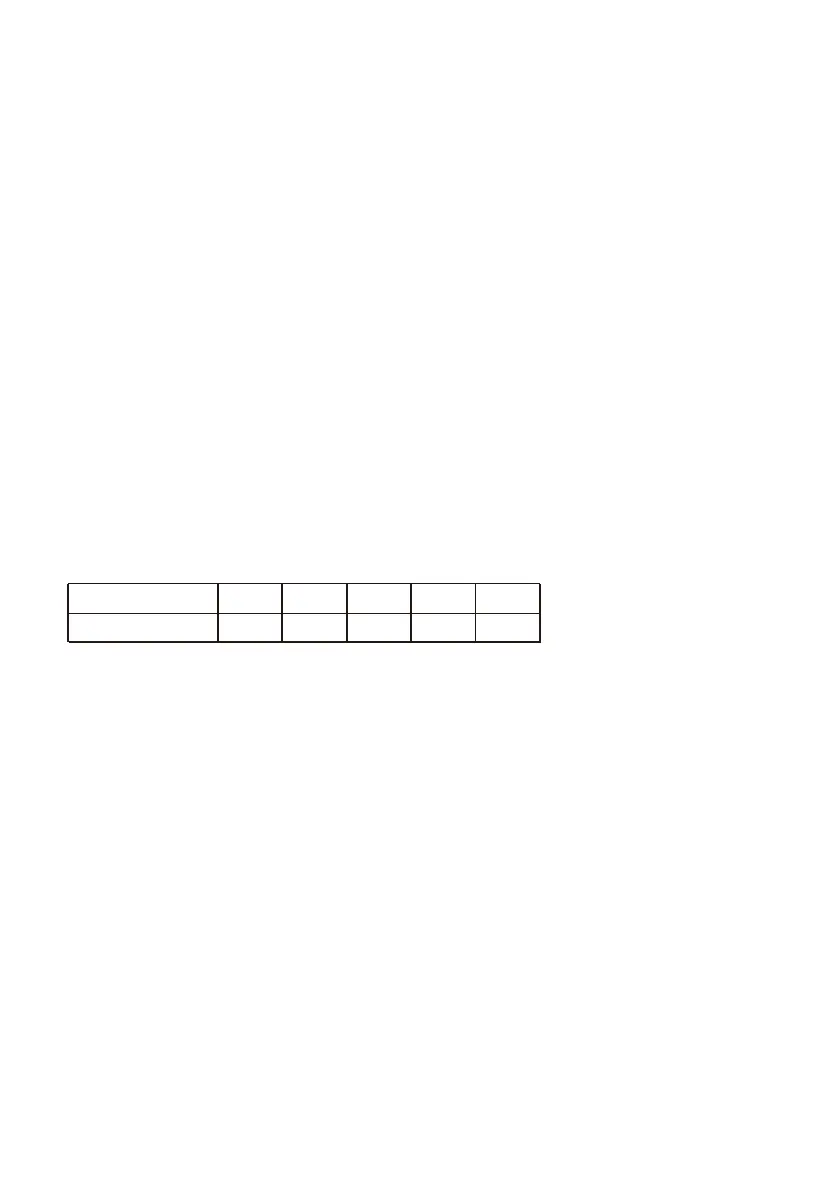
(1) In waiting state, Press “Microwave” and then “P100” will display.
(2) Turn the knob or press “Microwave” repeatedly to adjust the power level, 5
power levels are available.
(3) Press “Start/+30Sec.” to confirm the power level.
(4) Turn the knob to set the cook time.
(5) Press “Start/+30Sec.” to start cooking.
Power Level
Display
100%
P100
80%
P80
50%
P50
30%
P30
10%
P10
4.Grill
(1) Press “Grill/Combi.” once and then “G” will display.
(2) Press “Start/+30Sec.” to confirm.
(3) Turn the knob to set the cook time.The time should be within 0:05~95:00.
(4) Press “Start/+30Sec.” to start cooking.
Note: There is not any other programs during the timer.


 To Next Page