EasyManua.ls Logo

JoinTech JT600 - 4.2 Operation Button

JoinTech JT600
40 pages
Print Icon
To Next Page IconTo Next Page
To Previous Page IconTo Previous Page
Loading...
- 7 -
4.2 Operation Button
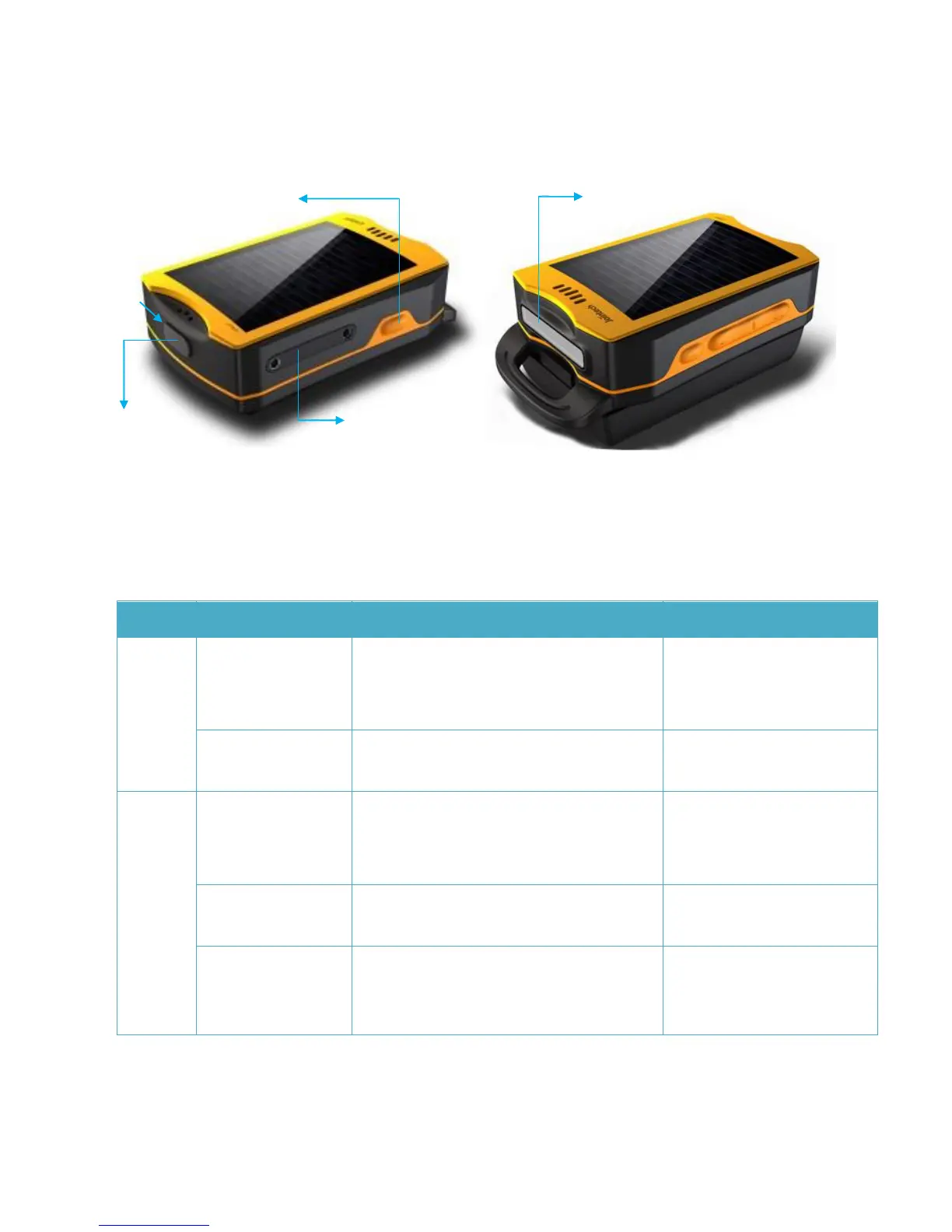
There are 4 buttons, please refer to the following details:
Button
Operation
Function
Conditions
CALL
Press this button
for 3 sec
Call the first preset VIP number .
Note: JT600 will be vibrating if you dial
this number successfully.
No incoming call
Press this button
once
Answer the incoming call
When an incoming call
CALL
Press this button
for 3 sec
Call the second preset VIP number.
Note: JT600 will be vibrating if you dial
this number successfully.
No incoming call
Press this button
once
Answer the coming call
When an incoming call
Press this button
twice within 3sec
Self Geo-fence ON
Note: JT600 will be vibrating if you set this
successfully. and there is a message which
No incoming call. and self
Geo-fence off
SOS button
SIM card Slot
Mini USB power/data
Flashlight /indication LED
Open it here