Need help?
Do you have a question about the Jolly X-1000 Spot and is the answer not in the manual?
Details product package contents and unpacking procedures.
Essential safety rules for operating and handling the fixture.
Warnings on eye safety, light exposure risks, and required distances.
Explains IP20 rating and guidance on permissible mounting surfaces.
Lists EU directives compliance and requirements for electrical connection and earthing.
Instructions for product disposal, battery handling, and lamp replacement.
Steps for safe maintenance, including power disconnection and cooling time.
Essential rules for operating the device safely, including environment and handling.
Guidance on various mounting positions and ensuring secure installation.
Detailed instructions for installing clamps and ensuring structural integrity.
Procedures for connecting and disconnecting the fixture's power supply.
Instructions for connecting the fixture to the mains power supply.
Instructions for connecting fixtures using DMX-512 cables and XLR plugs.
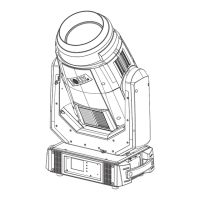
Identifies and describes the main parts of the fixture: Head, Arm, and Base.
Lists and describes the components of the fixture's display panel.
Provides detailed physical dimensions of the fixture in millimeters and inches.
Explains how to navigate the fixture's menu system using buttons or touch screen.
Describes the initial display, DMX signal status, and modifying DMX address.
Lists various error codes and their meanings for troubleshooting.
Detailed breakdown of the menu structure and available functions for setup and control.
Maps DMX values to Pan, Tilt, and Color Wheel functions across different modes.
Details DMX channel functions for Gobo and Aerial wheels, including indexing and rotation.
Covers DMX functions for FX wheel, Prism, and animation effects, including speed and indexing.
Details DMX channels for Iris, Shutter, Dimmer, and various reset functions.
Essential advice on keeping the fixture clean to maintain light output and function.
Technical specifications including source, power, voltage, and color temperature.
Provides net and package weights and dimensions for the fixture.
Lists key channel characteristics like DMX modes, scan range, and wheel details.
Describes the features and functionalities available through the fixture's menu system.
Provides illuminance data (Lux) and beam diameter at different projection distances.
Visual representation and labeling of the colors available on the color wheel.
Illustrates the different gobo patterns available on the RGobo Wheel.
Illustrates the different gobo patterns available on the Gobor Wheel.
Presents a schematic overview of the fixture's internal electronic components and connections.
 General
| Pan | 540° |
|---|---|
| Tilt | 270° |
| Voltage | AC100-240V, 50/60Hz |
| Type | Moving Head |
| Lamp | LED |
| Control | DMX512, Master-Slave, Auto, Sound |
| Color Wheel | 7 colors + white |
| Gobo Wheel | 7 Gobos + Open |
| Effects | Strobe |
| Light Source | LED |


 To Next Page