Need help?
Do you have a question about the JOMISE G812 and is the answer not in the manual?
Insert the Micro SD Card into the dash camera slot until it clicks.
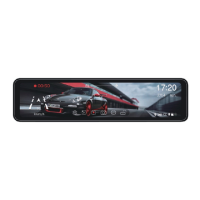
Attach the device to the existing rear-view mirror using straps.
Mount the rear camera inside or outside the vehicle.
Diagram showing how to connect the camera, charger, and GPS.
Step-by-step guide for routing wires within the car.
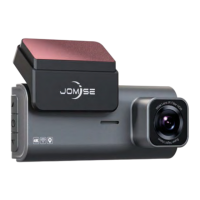
Details the physical components and ports of the dash camera.
Adjust loop time, resolution, audio recording, and auto power-off.
Set clock, time format, and language.
Configure volume, screen saver, G-sensor, and parking monitoring.
Manage time zone, GPS display, speed units, and camera views.
Format SD card, reset settings, and check firmware version.
Adjust screen brightness using a scrollbar.
Select, play, lock, or delete video/photo files.
View GPS tracking data and map location using dedicated software.
 General
| Resolution | 4K |
|---|---|
| Viewing Angle | 170 degrees |
| Loop Recording | Yes |
| G-Sensor | Yes |
| Night Vision | Yes |
| Storage | MicroSD card up to 128GB |
| Battery | Built-in |
| Screen Size | 3.0 inches |

 To Next Page