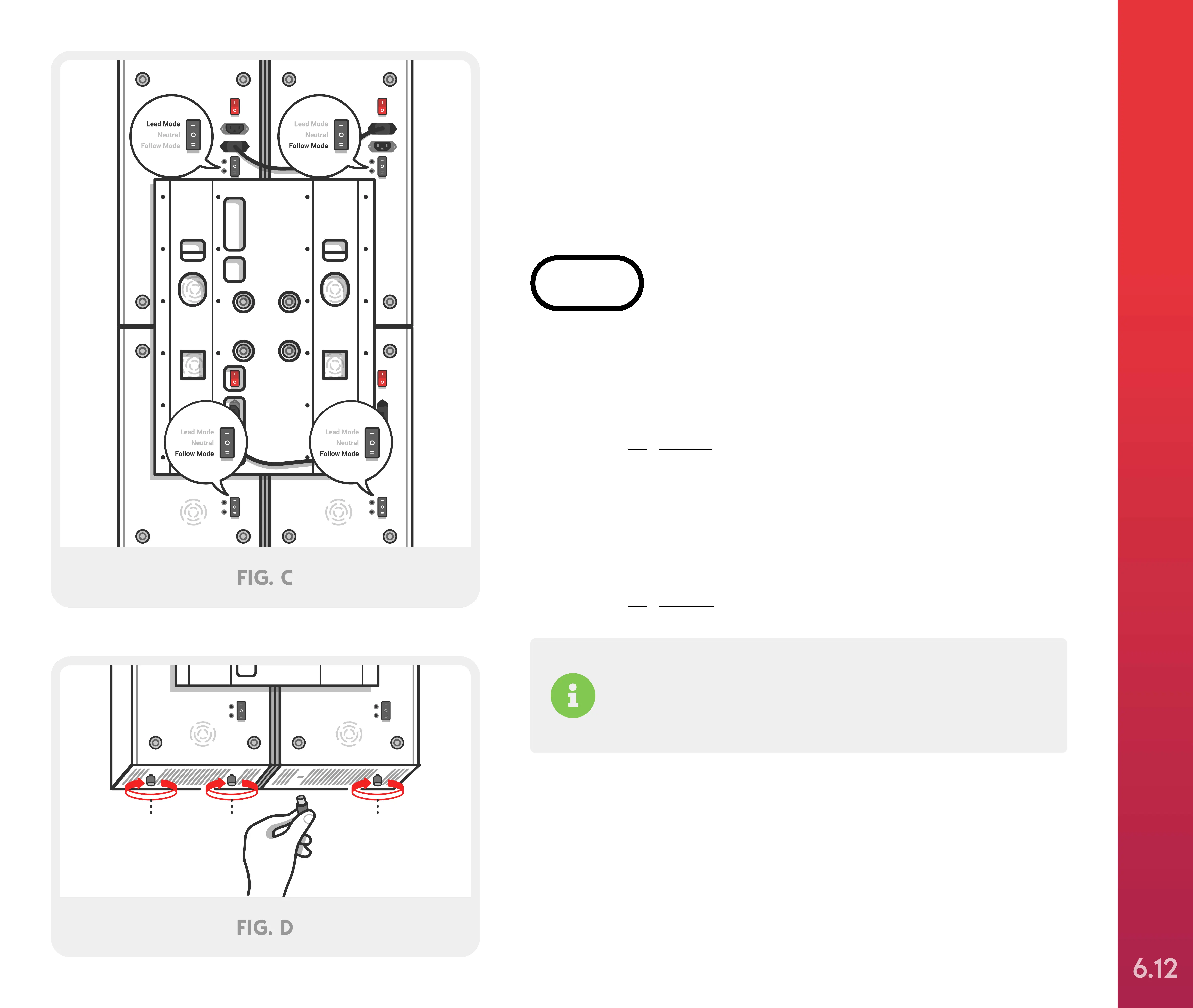
Locate the pairing switch on each Solo and Mini.
Turn the switch on #1 Solo to “Lead Mode” and
“Follow Mode” on #2 Solo, #3 Mini, and #4 Mini, as
shown in Figure C. Next, locate the four black rubber
floor bumpers and attach by inserting the adjustable
nut into the bottom slots of Mini #3 and #4. Once
inserted slide the nut forward and pull down and
tighten by screwing clockwise until hand tight, as
shown in Figure D.
If you don’t want to connect your devices via
Bluetooth, follow the instructions included with the
Hardwire Pairing kit.
STEP 6
Optional Mounting Systems
(2 people required)
SETTING UP YOUR JOOVV MAX
6.12



 To Next Page