EasyManua.ls Logo

jost JSK 34 - User Manual

Default Icon
24 pages
Print Icon
To Next Page IconTo Next Page
Loading...
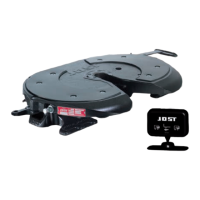
Sensor JSK
EN Installation and operating instructions
Sensor JSK
EN Installation and operating instructions

Other manuals for jost JSK 34

Questions and Answers

  • B
    Brittany StewartAug 13, 2025
    What to do if jost JSK 34 display is non-functional after starting?
    • D
      dennisstevensonAug 13, 2025
      If the Jost Accessories display is non-functional after starting, there are several potential causes. First, check the plug connections for the cabling between the fifth wheel coupling and the electronic display, ensuring all contacts are uniformly engaged and correctly connected. Also, inspect the 1 A automotive fuse and replace it if defective. Next, verify the voltage supply to the connection cable: the white cable should be connected to terminal 15 (+12 V or +24 V ignition ON), and the black cable to terminal 31 (earth). Finally, check the vehicle battery and charge or replace it if it's too weak.
  • T
    Thomas MillerAug 17, 2025
    Why does the jost Accessories indicator change when driving?
    • P
      Patricia AllenAug 17, 2025
      If the indicator on the Jost Accessories display changes while driving or after ignition is on with a coupled semi-trailer, it could be due to several reasons. The fifth wheel coupling may not be adjusted correctly or could be worn, so check and adjust it according to its installation and operating instructions. Also, the king pin might be worn beyond its maximum wear limit, requiring replacement, and the locking mechanism setting on the fifth wheel coupling should be checked. Ensure the king pin sensor is correctly installed according to the sensor system repair instructions. Lastly, check the plug connections for the cabling between the fifth wheel coupling and the electronic display to ensure they are correctly engaged.
  • S
    Sarah FrancisAug 21, 2025
    What to do if jost Accessories display does not switch off after uncoupling?
    • R
      Richard CabreraAug 21, 2025
      If the Jost Accessories display does not switch off after uncoupling, the king pin sensor and/or semi-trailer sensor might be soiled by grease or other dirt, so clean them. Alternatively, the sensor set may be defective due to a cable break or sensor issue. In this case, check the sensor set according to the repair instructions “Replacing the sensor set” and replace it if necessary.
  • E
    Emily MeltonAug 25, 2025
    What to do if jost JSK 34 fifth wheel coupling is not closed correctly?
    • M
      Michael JonesAug 25, 2025
      Check the status of the locking mechanism, adjust it if necessary, and reconnect the semi-trailer.
  • C
    Catherine FarleyAug 28, 2025
    What happens if jost JSK 34 Accessories fifth wheel coupling has been locked manually without the king pin?
    • A
      Ana HermanAug 28, 2025
      Open the fifth wheel coupling and reconnect the semi-trailer if necessary. The skid plate must rest on the fifth wheel coupling without a gap.
  • M
    Megan MendezSep 1, 2025
    What to do if jost JSK 42 Accessories handle is not secured?
    • S
      snydermelissaSep 1, 2025
      Check the functionality of the handle. If necessary, clean and re-lubricate it. The handle must move independently and fully into the secured position.
  • J
    Jeffrey DavisSep 5, 2025
    What to do if jost JSK 34 Accessories semi-trailer sensor is defective?
    • P
      pettyrachelSep 5, 2025
      Check the functionality of the king pin sensor and semi-trailer sensor according to the repair instructions “Replacing the sensor set” and replace the sensor set if necessary.
  • A
    Alexis DavisSep 9, 2025
    What to do if jost Security Sensors have faulty components in the fifth wheel coupling?
    • J
      jenniferlongSep 9, 2025
      If the jost Security Sensors have faulty or worn components in the fifth wheel coupling, the solution is to replace them.

jost JSK 34 Specifications

General IconGeneral
Brandjost
ModelJSK 34
CategoryAccessories
LanguageEnglish

Related product manuals