EasyManua.ls Logo

jost JSK Series - User Manual

jost JSK Series
24 pages
Print Icon
To Next Page IconTo Next Page
Loading...
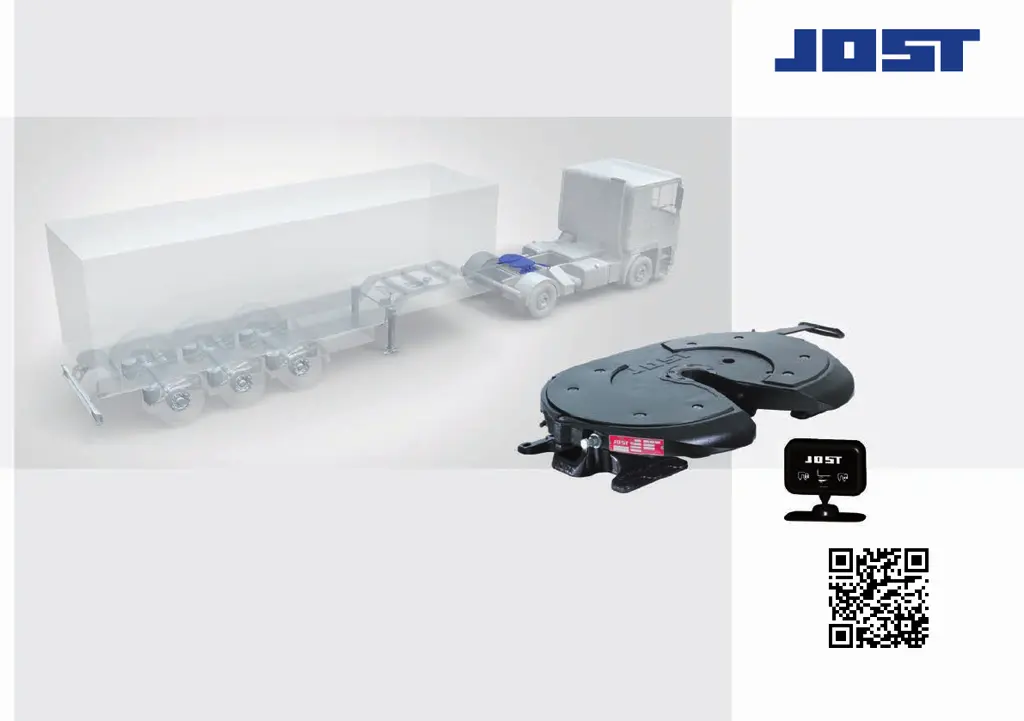
Sensor JSK
EN Installation and operating instructions
Sensor JSK
EN Installation and operating instructions

Questions and Answers

  • R
    Robin RoblesJul 27, 2025
    What to do if jost JSK Accessories display is non-functional after starting?
    • R
      Roy SmithJul 27, 2025
      If the Jost Accessories display is non-functional after starting, there are several potential causes. First, check the plug connections for the cabling between the fifth wheel coupling and the electronic display, ensuring all contacts are uniformly engaged and correctly connected. Also, inspect the 1 A automotive fuse and replace it if defective. Next, verify the voltage supply to the connection cable: the white cable should be connected to terminal 15 (+12 V or +24 V ignition ON), and the black cable to terminal 31 (earth). Finally, check the vehicle battery and charge or replace it if it's too weak.
  • D
    dawnowensAug 1, 2025
    Why does the jost JSK Accessories indicator change when driving?
    • D
      Dylan BlackAug 1, 2025
      If the indicator on the Jost Accessories display changes while driving or after ignition is on with a coupled semi-trailer, it could be due to several reasons. The fifth wheel coupling may not be adjusted correctly or could be worn, so check and adjust it according to its installation and operating instructions. Also, the king pin might be worn beyond its maximum wear limit, requiring replacement, and the locking mechanism setting on the fifth wheel coupling should be checked. Ensure the king pin sensor is correctly installed according to the sensor system repair instructions. Lastly, check the plug connections for the cabling between the fifth wheel coupling and the electronic display to ensure they are correctly engaged.
  • E
    Emma GriffinAug 5, 2025
    What to do if jost JSK display does not switch off after uncoupling?
    • M
      Mrs. Katherine PhamAug 5, 2025
      If the Jost Accessories display does not switch off after uncoupling, the king pin sensor and/or semi-trailer sensor might be soiled by grease or other dirt, so clean them. Alternatively, the sensor set may be defective due to a cable break or sensor issue. In this case, check the sensor set according to the repair instructions “Replacing the sensor set” and replace it if necessary.
  • B
    brianhernandezAug 8, 2025
    What to do if jost JSK Accessories fifth wheel coupling is not closed correctly?
    • N
      Natalie HollandAug 8, 2025
      Check the status of the locking mechanism, adjust it if necessary, and reconnect the semi-trailer.
  • B
    Brian ThomasAug 13, 2025
    What happens if jost JSK Accessories fifth wheel coupling has been locked manually without the king pin?
    • W
      williamsonsarahAug 13, 2025
      Open the fifth wheel coupling and reconnect the semi-trailer if necessary. The skid plate must rest on the fifth wheel coupling without a gap.
  • P
    Priscilla WilsonAug 17, 2025
    What to do if jost JSK 42 Accessories handle is not secured?
    • D
      David HollandAug 17, 2025
      Check the functionality of the handle. If necessary, clean and re-lubricate it. The handle must move independently and fully into the secured position.
  • C
    Christina PhelpsAug 22, 2025
    What to do if jost JSK Accessories semi-trailer sensor is defective?
    • T
      Tracy PierceAug 22, 2025
      Check the functionality of the king pin sensor and semi-trailer sensor according to the repair instructions “Replacing the sensor set” and replace the sensor set if necessary.

Summary

Explanation of Symbols

Safety Warning Symbols

Defines WARNING, ATTENTION, and ADVICE symbols used for safety communication.

Safety Information

Safety Guidelines for Operation

Essential safety rules and precautions for operating the JOST sensor coupling system.

Safety Guidelines for Installation

Crucial safety instructions for the proper installation of the sensor coupling system.

Intended Use

Product Function and Indicators

Explains the JOST sensor coupling's role as an assistance function and its status indicators.

Installation

System Components Overview

Lists and identifies all components included in the JOST sensor coupling installation kit.

Display Unit Installation

Detailed steps for mounting the system's display unit in a visible location.

Connection Cable Installation

Instructions for routing and connecting the main sensor system cable.

Operation

Initial System Self-Diagnostic

Describes the automated sensor check performed when the vehicle ignition is activated.

Operational Status Indicators

Explains the meaning of the display's visual cues for coupling status (open/closed).

Fault Indicators and Alarms

Details the display signals and audible alarms indicating system malfunctions.

Coupling Procedure

Step-by-step guide on how to perform the trailer coupling process with the sensor.

Uncoupling Procedure

Step-by-step guide on how to perform the trailer uncoupling process with the sensor.

Troubleshooting

General System Malfunctions

Addresses common faults like display not functioning or connection issues.

Coupling Up Malfunctions

Troubleshooting issues encountered during the trailer coupling process.

Uncoupling Malfunctions

Troubleshooting issues encountered during the trailer uncoupling process.

Maintenance

Cleaning the Fifth Wheel Coupling

Procedure for cleaning sensor contact surfaces to ensure optimal performance.

jost JSK Series Specifications

General IconGeneral
Brandjost
ModelJSK Series
CategoryAccessories
LanguageEnglish

Related product manuals