EasyManua.ls Logo

Joy-it JT-DPS6600 - User Manual

Joy-it JT-DPS6600
12 pages
Print Icon
To Next Page IconTo Next Page
Loading...
Published: 10.03.2021
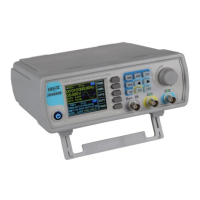
JT-DPS6600
Signal generator and frequency counter
MAIN FEATURES
Display type TFT color LCD
Display size 2,4 Inch
Connection BCN Signal terminals
Features 2 channel Signal generator
1 channel frequency counter
Size 194 x 178 x 69 mm
Items delivered signal generator,
2x BNC signal terminals,
power supply
The JT-JDS6600 Signal generator
and frequency meter can generate
signals up to 60 MHz in dierent
waveforms and oers an outstanding
quality with its frequency counter.
The control panel with its buttons is
very intuitive. Further, the Menu can
be displayed in German, English and
French language.
FURTHER SPECIFICATIONS
Signal waveforms Lorentz pulse, pulse, half-
wave, noise, exponential
rise/ fall, CMOS, a. m. m.
Frequency range:
sine
square, triangle
PWM, CMOS, TTL, arbitrary
0 - 60 MHz
0 - 15 MHz
0 - 6 MHz
Min. frequency resolution 0,01 µHz
Frequency accuracy ± 20 ppm
Frequency stability ± 1 ppm/ 3 hours
Load capability of the
outputs
150 mA max.
Operation temperature 0 - 40 °C
Operation humidity < 80 %
Question and Answer IconNeed help?

Do you have a question about the Joy-it JT-DPS6600 and is the answer not in the manual?

Overview

The JT-DPS6600, also known as the JDS6600, is a dual-channel signal generator and frequency counter designed for a wide range of applications. This device is capable of generating various waveforms and measuring frequencies up to 60 MHz, offering an outstanding quality with its frequency counter.

Function Description:

The JT-DPS6600 serves as a versatile tool for generating signals and performing frequency measurements. It features two independent channels (CH1 and CH2) that can output different waveforms and parameters simultaneously. The device supports various modulation modes, including sweep, pulse, and burst functions, making it suitable for complex signal generation tasks. Additionally, it incorporates a frequency counter that can measure input frequency, period, positive pulse width, negative pulse width, and duty cycle. The device can be connected to a PC via a USB-TTL cable for software control and extended functionalities.

Important Technical Specifications:

Main Features:

  • Display Type: TFT color LCD
  • Display Size: 2.4 inch
  • Connection: BCN Signal terminals
  • Features: 2 channel Signal generator, 1 channel frequency counter
  • Size: 194 x 178 x 69 mm
  • Items Delivered: Signal generator, 2x BNC signal terminals, power supply

Further Specifications:

  • Signal Waveforms: Lorentz pulse, pulse, half-wave, noise, exponential rise/fall, CMOS, a. m. m.
  • Frequency Range:
    • Sine: 0 - 60 MHz
    • Square, triangle: 0 - 15 MHz
    • PWM, CMOS, TTL, arbitrary: 0 - 6 MHz
  • Min. Frequency Resolution: 0.01 µHz
  • Frequency Accuracy: ± 20 ppm
  • Frequency Stability: ± 1 ppm / 3 hours
  • Load Capability of the Outputs: 150 mA max.
  • Operation Temperature: 0 - 40 °C
  • Operation Humidity: < 80 %

Usage Features:

Device Overview:

The front panel of the JDS6600 features a 2.4" TFT LCD display, a rotary switch, and various buttons for control.

  • WAVE: Configures the waveform.
  • MEAS: Configures the measuring mode.
  • MOD: Activates the modulation mode.
  • SYS: Accesses system settings.
  • OK: Controls the output from CH1 and CH2, and acts as a control/confirmation button in other menus.
  • Arrow Keys: Used for moving the cursor position.
  • CH1 / CH2: Selects channel 1 or 2. Holding down sets the respective channel as the main channel.
  • Ext. IN: External input for frequency measurement.
  • Output: BNC connectors for CH1 and CH2 signal output.
  • Input: Power input.
  • TTL-interface for PC-connection: Located on the rear panel, along with a USB-interface for PC-connection.

Parameter Settings in the Main Interface:

  • Enabling/Disabling Output: Press the OK button to simultaneously enable or disable the output of both channels.
  • Switching Channels: Use the CH1 and CH2 buttons to switch between channels. Pressing a channel button again activates or deactivates its output. Holding down a channel button places it in the main interface.
  • Activating Waveform: Press the WAVE button. While active, the waveform can be changed quickly with the rotary button. Arrow keys switch between waveforms and presettings.
  • Editing Parameters: Use the multifunctional button (e.g., FREQ) to highlight a parameter. Use arrow keys to move the cursor to the value to be edited. Press the rotary button to edit the value. Holding down the multifunctional button changes the unit (µHz, mHz, Hz, KHz, MHz).

Measuring and Counting Function:

  • Switching Modes: Press MEAS then FUNC to switch between measuring and counting functions.
  • Measurement Parameters: Input frequency, period, positive pulse width, negative pulse width, and duty cycle.
  • Frequency Range: 1 Hz to 100 MHz.
  • Signal Amplitude Range: 2 Vpp to 20 Vpp (via Ext. IN).
  • Coupling Settings: Press COUP to switch between AC and DC modes.
  • Gate Time Settings: Press GATE to set the gate time (0.01 - 10 S). Use arrow keys and the rotary button to adjust the value.
  • Measuring Mode: Press MODE to switch between counting frequency and counting period.
  • Starting/Stopping Counting: After setting parameters, use the multifunctional button to start or stop the counting function.

Modulation Mode:

  • Activating Modulation: Press MOD.
  • Switching Functions: Press FUNC to switch between sweep function (CH1/CH2), pulse function (CH1), and burst function (CH1).
  • Sweep Function: Set starting and ending frequencies (0.1 to 999.9 s). Use multifunctional buttons and arrow keys to set frequency, time, direction, and mode.
  • Pulse Function: Configure pulse width and pulse time. Use multifunctional buttons and arrow keys to select parameters and the rotary button to adjust.
  • Burst Function: The pulse sequence can be set from 1 to 108575 periods. The burst mode is divided into internal CH2 channel bursts, external input bursts, and manual bursts. The time of a period from a burst is smaller than the time of a period from a burst signal. Use multifunctional buttons and arrow keys to select the pulse number and burst mode.
  • Starting/Ending Functions: Use ON to start and OFF to end functions.

System Configuration:

  • Setup Menu: Press SYS to open the setup menu. Use multifunctional buttons to navigate.
  • Settings: Save & load, sound settings, configuration of brightness, language settings, synchronization, setting of the arbitrary wave display.
  • Saving/Loading: Use SAVE to save current settings. Use LOAD to load data groups. Use CLR to clear data groups.
  • Sound Setting: Activate or deactivate with ON and OFF.
  • Configuration of Brightness: Adjustable in 12 different levels.
  • Language Settings: English, German, and French are available.
  • Synchronization: CH1 is the target for synchronization. CH2 parameters change according to CH1. Use arrow keys to select the synchronization point.
  • Settings of the Arbitrary Wave Display: Waveforms in the main interface can be adjusted via the rotary button (1-60) quickly.

PC Software Installation:

  • Download the latest version of the PC software from the manufacturer's website.
  • Run JDS6600.exe to start the installation.
  • Follow the on-screen instructions, confirming with Next >> at each step.
  • The installer will guide you through selecting the installation path, choosing modules to install (e.g., NI-VISA 5.4 Runtime), and configuring product notifications (e.g., disabling automatic updates).
  • It is recommended to disable Windows Fast Startup during installation to prevent potential issues with hardware installation/removal.

Maintenance Features:

Information and Redemption Obligation (ElektroG):

  • Symbol on Electrical and Electronic Products: The crossed-out bin symbol indicates that electrical and electronic products should not be disposed of with household waste. Old appliances must be handed over to a registration office. Used batteries and accumulators not enclosed by the device must be removed before disposal.
  • Return Options: End-users can hand over old appliances (with similar functions to a new purchase) free of charge for disposal. Small devices (outer dimensions < 25 cm) can be submitted independently of a new purchase in normal household quantities.
  • Restitution at Company Location: Possible during opening hours.
  • Restitution Nearby: A parcel stamp can be requested via e-mail (service@joy-it.net) or telephone to send the old appliance free of charge.
  • Information about Packaging: Package the old appliance safely for transport. If suitable packaging material is not available, contact the company for assistance.

Support:

For any questions or problems after purchase, support is available via e-mail, telephone, and a ticket support system.

Joy-it JT-DPS6600 Specifications

General IconGeneral
BrandJoy-it
ModelJT-DPS6600
CategoryPortable Generator
LanguageEnglish