03
Connect with Mijia App
Scan the QR code to download and install the app. You
will be directed to the connection setup page if the app
is installed already. Or search "Mijia" in the app Store to
download and install it.
Open Mijia app, tap "+" on the upper right, and then
follow prompts to add your device.
Note: The version of Mijia app might have been updated, please follow
the instructions based on the current app version.
This product works with Mijia app. Control your device,
and interact it and other smart home devices with Mijia app.
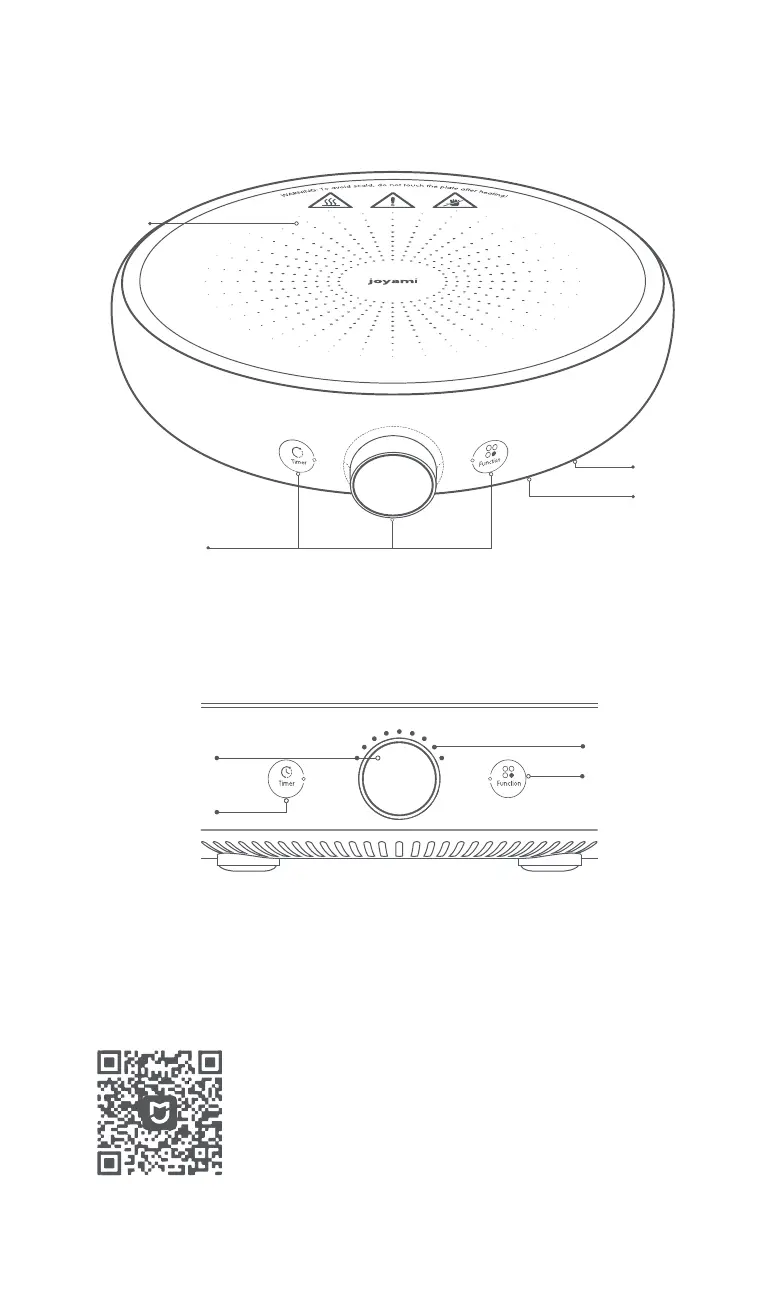
Product Description
Heating Area
Operation Area
Operation Area
Air Inlet
Vent Outlet
Note: The illustrations of product, components and user interface herein are all schematic diagrams for reference only.
Due to possible upgrades of the product, there may be differences between the actual product and the schematic diagram included herein.
Main Aotary
Knob/Screen
Timer Key
Key
Power Indicator
Function
About Use



 To Next Page