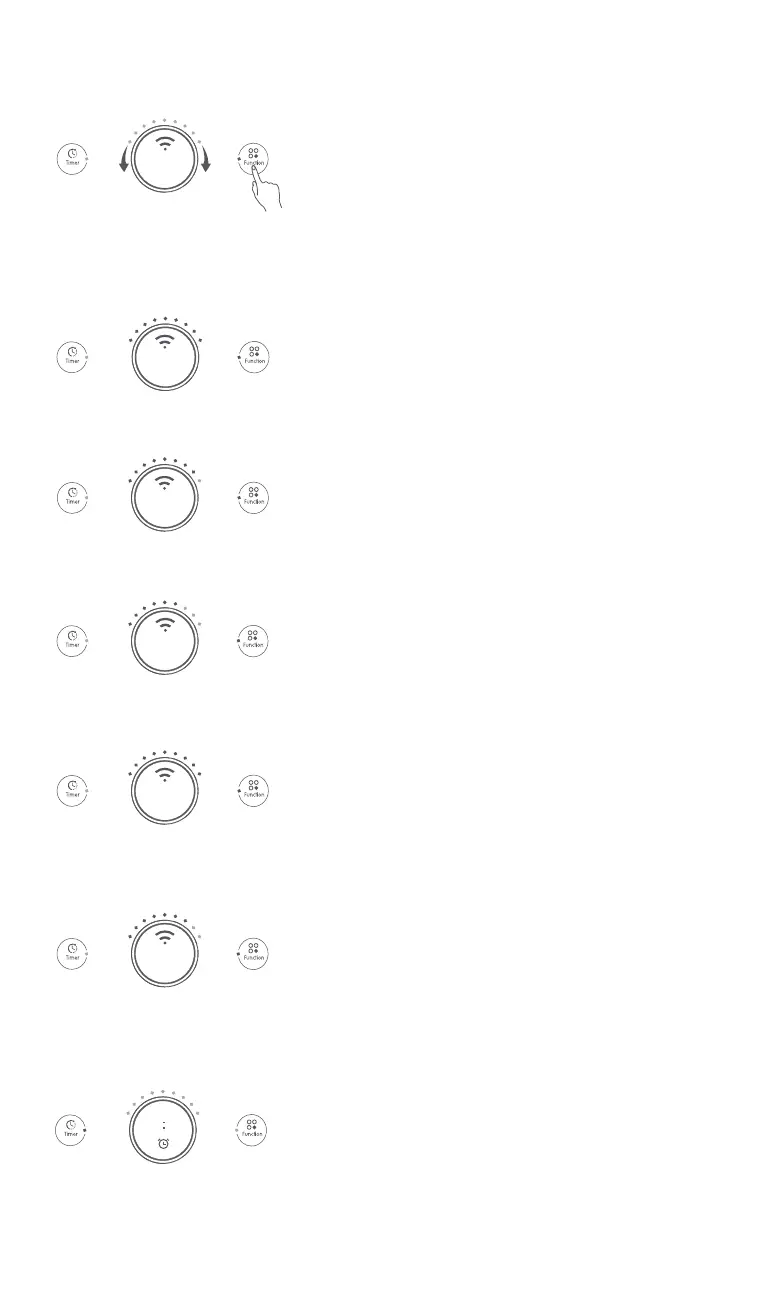
Press down the "Function" button to enter the function mode,
and rotate the "Main Rotary Knob" leftwards or rightwards to
browse and select from the basic functions. With every rotation
of the "Main Rotary Knob", the menu switches cyclically in the
order of "Hot Pot, Steam, Soup, Stir Fry, and Deep Fry". Click
the "Main Rotary Knob", and then joyami Smart Cooktop starts
cooking according to the selected function.
06
Hot Pot
Hot Pot
Steam
Soup
Stir Fry
Deep Fry
00 00
Function mode
Tip:
Users can expand the functions of joyami Smart Cooktop and adjust their
order after logging on Mijia APP.
1 . Hot Pot
The default cooking duration is 2h for this mode. Adjust the
heating stage of joyami Smart Cooktop according to cooking
requirements.
(The start stage is Stage 99 by default.)
2. Steam
The default cooking duration is 1h for this mode. Adjust the
heating stage of joyami Smart Cooktop according to cooking
requirements.
(The start stage is Stage 80 by default.)
3. Soup
The default cooking duration is 2h for this mode. Adjust the
heating stage of joyami Smart Cooktop according to cooking
requirements.
(The start stage is Stage 60 by default.)
4. Stir Fry
The default cooking duration is 1h for this mode. Adjust the
heating stage of joyami Smart Cooktop according to cooking
requirements.
(The start stage is Stage 99 by default.)
5. Deep Fry
The default cooking duration is 2h for this mode. Adjust the
heating stage of joyami Smart Cooktop according to cooking
requirements.
(The start stage is Stage 70 by default.)
Timer mode
Before timing, confirm whether the current mode of joyami
Smart Cooktop is correct. Select an appropriate mode, and
then press the "Timer" button to enter the Timer mode.
1.
Tip:
The timer function can also be used when joyami Smart Cooktop is not in the
heating state. After the timer countdown expires, the alarm clock will remind
you and the cooker automatically enter the standby status. For timing in
function mode, set the timer after joyami Smart Cooktop enters the cooking
state.


 To Next Page
 Loading...