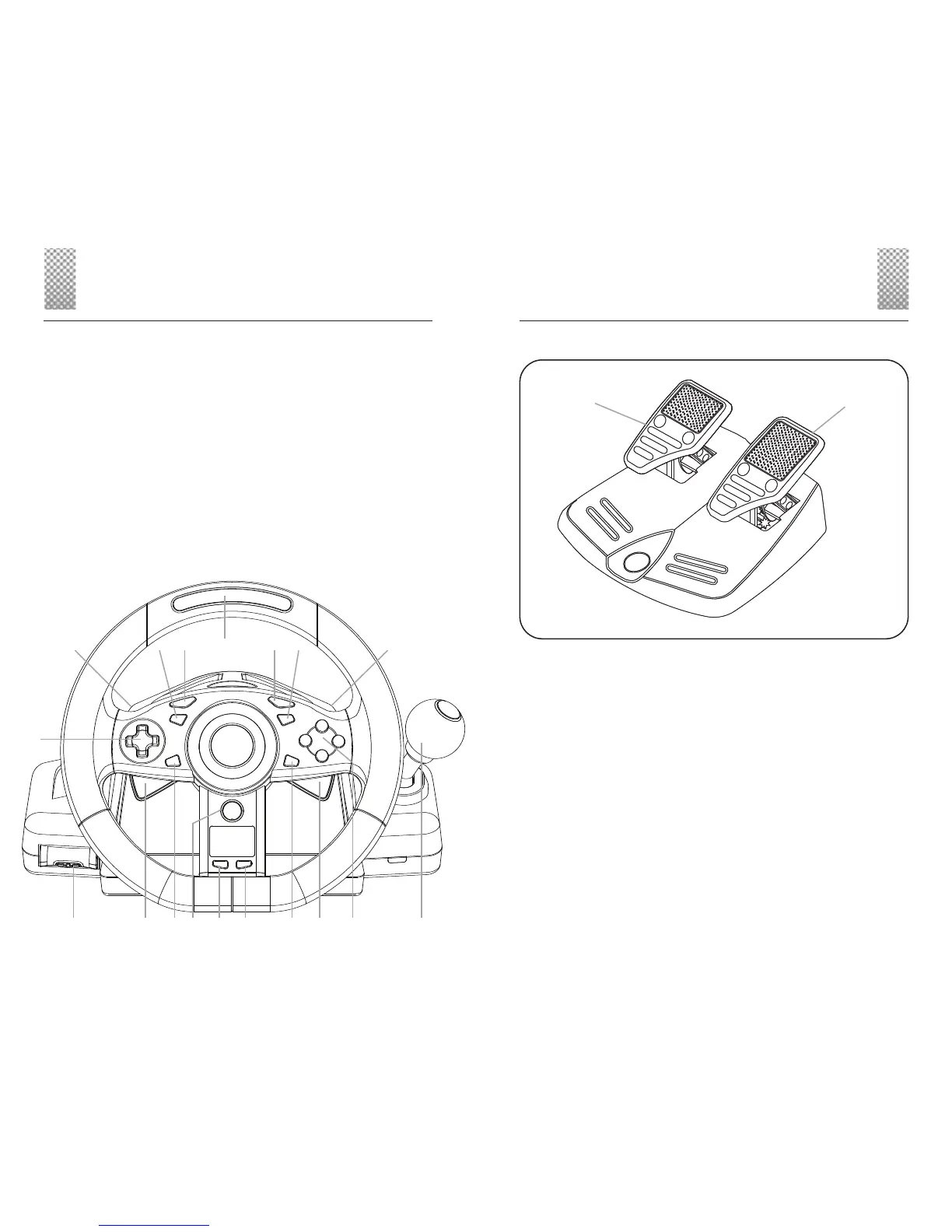
1 Stopwatch RESET Button
2 Stopwatch START - STOP Button
3 Xbox Guide button
4 Stopwatch Counter adjust Button
5 Left Trigger Paddle
6 Headset Expansion Port
7 Directional Button
8 Left Bumper Paddle
9 Left Stick Button
10 BACK Button
11 Gas / Accelerator Pedal Indicator
12 START Button
13 Right Stick Button
14 Right Bumper Paddle
15 Shift-Tronic™ Stick
16 A,B,X,Y Action Buttons
17 Right Trigger Paddle
18 Steering Sensitivity Select
Button
19 Brake Pedal
20 Gas / Accelerator Pedal
ENGLISH ENGLISH
23
1
15
161718
7
8 9 10 11 12 13 14
23456
Welcome
Thank you for purchasing the JOYTECH Nitro Racing Wheel™ for the
Xbox 360™ video game system. The Nitro Racing Wheel™ is designed
to optimize your game play by giving you total control of your Xbox
360™ racing games. Before using this product please familiarize your-
self thoroughly with this User Guide so you fully understand the setup
procedure and functions of the product.
For information about using the Nitro Racing Wheel™ with a game, see
the game manual.
IMPORTANT! Before using this product, read the Xbox 360™ instruc-
tion manual for important safety information and health warnings.
Please retain both the Xbox 360™ instruction manual and this User
Guide for future reference.
19
20
Pedal Set


 To Next Page