INSTRUCTION MANUAL CODE 80297 REV E 12/2020 Page: 10
J.P. SELECTA s.a.u. Autovía A-2 Km 585.1 Abrera 08630 (Barcelona) España Tel 34 937 700 877 Fax 34 937 702 362
e-mail: selecta@jpselecta.es - website: http://www.grupo-selecta.com
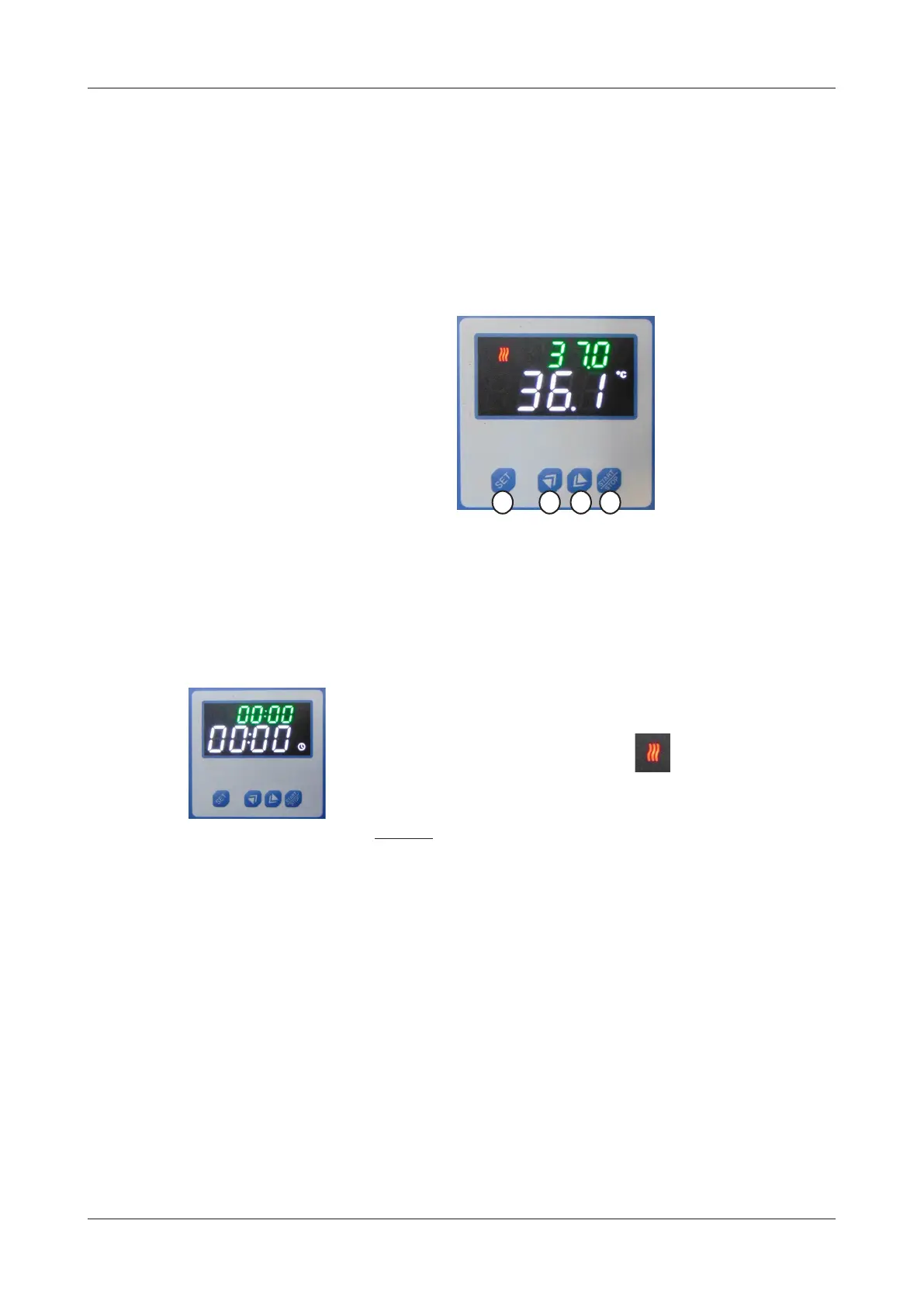
7.1Controlpanel
1. Stop / Start cycle Key
2. Reduce value key
3. Increase value key
4. Adjustment (change between temperature / time)
(only DIGITERM models).
4 3 2 1
7.2Startingup
1. Press the start switch and at the same time the screen will light up.
2. Press the Up/Down keys (3/2) until the desired temperature value is selected
in the green display (the above one).
3. Press key (4) if you want to select an operating time (only DIGITERM models).
4. Press key (1) to start the cycle.
5. The heating symbol will light up and ash.
6. Press key (1) again to stop the incubation process.
Note: during operation, temperature or time adjustment value can be changed.
REMARKS:
* When using the time function, the green display (the above one) will indicate
the remaining time. If you want to see the target temperature value, press key
(4) (only
DIGITERM
models
).
7.3Safetythermostat
The equipment has a safety element to prevent overheating.
In case the thermostat triggers, press the rear button to reset the device.


 To Next Page