17
Index
HANDBOOK / J4C SERIES
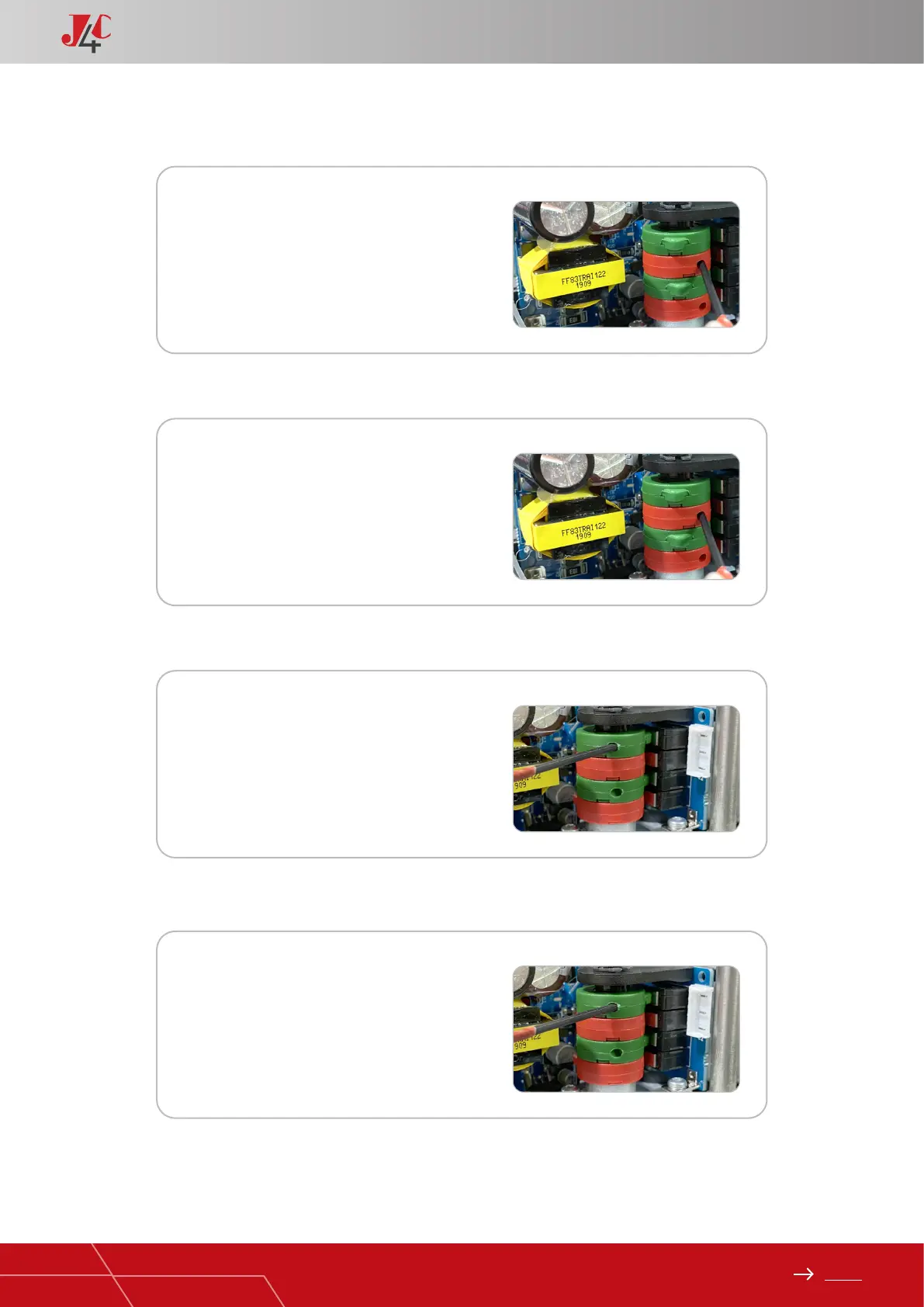
Cams 1 and 3
Cams 1 and 3
Cams 2 and 4
Cams 2 and 4
1) To adjust the close position at less than 0º.
2) To adjust the close position at more than 0º.
3) To adjust the open position to more than 90º.
4) To adjust the open position to less than 90º.
1
1
3
3
Turn the wrench to clockwise direction -
cams 1 and 3.
The cam 3 (conrmation) should press the
lever of the micro switch a bit earlier than
the cam 1.
Turn the wrench to anti-clockwise direction
- cams 1 and 3.
The cam 3 (conrmation) should press the
lever of the micro switch a bit earlier than
the cam 1.
Turn the wrench to anti-clockwise direction
- cams 2 and 4.
The cam 4 (conrmation) should press the
lever of the micro switch a bit earlier than
the cam 2.
Turn the wrench to clockwise direction -
cams 2 and 4.
The cam 4 (conrmation) must press the
lever of the micro switch a bit earlier than
the cam 2.
2
2
4
4


 To Next Page