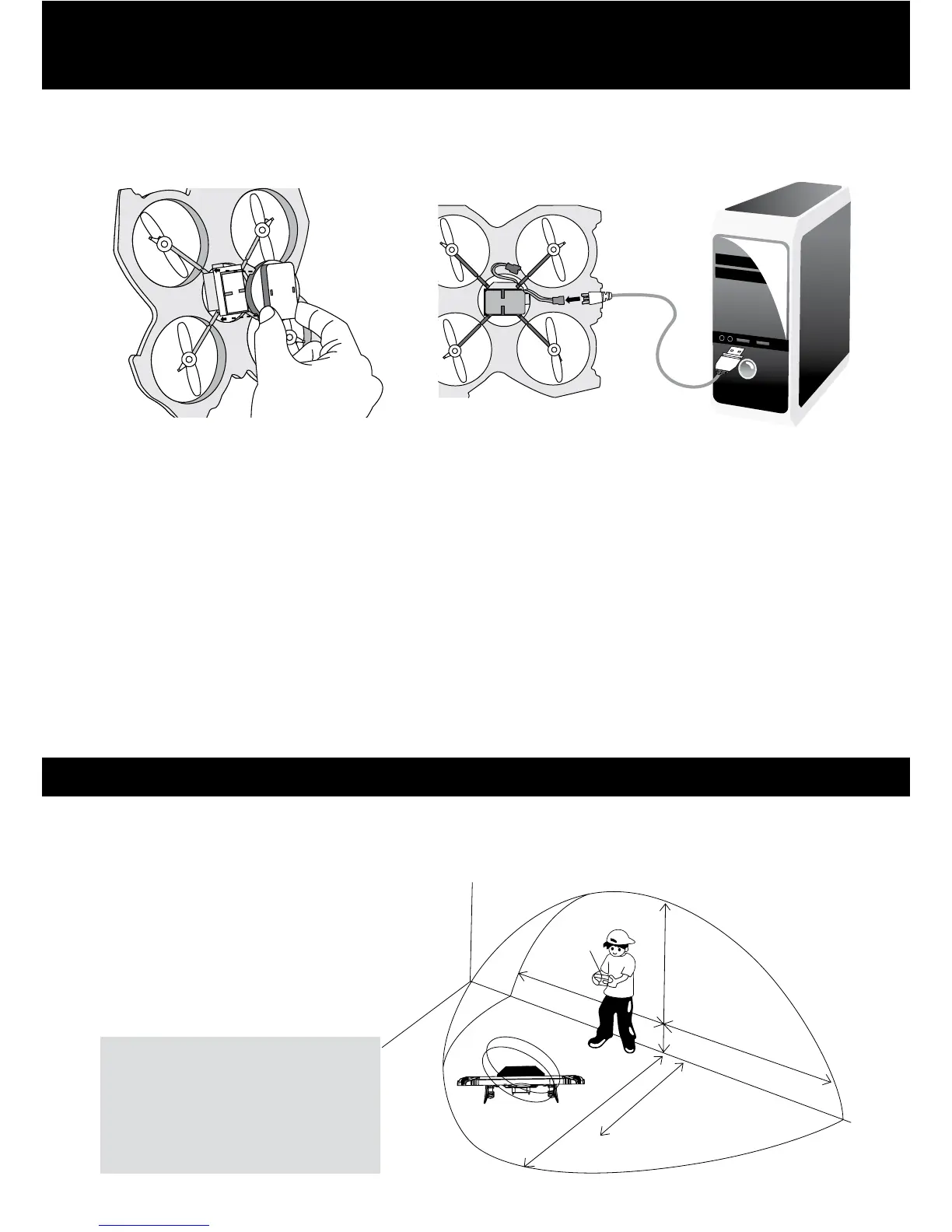
BATTERY CHARGING INSTRUCTIONS
To charge the Venom, rst make sure that the power switch is on. Remove the battery cover
from the underside of the Venom and connect the charging cable to the battery. Plug the
USB plug into a computer USB socket and the Venom will charge. The LED will remain lit while
charging, and will extinguish when the battery is fully charged.
Notes:
The Venom charges in 40 - 50 minutes. The flight time is approx. 6 - 8 minutes. After use,
allow the battery to cool for 5 - 10 mins before charging. Ensure the motors have cooled
before flying.
Warning on Li-poly battery:
Do not put the battery into fire or near a high heat source.
Do not place battery onto hot surfaces.
Keep the battery in a dry and low-temperature environment.
Only use the charger supplied to charge the battery.
Do not over-charge the battery.
Do not connect the battery with other circuits.
Turn off the power of the product immediately after use to save battery power.
BEST CONDITIONS FOR FLIGHT
Do not y in strong winds. High winds will greatly affect the control of the Venom.
Do not y in extreme temperature, these will affect the battery and the time of ight of the
Venom. Where possible, y the Venom in wide-open spaces, away from buildings, animals and
other people.
NOTICE:
Be sure to y the Venom in plenty
of open space. If the indicator
light on the control begins to
ash, the batteries are low on
power and may need replacing.
Distance of 3M
Distance of 2.5M
Distance of 3M
Distance of 2M
Distance of 3M
FIGURE 1 FIGURE 2



 To Next Page