SAFETY WARNING:
Do not pick up the Venom when the rotors are spinning. When turning the Venom on, be
careful to keep long hair away from the rotors.
WARNING: NOT SUITABLE FOR CHILDREN UNDER 14 YEARS OLD.
Take Off Instructions:
Connect the Venom’s power, and place on level ground.
The LEDs will ash several times quickly. Turn on the remote control. Push the left stick fully
forwards, and then backwards. You will hear a beep. Then push both sticks to the bottom
right. The control light will become steady, and the Venom LED’s will ash. The Venom is now
ready to be controlled.
The Venom’s controls are sensitive. To take off, gradually move the left stick forward, this will
increase the power to the rotors. Once off the ground the direction is controlled using the
right stick.
If the Venom does not y straight or level, it may need to be trimmed. Use the trim switches to
adjust the ight until it is level and stable.
Control Advice:
The Venom has very sensitive controls. With practice, it can be made to perform
lots of tricks, but to start, it is important to be gentle with the controls.
The left stick controls the Venom going up and own, or spinning around.
The right stick controls the Venom’s ying direction.
FLYING INSTRUCTIONS
Operating Notes:
Do not attach anything to the Venom.
This will affect the Venom’s balance, and its ying stability.
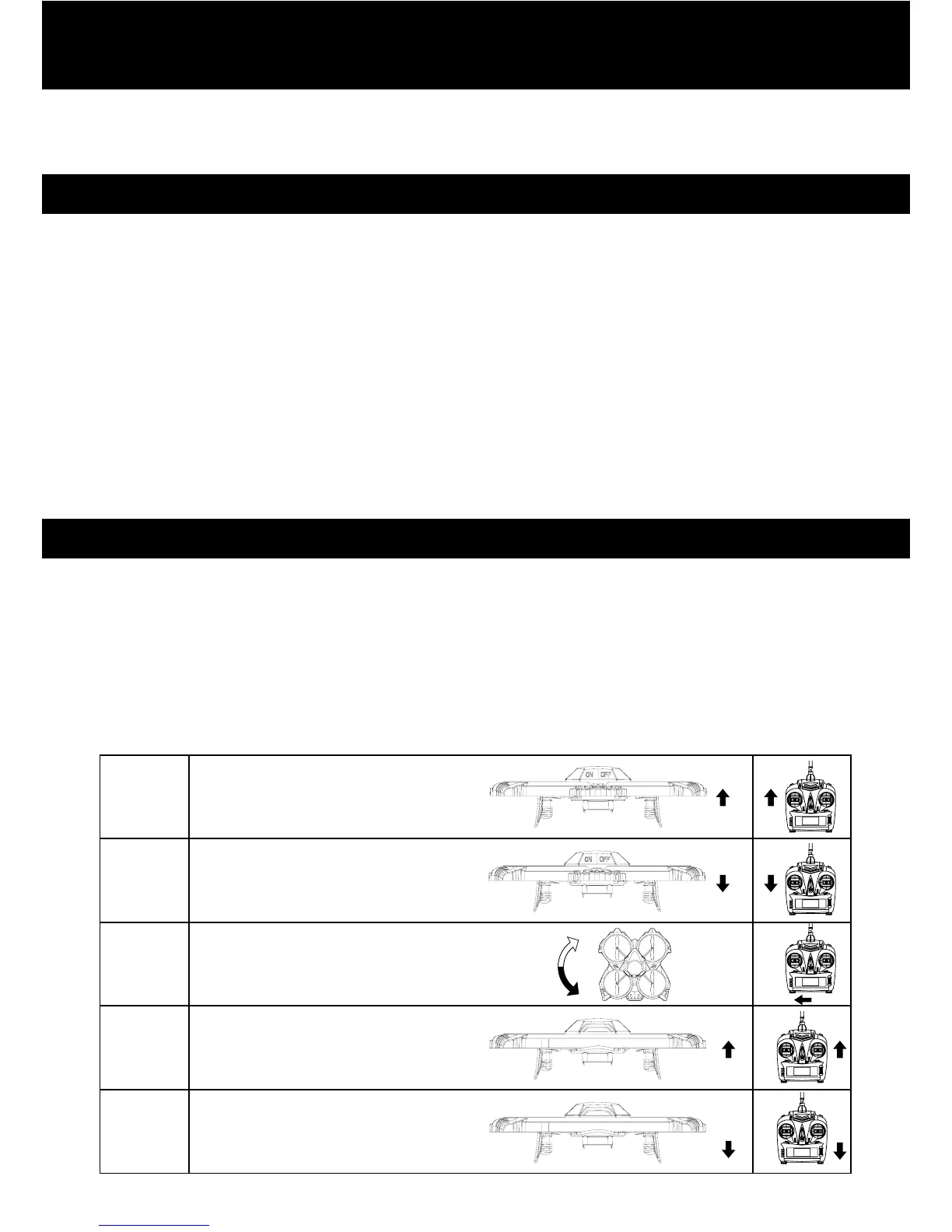
To ascend,
push forward on the left stick.
Ascend
Descend
Change
direction
Forward
Backward
To descend,
pull the left stick backwards.
Use the left stick to rotate the Venom.
Push it left to turn left, and right to
turn right.
To move the Venom forward,
push the right stick forward.
To move the Venom backwards,
pull the right stick backwards.


 To Next Page
 Loading...