7
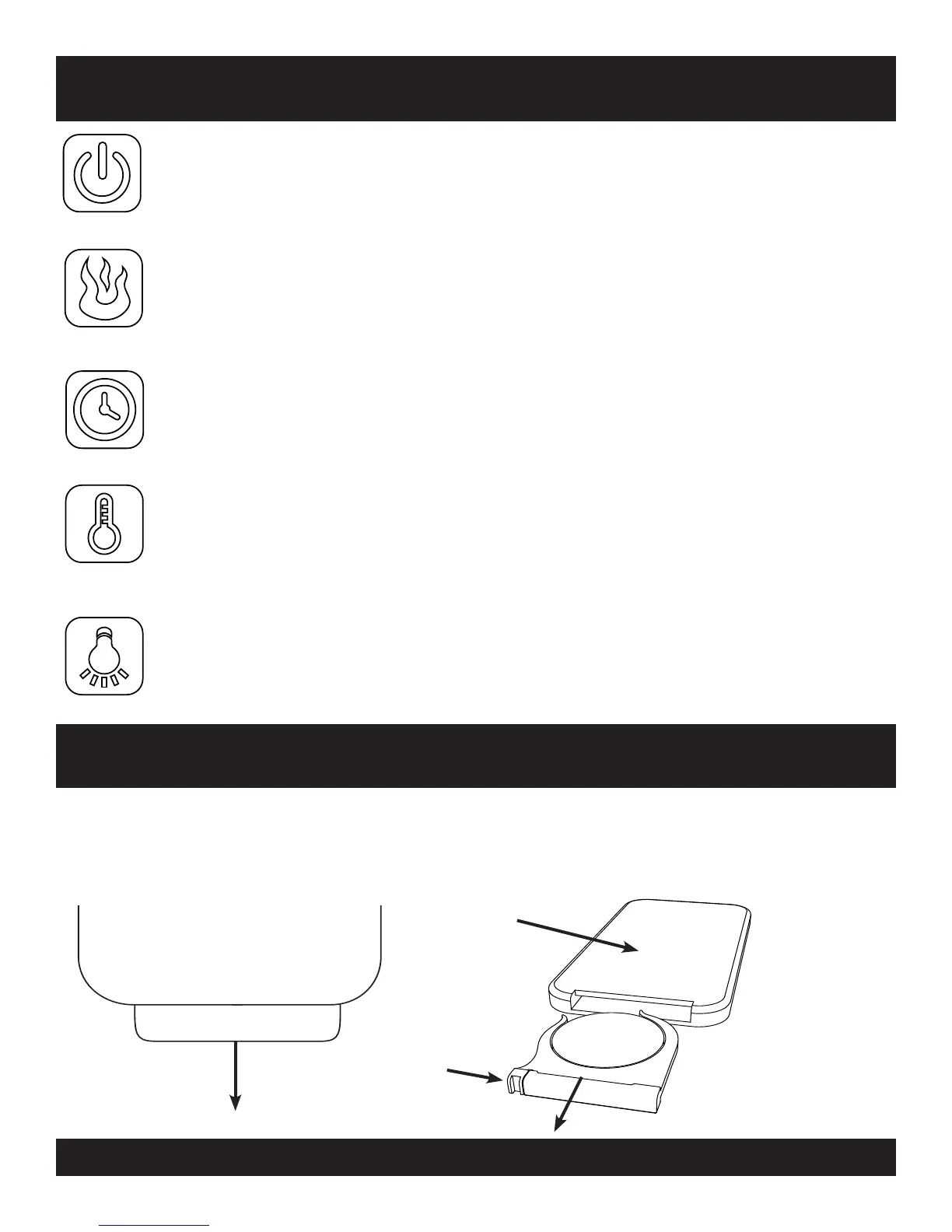
MASTER POWER BUTTON: Press button to turn the master power on then press
again to turn the master power off. The master power can be powered on and
all the other unit functions can be off. When the power button is powered on
the ember bed(logs) will have a slight glow to act as a power indicator.
OPERATING INSTRUCTIONS
FLAME BRIGHTNESS BUTTON: Press button to scroll through 5 levels of bright-
ness, pressing a sixth time turns the ames off. When the ame is powered on,
it will start with the brightest setting (5), push the ame button one time to step
through each ame brightness. The ame levels in order are 5, 0, 1, 2, 3, 4, 5.
TEMPERATURE BUTTON: Press button to scroll upward through temperatures to
set the heater thermostat. Available temperatures settings are 65, 70, 75, 80
and 85 F. The thermostat will shut off the heater when it reaches the tempera-
ture you have set. The thermostat will switch the heater on when it drops 3º
Fahrenheit below your set temperature. Hold the button down for 4 seconds
to toggle between Fahrenheit and Celsius.
TIMER BUTTON: Press the button to scroll upward through quantities of time for
the heater to run before automatically shutting off. The times available are :30,
1:00, 1:30, 2:00, 2:30, 3:00, 3:30, 4:00, 4:30, 5:00, 5:30, 6:00, 6:30, 7:00, 7:30, 8:00,
8:30, 9:00. (The heater must rst be powered ON for timer to work)
DOWN LIGHT BUTTON: Press this button to power the LED down lights on, press it
again to power them off. (This feature is only on models with a 5-Button control
panel and remote control)
To use the remote control rst re-
move the plastic tab labeled
“REMOVE BEFORE USE” by
Gently pulling.
To change the battery, turn the remote control
over. Squeeze the catch toward the center,
then pull to slide the battery tray out.
BACK OF REMOTE
BATTERY FOR REMOTE
SQUEEZE
THE
CATC H
BATTERY TYPE
CR-2025 3V



 To Next Page
 Loading...