51
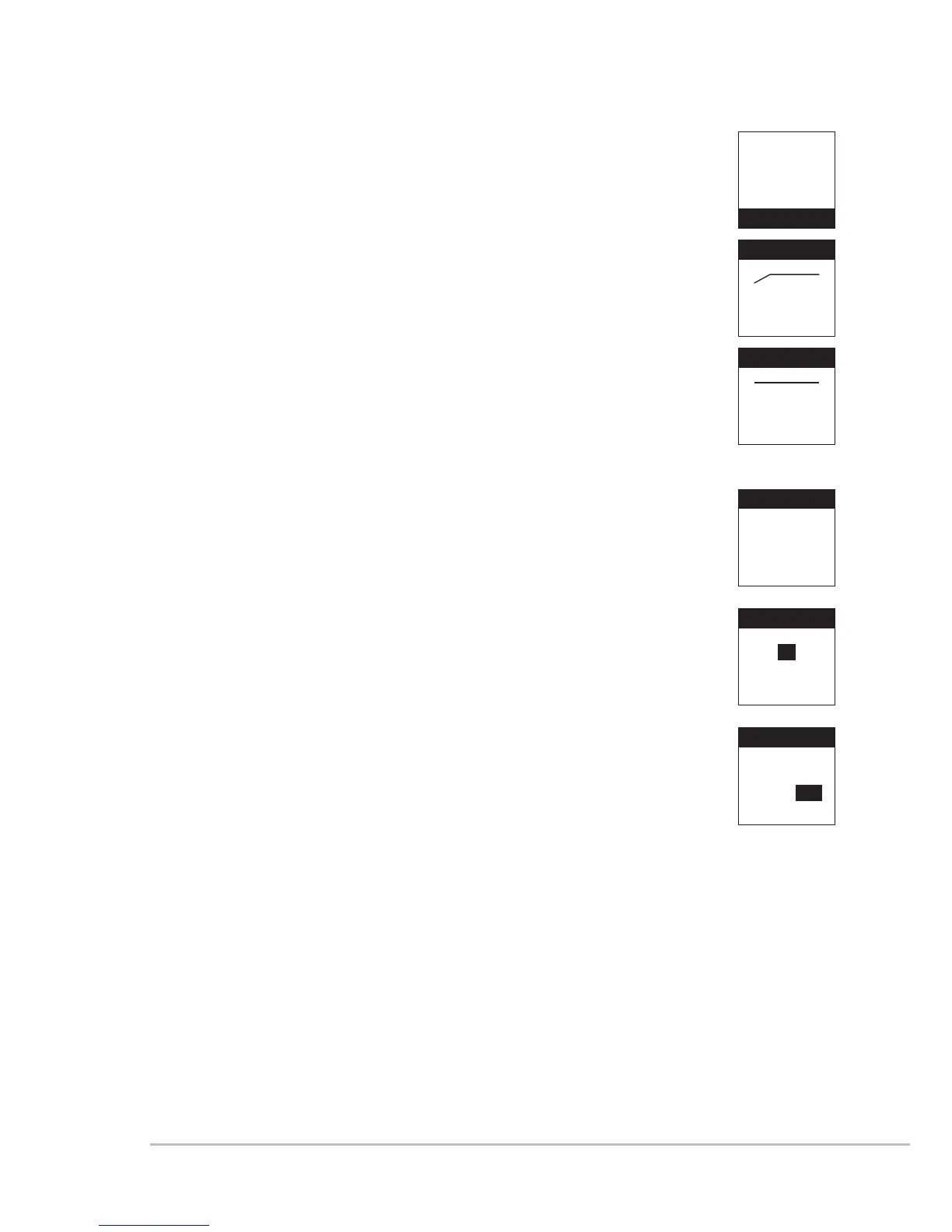
5. Low Cut
(1) Press ▲、▼ to select“Low Cut.” Press SET to enter
into the “Low Cut” setting screen.
(2) Press ▲ to turn on the Low Cut function.
(3) Press ▼ to turn off the Low Cut function.
6. Device ID: to set the Device ID
(1) Press ▲、▼ to set the ID. Press SET to enter into
“Device ID” setting screen.
(2) Press ▲、▼ to adjust the pre-set ID value. The
range is from 0 ~ 255. After the adjustment, press SET to
go to ID setting: On / Off
ID: On → The ID of the microphone and the ID of the
receiver shall be the same as to use the REMOSET
function.
ID: OFF → Ignore the ID value. The microphone
will receive all REMOSET information transmitted
by“receivers with ID code”
Press SET for setting.
This setting will affect the usage of REMOSET.
Frequency
Group/Chan
Sensitivity
Attenuate
Low Cut
Low Cut
OFF
Low Cut
ON
Device ID
Remoset
RF Power
Contrast
Light Time
Device ID
1
ID : ON
Device ID
1
OFF / ON



 To Next Page