9
10
3. Connect the main unit
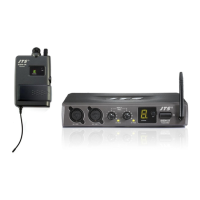
Connect the AC INPUT in the rear panel of SIEM-111T
to an AC power socket with the supplied AC power cord.
4. Connect the audio source, such as a mixer.
Connect the mixer output to the XLR /φ6.3mm combo
input in the rear panel of SIEM-111T with the AF input
cable.
NOTE: Two balanced XLR /φ6.3mm combo inputs are
provided. You may use either one input or both for a stereo
source. Also, two balanced
φ6.3mm loop out connectors are
provided for multiple systems application.
5-2 SIEM-111R
1. Insert and replace batteries
(1) The battery tray is on the base of the receiver.
(2) Hold both sides on the base of the receiver and release
the battery tray. (Figure 1)
(3) Upright the battery tray.(Figure 2)
(4) Push down and slide the lid of the battery tray
outward.(Figure 3)
(5) Uncover the lid and insert two pieces of 1.5V AA
batteries according to the polarity indication. (Figure 4)
(6) Cover back the lid. Push down and slide the lid
inward.(Figure 5)
(7) Slide back the battery tray into the base of the
receiver.(Figure 6)
STEP 1
STEP 2
AC INPUT
AC POWER SOCKET
XLR/
φ
6.3mm COMBO INPUT
INPUT: 100-240 VAC
0.2A MAX. 50/60 Hz
FUSE: 150mA 250V
LOOP
OUT
LEFT / CH.1 IN RIGHT / CH.2 IN
ANTENNA OUT
CH.1 CH.2
STEP 1
STEP 2
Figure2
Figure 1
Figure 3
Figure 4 Figure 5 Figure 6


 To Next Page
 Loading...