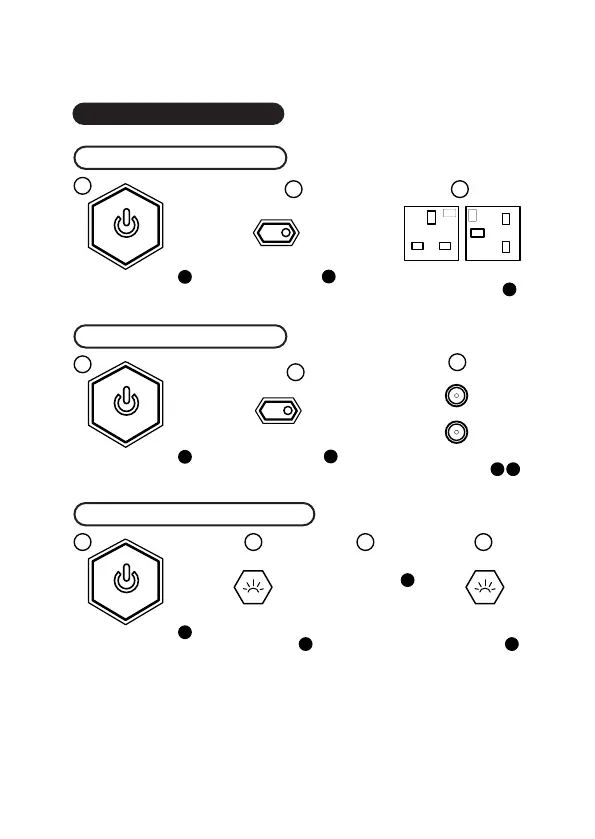
Functions
AC OUT
Steps for using AC power
Notes:
Steps for using DC power
Steps for using LED Flashlight
Press the AC OUT button Plug in your device
to use AC power
Plug in your device
to use DC power
12
13
DC OUT
Press the DC OUT button
12
Press & hold the
LED Flashlight button
for 3 seconds to turn on
the LED Flashlight
Press & hold the LED
Flashlight button at any
time for 3 seconds to turn
off the LED Flashlight
Press once
for standard Light
Press twice
for SOS mode
Press three times
for strobe mode
LED Flashlight
Functions
12
3
iii iiiiiii
ii
iii
ii iii
i
i
13A
250V~
13A
250V~
14
12V 10A
12V 10A
6 7
15 15
15
If the DC or AC power is live, the LED on the button will be alight. If you aren’t using the
output ports, ensure the buttons are switched off to retain power.
Press the power button
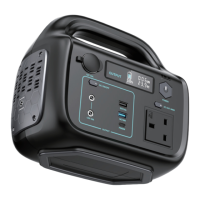
for 3s to turn on the Super Max
Press the power button
for 3s to turn on the Super Max
Press the power button
for 3s to turn on the Super Max


 To Next Page