3
0-9: To change the channels
on the TV and to enter the
code for each device.
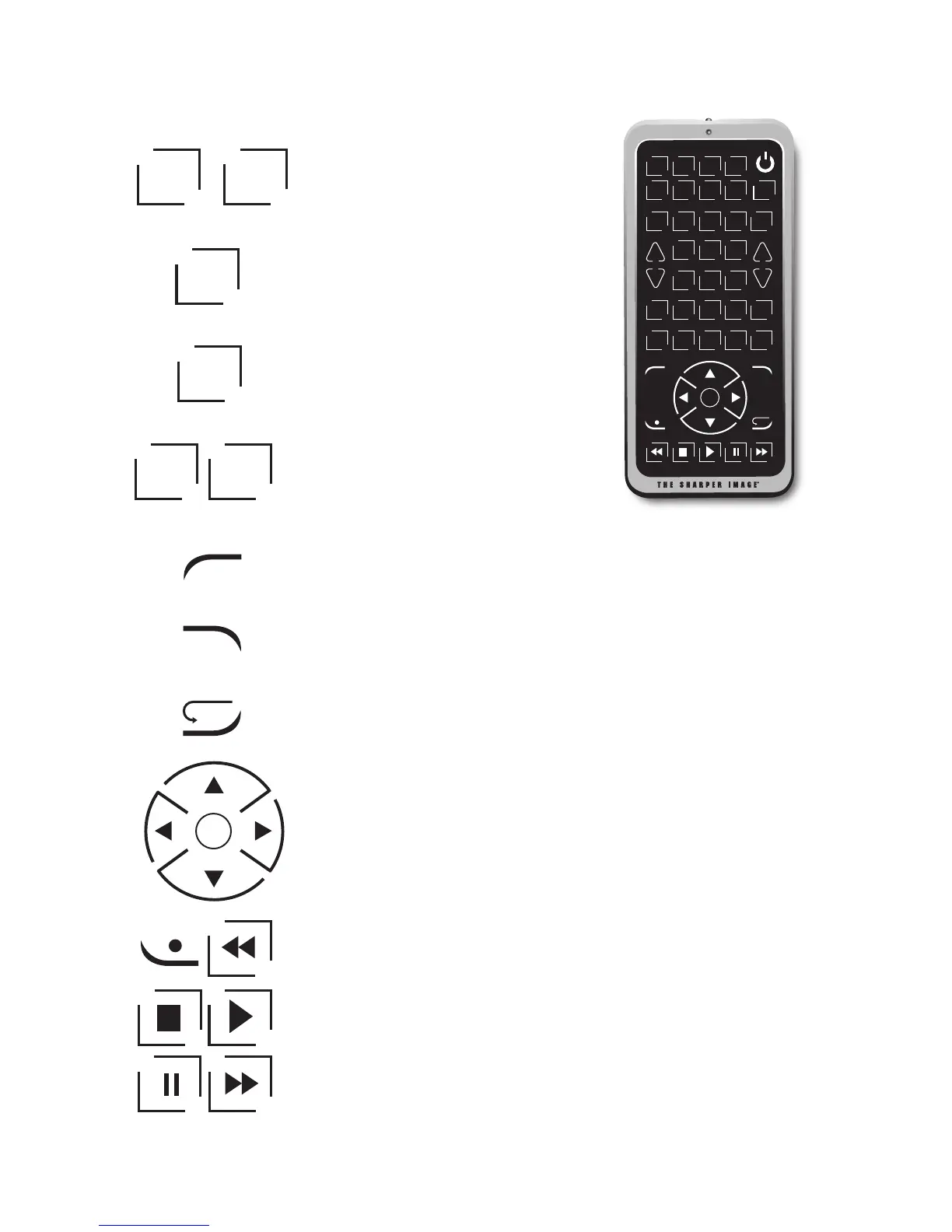
DISPLAY: To display the program
information.
ENTER: Used to complete channel
selection for some brands of TVs.
It is also used to complete the
code entry process.
PAGE+, PAGE-: Moves the page up
and down on screen menu. Control
the DVD/CD track selection.
GUIDE: Brings up the on-screen program guide.
REPEAT: To repeat a track on a DVD/CD player.
NAVIGATION BUTTON: Used to move through on-screen
menu and guides. Use the navigation buttons to make
a selection.
PLAY, STOP, FORWARD, REVERSE, PAUSE, REC: These buttons
are for DVD/VCR/DVR/CD player use and operate the same as
the buttons on your original DVD/VCR/DVR/CD player remote.
TV DV D VC R DV R
ME N U
+
VOL
VOL
-
+
CH
CH
-
QU I T
1 2 3
4 5 6
7 8
0
OK
9
IN P UT SL E EP MU T E
TV / VC R PAG E
+
LE A RN DI S PL AY EN T ER PAG E
-
GU I DE RE PE AT
CB L C D
SAT AU D IO
AU X 1 AU X 2 M-POWER
DISPLAY
ENTER
PAGE
+
PAGE
-
REPEAT
Instant replay.
OK
0
9
...
GUIDE



 To Next Page