34
STEP 2
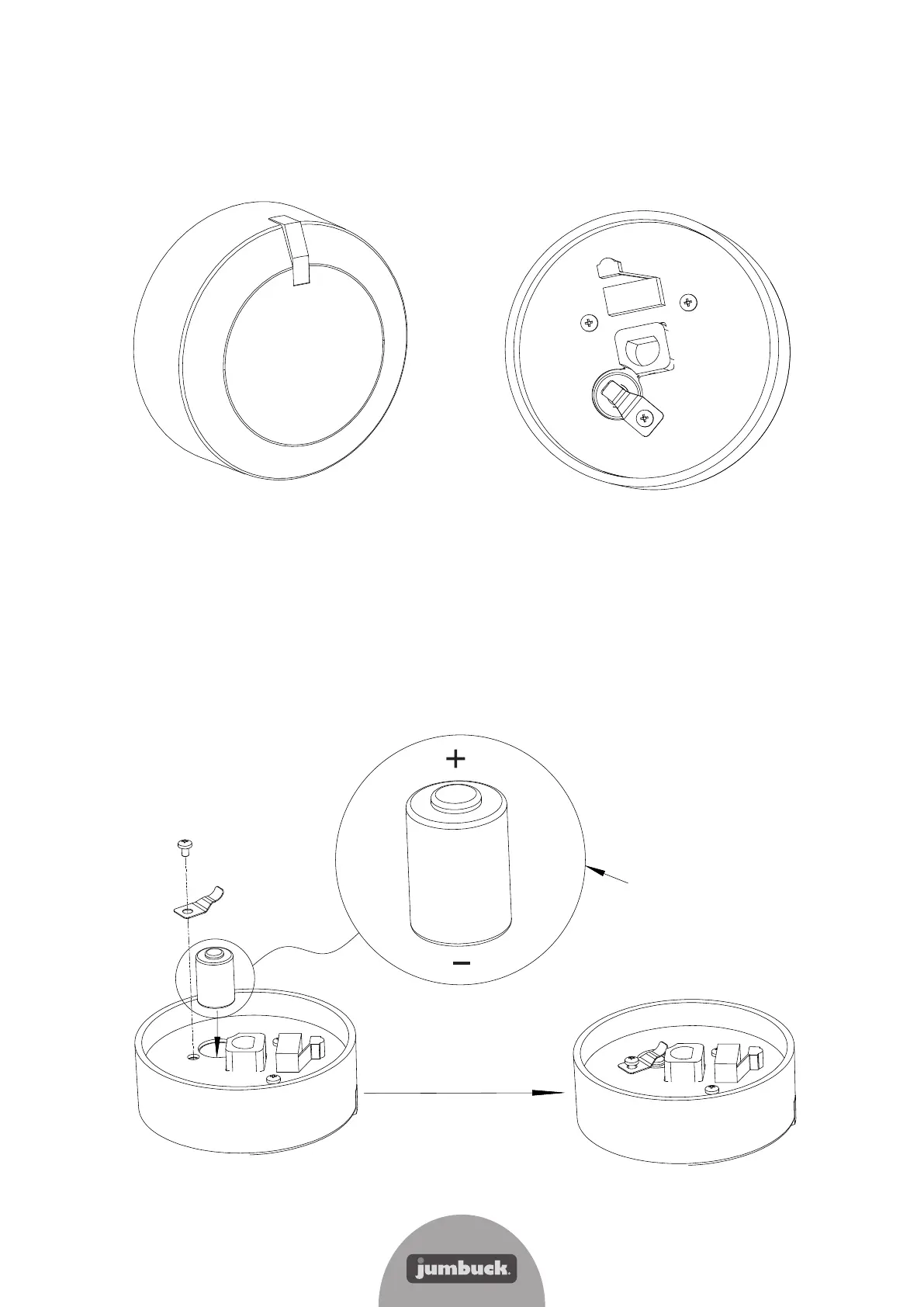
Exchange the battery as shown below.
First loosen the screw, then remove the battery contact and battery, replace the battery
taking note of the orientation shown below. Then assemble the battery contact in the original
position and re-insert the retaining screw.
Note: Each knob is powered by an 11A 6v L1016 battery.
Pay attention "+"and "-"
directions of the battery
Screw
Battery contact
Battery
How to replace the battery in the LED Knobs
STEP 1
Ensure the knob is in the OFF position, then gently pull the LED knob straight out from the
control panel.


 To Next Page