E-MAIL MESSAGING 23
14.2 Creating the email messaging function
In the next stage you specify the general settings for the function. After this you will write a few basic settings.
4
4
5
6
7
8
9
1
2
3
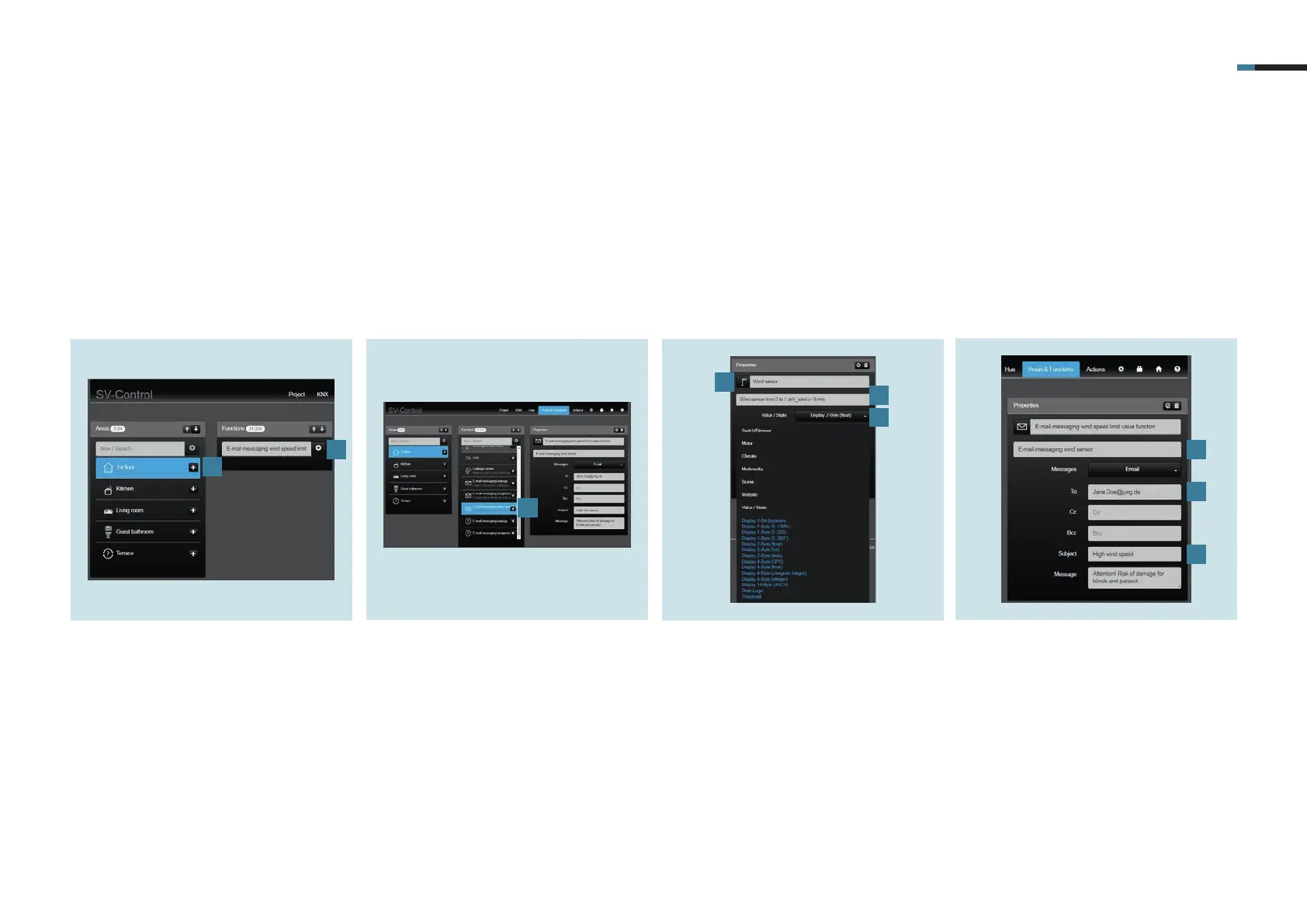
1. Select a zone, for example first floor,
kitchen or guest bathroom in the
Areas & Functions tab under Areas [1].
2. Now, under Functions, create the Wind
speed limit value email message [2].
3. Under Functions, select the wind
speed limit value email message [3]
you have just created.
4. Now, under Functions, create the
wind sensor email message [4].
5. Select Display 2-byte (floating point)
as the value [5].
6. If you tap Symbol [6] you can select
the symbol you want to use for the
wind speed limit value email mes-
sage.
7. Enter a description [7], e.g.: should
send message if windspeed exceeds
specified value.
8. Enter the email address [8] of the
required recipient in addition to the
CC and BCC recipients.
9. Last of all, enter an individual subject
and an individual message [9].



 To Next Page