E-MAIL MESSAGING 6
4. Creating the leakage email message
Now, in the Areas & Functions tab, you can specify the parameters which would result in an email message if there was a leak.
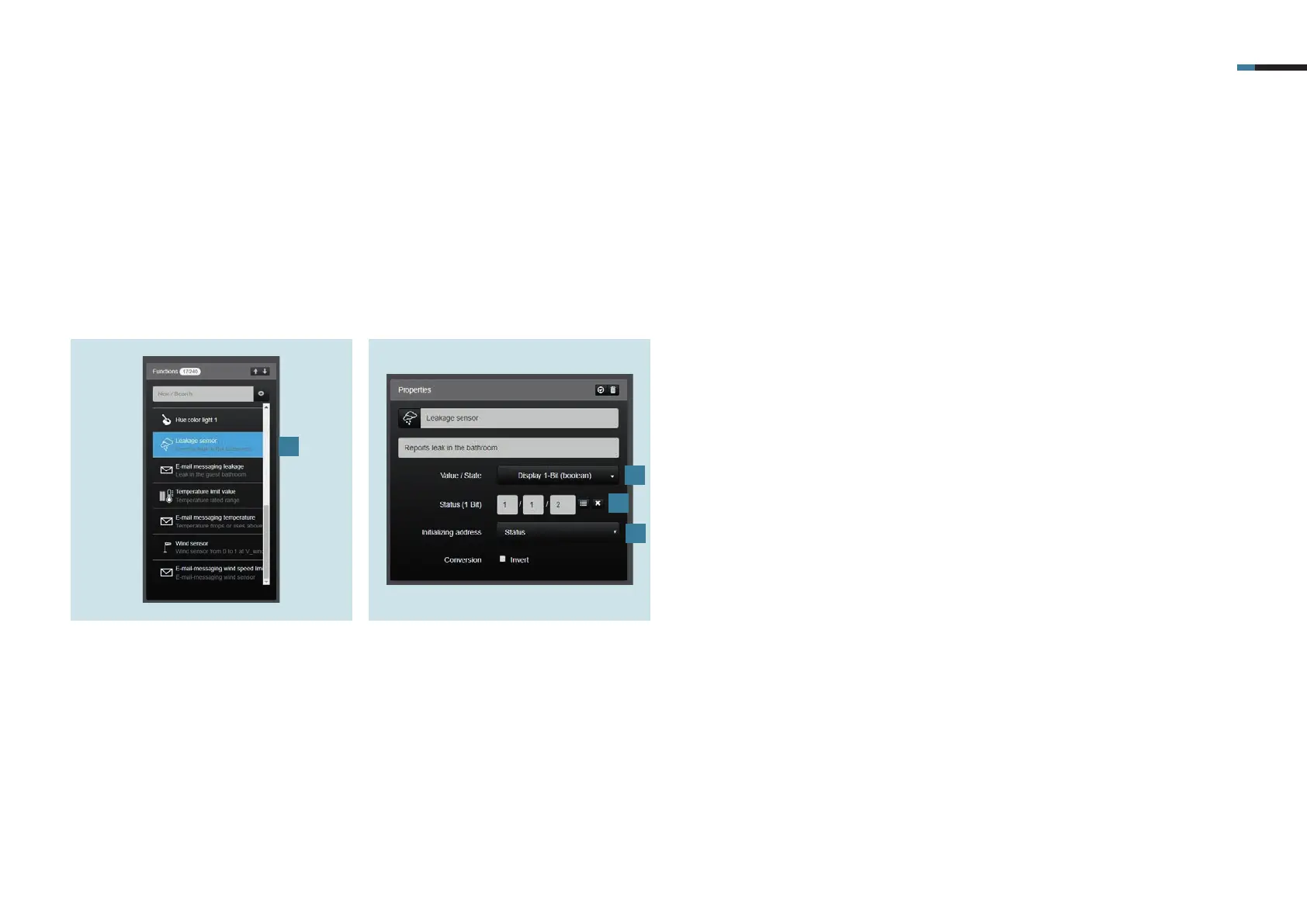
4.1 Creating the leakage sensor function
First you have to create the leakage sensor under Functions.
2. Now select Display 1-Bit (Bool) [2] as
value / status under Properties.
3. Now enter the group address [3] for
your leakage sensor under Status (1-
bit).
4. Set the initialisation address to Status
[4].
2
3
1
1. Select the leakage sensor [1]
under Functions.
4



 To Next Page