EasyManua.ls Logo

Juntek DPM-8608 - Save and Load Function

Default Icon
18 pages
Print Icon
To Next Page IconTo Next Page
To Previous Page IconTo Previous Page
Loading...
7
7
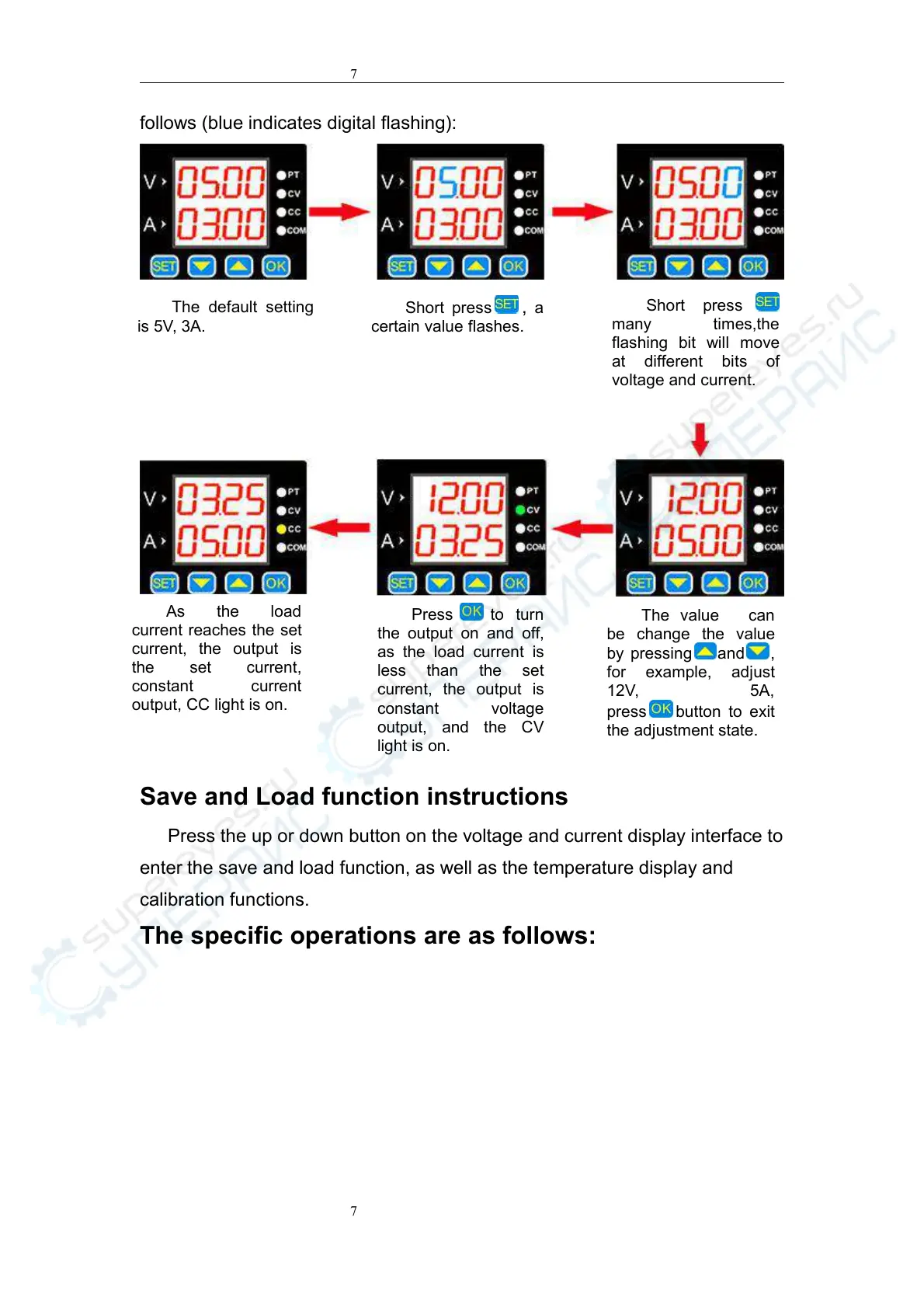
follows (blue indicates digital flashing):
Save and Load function instructions
Press the up or down button on the voltage and current display interface to
enter the save and load function, as well as the temperature display and
calibration functions.
The specific operations are as follows:
The default setting
is 5V, 3A.
Short press , a
certain value flashes.
Short press
many times,the
flashing bit will move
at different bits of
voltage and current.
The value can
be change the value
by pressing
and ,
for example, adjust
12V, 5A,
press
button to exit
the adjustment state.
As the load
current reaches the set
current, the output is
the set current,
constant current
output, CC light is on.

Related product manuals