11.0 Web Configuration Easy Access
With UPnP, you can access the web-based configuration on ADSL2+ Combo Router without finding
out the IP address of ADSL2+ Combo Router first. This comes helpful if you do not know the IP
address of ADSL2+ Combo Router.
Follow the steps below to access the web configuration.
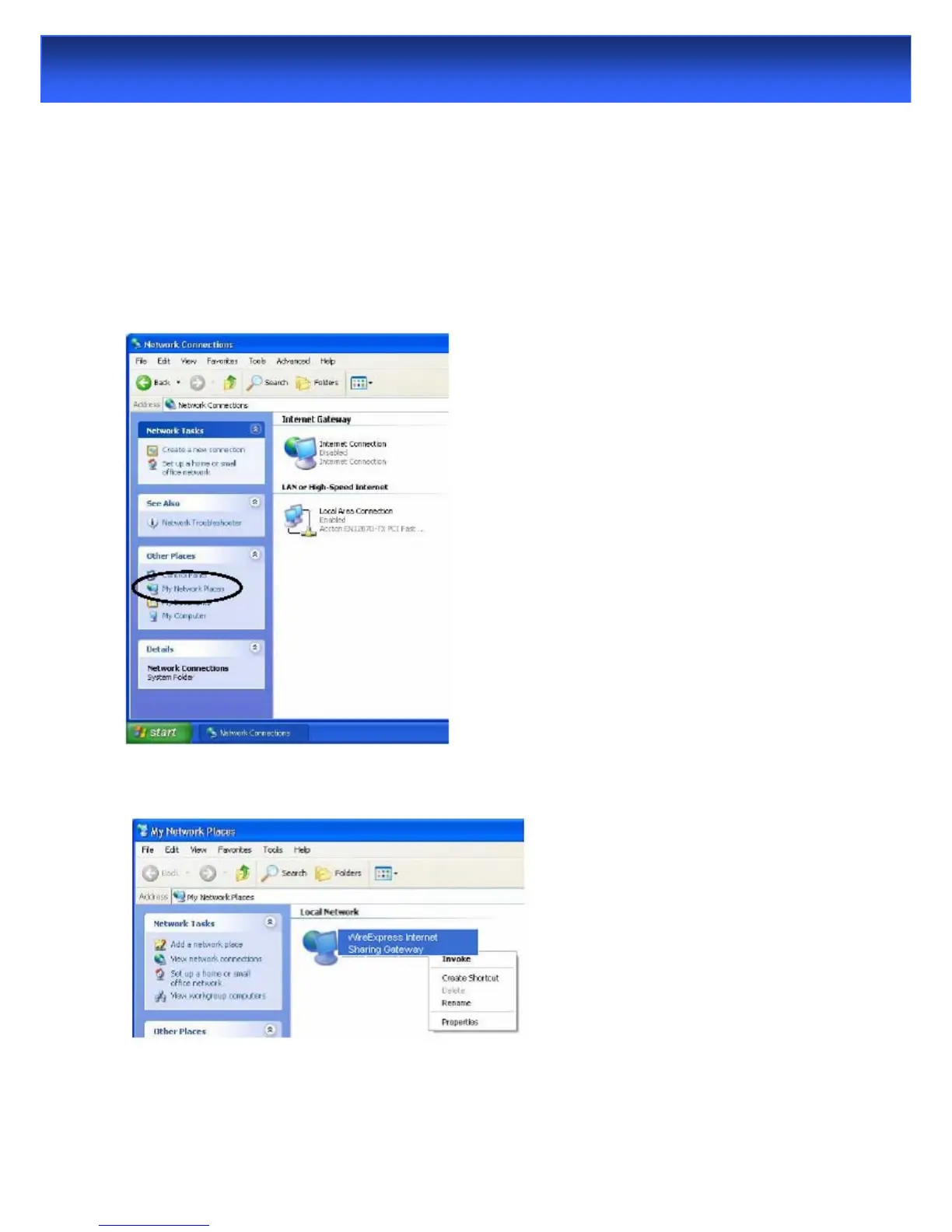
Step 1. Click Start and then Control Panel.
Step 2. Double-click Network Connections.
Step 3. Select My Network Places under Other Places.
Step 4.An icon with the description for each UPnP-enabled device displays under Local Network.
Step 5. Right-click on the icon for yourADSL2+ Combo Router and select Invoke. The web
configuration login screen displays.



 To Next Page