EasyManua.ls Logo

JVC 0609SKMLGEEGL - User Manual

JVC 0609SKMLGEEGL
40 pages
Print Icon
To Next Page IconTo Next Page
Loading...
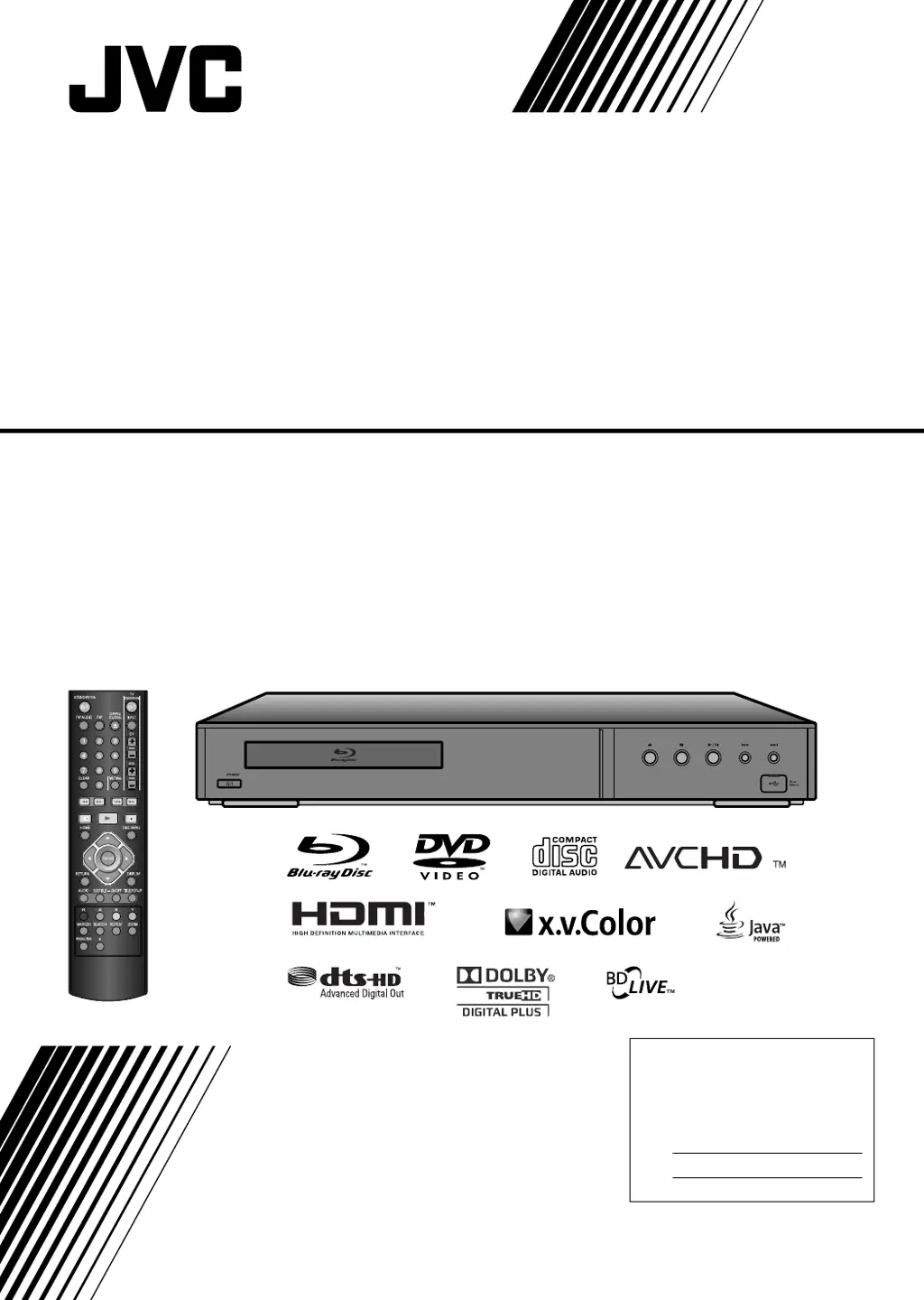
XV-BP1
Blu-ray Disc Player
INSTRUCTIONS
LVT2007-001D
[J]
For customer use:
Enter below the Model No. and
Serial No. which are located on the
rear of cabinet. Retain this
information for future reference.
Model No.
Serial No.

Questions and Answers

Summary

Safety and Regulatory Information

General Safety Warnings

Covers electric shock, ventilation, and laser product safety precautions.

Power Cord Handling

Details safety guidelines for power cord protection and usage.

Regulatory Compliance (FCC)

Specifies FCC Part 15 compliance for the device.

Important Safety Instructions

Essential Safety Guidelines

Outlines 14 key safety points for operating the player.

Copyright and Licensing

Notes on Copyrights

Explains content protection systems like AACS and BD+.

Product Licenses and Trademarks

Lists licensed technologies and trademarks used in the product.

Introduction to the Player

Manual Overview and Symbols

Explains manual structure, symbols, and disc compatibility notes.

Disc Handling and Care

Provides instructions for handling, storing, and cleaning discs.

Unit Care and Maintenance

Covers cleaning the unit exterior, interior, and shipping procedures.

Disc Compatibility

Supported Disc Types

Lists all playable disc formats including Blu-ray, DVD, and Audio CD.

Regional Code Restrictions

Explains limitations based on the unit's region code for discs.

BD-ROM Disc Features

Video and Graphic Capabilities

Details video resolution, codecs, and graphic plane features.

Interactive and Menu Features

Covers menu sounds, pop-up menus, interactivity, and subtitles.

BD-ROM Compatibility Profiles

Explains support for BD-ROM Profile 2, BD-Live, and BonusView.

System Requirements and Reset

Disc and System Compatibility Notes

Discusses potential compatibility issues with discs and connections.

Player Reset Procedure

Explains how to reset the player to its default settings.

Media Playback and Navigation

Using USB Flash Drives

Connect and use USB flash drives for media playback.

Home Menu Navigation

Guides users through accessing media and settings via the Home Menu.

Hardware Overview

Front Panel Controls

Describes buttons, display, and ports on the front of the player.

Rear Panel Connections

Details all input and output jacks available on the rear panel.

Remote Control Operations

Remote Control Layout

Explains the function of each button on the remote control.

Remote Control Usage

Covers operation guidance and battery installation for the remote.

Installation and Setup

HDMI Connection Guide

Step-by-step instructions for connecting the player via HDMI.

Connecting to Your TV

Video and Audio Connections

Explains how to connect the player to a TV using various cables.

Connecting to Audio Systems

Amplifier Audio Connections

Details connections for 2-channel, digital, and HDMI audio outputs.

Digital Multi-channel Sound

Guides setup for surround sound with multi-channel audio.

Network Setup

Internet Connection Guide

Instructions for connecting the player to a network for BD-Live.

Video Output Settings

Resolution Settings

Configures video output resolution via button or setup menu.

Initial Setup Menu

Display Settings Configuration

Sets TV aspect ratio, resolution, and HDMI color settings.

Language and Audio Setup

Configures menu language, subtitle language, and audio output.

Menu Configuration

Language Selection

Sets menu language, disc menu, audio, and subtitle languages.

Audio Output Options

Configures digital audio output formats and dynamic range control.

Parental Controls and Security

Password and Rating Settings

Manages player password and sets DVD content rating limits.

BD Age Limit and Area Code

Sets age limits for BD viewing and specifies DVD area codes.

Network and BD-Live Settings

Network Configuration Options

Sets IP mode and checks network status for Internet connectivity.

BD-Live Access Control

Restricts or permits Internet access for BD-Live features.

System Customization

Other Menu Settings

Adjusts skin, Java font size, and performs factory initialization.

General Playback Operations

Basic Playback Controls

Covers essential playback buttons like Play, Stop, Pause, Skip, and Scan.

Advanced Playback Features

Playback Control Options

Details features like Repeat modes, Subtitle selection, and Audio track changes.

Disc Navigation and Search

Disc Menu and Image Zoom

Navigating disc menus and using the zoom function for playback.

Time, Skip, and Marker Search

Features for finding specific scenes or points on a disc.

Playback Enhancements

Covers changing camera angles and last scene memory recall.

On-Screen Information and Utilities

Interactive Button Functions

Explains the use of Color buttons for BD-J content interaction.

Screen Saver and Disc Info

Manages screen saver activation and displays disc playback information.

BD-Live and Bonus View

BD-Live and Bonus View Features

Overview and requirements for online BD-Live and Bonus View features.

Secondary Video and Audio Playback

Guides on using Picture-in-Picture (PIP) features.

Special Disc Format Playback

DVD VR Format Playback

Instructions for playing DVD-VR format discs and CPRM explanation.

Media File Playback

MPEG4 Movie File Playback

Details playing MPEG4 files, requirements, and subtitle handling.

Audio and Music File Playback

Audio CD and MP3;WMA Playback

Instructions for playing Audio CDs, MP3, and WMA files.

Photo File Viewing

Photo File Playback and Options

Guides viewing photos, slideshows, and lists file requirements.

Reference Tables

Language and Area Codes

Lists codes for setting desired languages and regional playback.

Troubleshooting Guide

Common Player Issues and Solutions

Addresses common player problems and provides corrective actions.

Product Specifications

General, Output, and System Specs

Details technical specifications including dimensions, power, and outputs.

Included Accessories

Lists the items supplied with the product.

Audio Output Specifications

Digital Audio Output Formats

Details SPDIF and HDMI audio output capabilities and formats.

Software Information

Open Source Software Notices

Lists open source software components used in the product.

Warranty and Customer Information

Limited Warranty Details

Outlines warranty terms, coverage, exclusions, and service procedures.

Customer Use Section

Instructions for recording model and serial numbers for reference.

Customer Support and Service

Contacting JVC Support

Provides contact information for hookup, operation, and accessory purchase assistance.

Service and Safety Caution

Advises against self-servicing and refers to qualified personnel for repairs.

Summary

Safety and Regulatory Information

General Safety Warnings

Covers electric shock, ventilation, and laser product safety precautions.

Power Cord Handling

Details safety guidelines for power cord protection and usage.

Regulatory Compliance (FCC)

Specifies FCC Part 15 compliance for the device.

Important Safety Instructions

Essential Safety Guidelines

Outlines 14 key safety points for operating the player.

Copyright and Licensing

Notes on Copyrights

Explains content protection systems like AACS and BD+.

Product Licenses and Trademarks

Lists licensed technologies and trademarks used in the product.

Introduction to the Player

Manual Overview and Symbols

Explains manual structure, symbols, and disc compatibility notes.

Disc Handling and Care

Provides instructions for handling, storing, and cleaning discs.

Unit Care and Maintenance

Covers cleaning the unit exterior, interior, and shipping procedures.

Disc Compatibility

Supported Disc Types

Lists all playable disc formats including Blu-ray, DVD, and Audio CD.

Regional Code Restrictions

Explains limitations based on the unit's region code for discs.

BD-ROM Disc Features

Video and Graphic Capabilities

Details video resolution, codecs, and graphic plane features.

Interactive and Menu Features

Covers menu sounds, pop-up menus, interactivity, and subtitles.

BD-ROM Compatibility Profiles

Explains support for BD-ROM Profile 2, BD-Live, and BonusView.

System Requirements and Reset

Disc and System Compatibility Notes

Discusses potential compatibility issues with discs and connections.

Player Reset Procedure

Explains how to reset the player to its default settings.

Media Playback and Navigation

Using USB Flash Drives

Connect and use USB flash drives for media playback.

Home Menu Navigation

Guides users through accessing media and settings via the Home Menu.

Hardware Overview

Front Panel Controls

Describes buttons, display, and ports on the front of the player.

Rear Panel Connections

Details all input and output jacks available on the rear panel.

Remote Control Operations

Remote Control Layout

Explains the function of each button on the remote control.

Remote Control Usage

Covers operation guidance and battery installation for the remote.

Installation and Setup

HDMI Connection Guide

Step-by-step instructions for connecting the player via HDMI.

Connecting to Your TV

Video and Audio Connections

Explains how to connect the player to a TV using various cables.

Connecting to Audio Systems

Amplifier Audio Connections

Details connections for 2-channel, digital, and HDMI audio outputs.

Digital Multi-channel Sound

Guides setup for surround sound with multi-channel audio.

Network Setup

Internet Connection Guide

Instructions for connecting the player to a network for BD-Live.

Video Output Settings

Resolution Settings

Configures video output resolution via button or setup menu.

Initial Setup Menu

Display Settings Configuration

Sets TV aspect ratio, resolution, and HDMI color settings.

Language and Audio Setup

Configures menu language, subtitle language, and audio output.

Menu Configuration

Language Selection

Sets menu language, disc menu, audio, and subtitle languages.

Audio Output Options

Configures digital audio output formats and dynamic range control.

Parental Controls and Security

Password and Rating Settings

Manages player password and sets DVD content rating limits.

BD Age Limit and Area Code

Sets age limits for BD viewing and specifies DVD area codes.

Network and BD-Live Settings

Network Configuration Options

Sets IP mode and checks network status for Internet connectivity.

BD-Live Access Control

Restricts or permits Internet access for BD-Live features.

System Customization

Other Menu Settings

Adjusts skin, Java font size, and performs factory initialization.

General Playback Operations

Basic Playback Controls

Covers essential playback buttons like Play, Stop, Pause, Skip, and Scan.

Advanced Playback Features

Playback Control Options

Details features like Repeat modes, Subtitle selection, and Audio track changes.

Disc Navigation and Search

Disc Menu and Image Zoom

Navigating disc menus and using the zoom function for playback.

Time, Skip, and Marker Search

Features for finding specific scenes or points on a disc.

Playback Enhancements

Covers changing camera angles and last scene memory recall.

On-Screen Information and Utilities

Interactive Button Functions

Explains the use of Color buttons for BD-J content interaction.

Screen Saver and Disc Info

Manages screen saver activation and displays disc playback information.

BD-Live and Bonus View

BD-Live and Bonus View Features

Overview and requirements for online BD-Live and Bonus View features.

Secondary Video and Audio Playback

Guides on using Picture-in-Picture (PIP) features.

Special Disc Format Playback

DVD VR Format Playback

Instructions for playing DVD-VR format discs and CPRM explanation.

Media File Playback

MPEG4 Movie File Playback

Details playing MPEG4 files, requirements, and subtitle handling.

Audio and Music File Playback

Audio CD and MP3;WMA Playback

Instructions for playing Audio CDs, MP3, and WMA files.

Photo File Viewing

Photo File Playback and Options

Guides viewing photos, slideshows, and lists file requirements.

Reference Tables

Language and Area Codes

Lists codes for setting desired languages and regional playback.

Troubleshooting Guide

Common Player Issues and Solutions

Addresses common player problems and provides corrective actions.

Product Specifications

General, Output, and System Specs

Details technical specifications including dimensions, power, and outputs.

Included Accessories

Lists the items supplied with the product.

Audio Output Specifications

Digital Audio Output Formats

Details SPDIF and HDMI audio output capabilities and formats.

Software Information

Open Source Software Notices

Lists open source software components used in the product.

Warranty and Customer Information

Limited Warranty Details

Outlines warranty terms, coverage, exclusions, and service procedures.

Customer Use Section

Instructions for recording model and serial numbers for reference.

Customer Support and Service

Contacting JVC Support

Provides contact information for hookup, operation, and accessory purchase assistance.

Service and Safety Caution

Advises against self-servicing and refers to qualified personnel for repairs.

JVC 0609SKMLGEEGL Specifications

General IconGeneral
BrandJVC
Model0609SKMLGEEGL
CategoryBlu-ray Player
Supported Disc TypesBlu-ray, DVD, CD
Output ResolutionUp to 1080p
HDMI OutputYes
USB PortYes
Wi-FiNo

Related product manuals