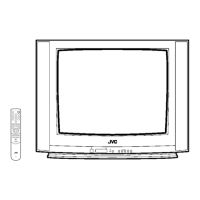
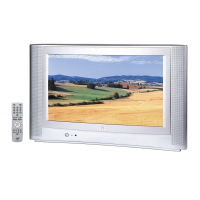
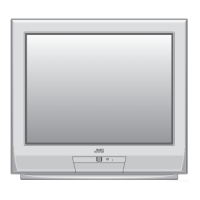
This document describes a JVC Colour Television, specifically models AV-28KT1BUF and AV-28KT1SUF. It functions as a remote-controlled colour television capable of receiving VHF, UHF, and cable channels, with 100 preset program memory. The TV operates on a 220-240V AC, 50 Hz power supply and has a maximum power consumption of 120 Watts. Its dimensions are 760mm (W) x 570mm (H) x 473mm (D), and it weighs 33 kg. The picture tube is a 28" 4:3 display. Audio output power is 2 x 10 WRMS.
Usage Features:
The television features a menu-driven system for easy control, accessible via both the remote control and control panel buttons. The remote control includes standard number buttons for direct program access, volume and program up/down controls, and dedicated buttons for menu navigation, picture mode changes (STANDARD), and teletext functions. Colour buttons (RED, GREEN, YELLOW) are assigned specific functions like Zoom, Hyper Sound, and Factory Settings in the Picture Menu.
Initial Setup:
Upon first power-on, the TV guides the user through an "AUTO PROGRAM" process to set the language, country, and automatically program available channels. This process can be initiated manually later via the "INSTALL" menu.
The main menu provides access to five sub-menus: SOUND, PICTURE, FEATURE, INSTALL, and PROGRAM.
- SOUND Menu: Allows adjustment of Volume, Bass, Treble, Balance, Sound Mode (MONO, STEREO, DUAL I-II), and Hyper Sound. Hyper Sound can be toggled on/off to enhance audio, simulating stereo for mono broadcasts or deepening stereo sound.
- PICTURE Menu: Offers controls for Brightness, Contrast, Colour, Sharpness, Hue (AV mode only), VCR Mode (AV mode only), Picture Mode (BRIGHT, STANDARD, SOFT, MANUAL), Colour Temperature (COOL, WARM, NORMAL), and Zoom (AUTO, 4:3, 16:9). Brightness, Contrast, and Colour are adjustable only when Picture Mode is set to "MANUAL." Factory settings can be restored by pressing the YELLOW button.
- FEATURE Menu: Contains settings for Sleep Timer (up to 120 minutes), Child Lock (disables control panel buttons except power), Language, EXT-2 Output (selects internal or external source for output), and Blue Background (toggles on/off during no-signal).
- INSTALL Menu: Used for manual channel storage, fine-tuning, changing colour system (PAL/SECAM, AUTO/PAL/SECAM/NTSC 3.58/NTSC 4.43 in AV mode), and DECODER(EXT-2) settings.
- PROGRAM Menu: Allows deletion, insertion, and naming of channels, as well as restarting the AUTO PROGRAM (AUTOSTORE) function.
T-V LINK Functionality:
When connected to a T-V LINK compatible VCR via the EXT.2 terminal, the TV supports data downloading to the VCR, enabling automatic VCR programming. It also facilitates "Direct Rec" for easy recording of TV content and allows the TV to automatically power on and display VCR images when the VCR starts playing.
External Connections:
The TV is equipped with:
- Two Euroconnector (SCART) sockets (EXT.1 and EXT.2) for connecting external devices like VCRs, decoders, and gaming consoles. EXT.1 supports RGB input, while EXT.2 supports S-VIDEO (Y/C) input.
- Front AV (EXT.3) terminal with RCA jacks for video and audio inputs, suitable for camcorders.
- ANT (aerial) socket for connecting an aerial cable.
- Headphone socket for private listening.
Teletext:
The television supports a 7-page Teletext system, allowing users to view text-based information. Features include:
- Direct page selection using digit buttons.
- Navigation through pages (forward/backward).
- Index page access.
- Searching for teletext pages while watching TV.
- Double Height Text display.
- Revealing "concealed" information.
- Stopping automatic page changes.
- Subcode page selection.
- Fastext and Toptext for quick access to colour-coded information.
Other Features:
- Sound Mute: Temporarily mutes the TV sound.
- Information on Screen: Displays current program number, station name, sound status, and time.
- Picture Mode: Quick selection of picture settings via the STANDARD button.
- VCR Control Buttons: Remote control buttons can operate JVC brand VCRs.
- NTSC Playback: Automatically detects NTSC 3.58/4.43 system in AV mode.
- Copy Facility: Outputs video and audio signals from TV or EXT.1 to a VCR connected to EXT.2.
Maintenance Features:
- Screen Care: Clean the screen with a slightly damp, soft cloth; avoid abrasive solvents.
- Battery Replacement: The remote control requires two AA (R6) batteries. Remove batteries if the remote is not used for a long period to prevent damage from leakage.
- Troubleshooting: The manual provides guidance for common issues like poor picture quality, no picture, no sound, or remote control unresponsiveness. For persistent problems, users are advised to contact service personnel.
Safety Precautions:
- Operate only on 220-240V AC, 50 Hz.
- Ensure the power cord is not pinched or walked on.
- Avoid humid or damp places; do not expose to rain or water.
- Unplug before cleaning; use a soft, dry cloth.
- Ensure proper ventilation; do not block openings.
- Disconnect power during storms or extended absences.
- Use only manufacturer-specified replacement parts.
- Refer servicing to qualified personnel; do not remove the cover.
- Do not place naked flame sources on the apparatus.
- Do not leave the TV in standby or operating condition unattended.
- Dispose of packaging and batteries responsibly, following local regulations.

 Need help?

 To Next Page


 General