18
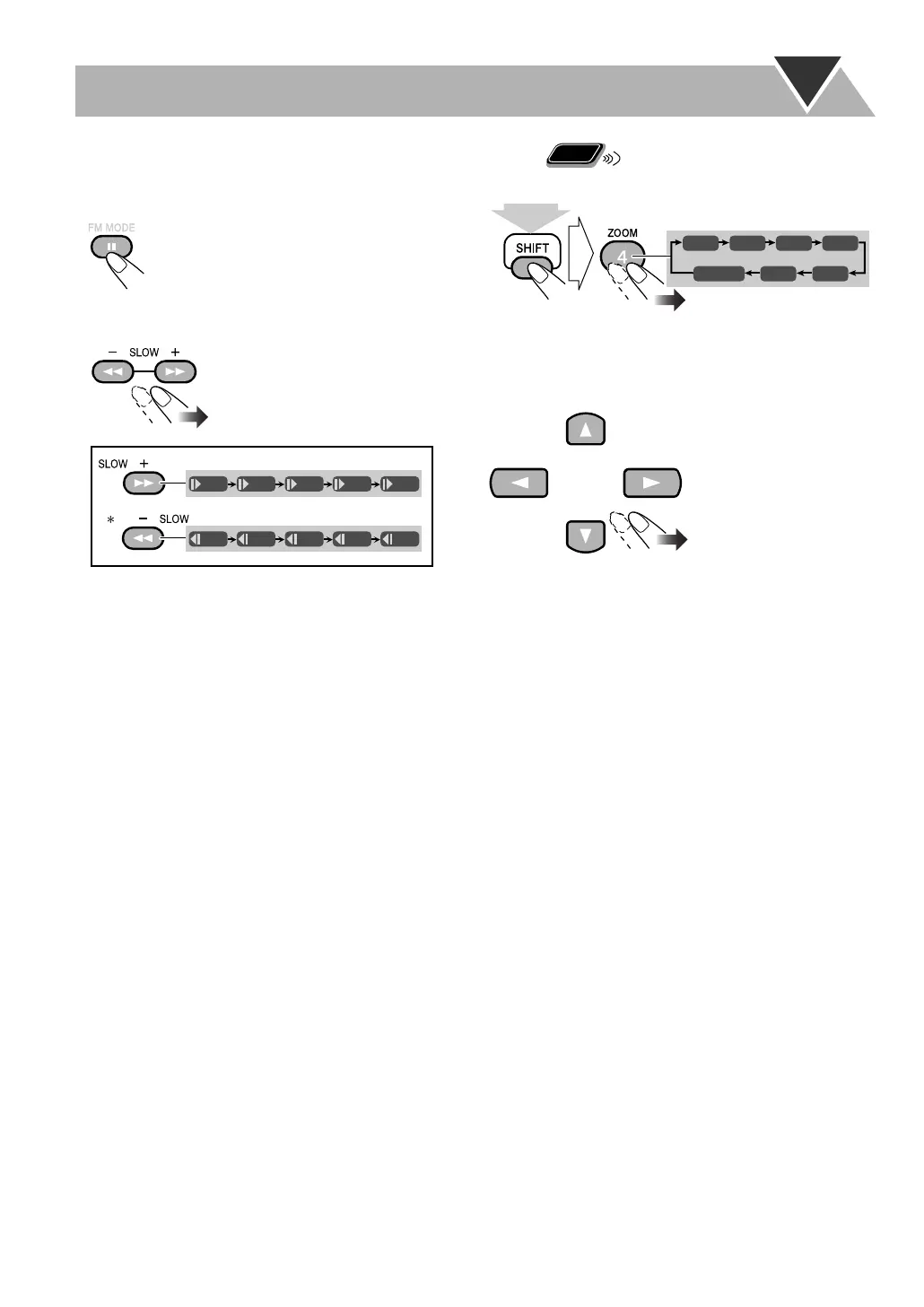
Slow-motion playback
1
While playing...
2
Select slow motion speed.
*Not available for SVCD/VCD.
To resume normal playback,
press DVD/CD 3
.
Zoom
1
While playing back...
As the number increases, magnification also increases.
2
Move the zoomed-in position.
To cancel zoom,
while holding down SHIFT, press ZOOM
repeatedly until “ZOOM OFF” appears on the TV.
Still picture playback starts.
1/32 1/16 1/8 1/4 1/2
1/32 1/16 1/8 1/4 1/2
Remote
ONLY
ZOOM 1 ZOOM 2 ZOOM 3 ZOOM 4
ZOOM 5ZOOM 6
ZOOM OFF
(holding then...)
MX-JE3.book Page 18 Thursday,January13, 2005 3:32 PM


 To Next Page