31
Timer Operations
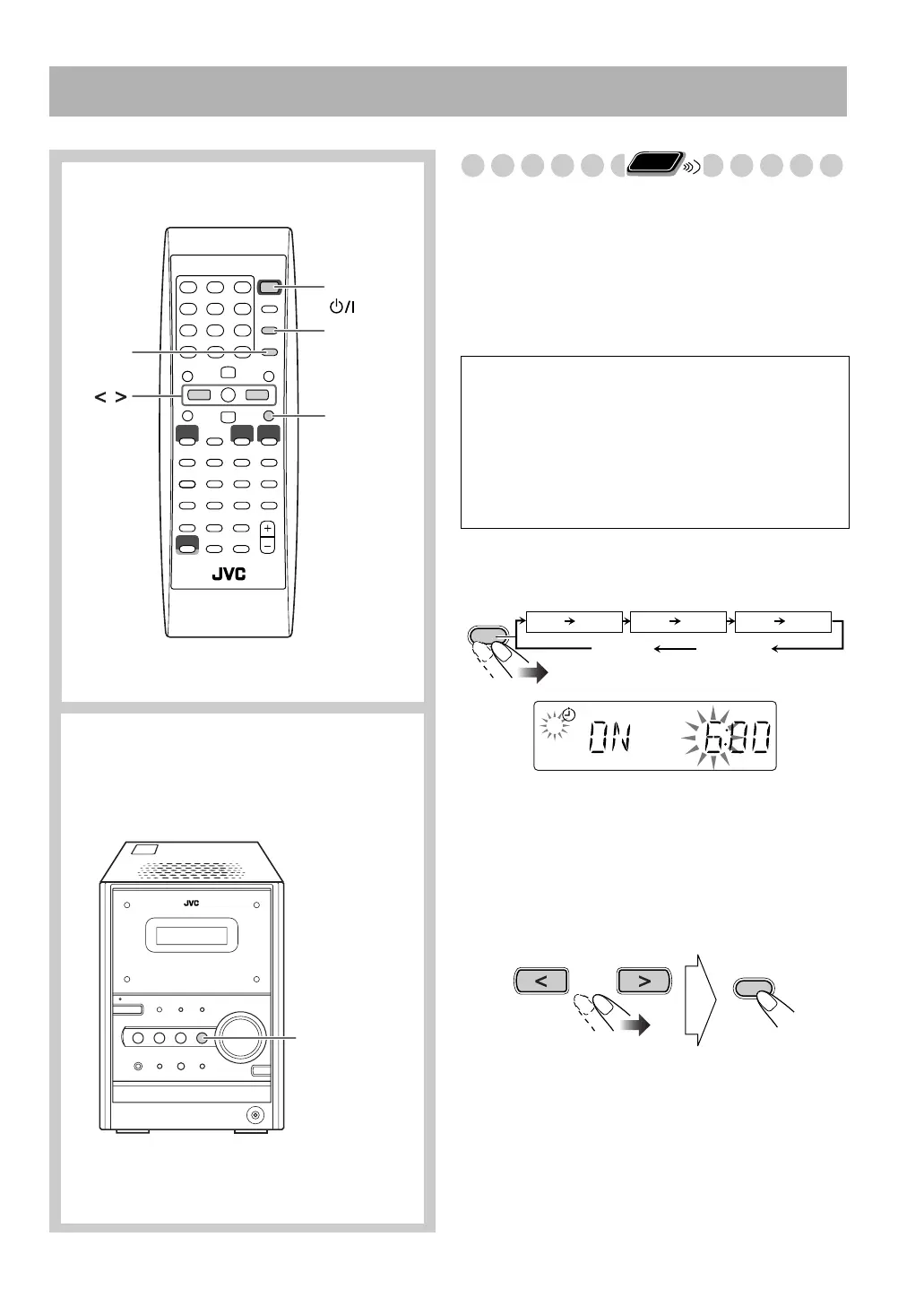
Setting the Timer
Using Daily Timer, you can wake up with your favorite
music.
You can store three Daily Timer settings; however, you can
activate only one of the timers at a time.
• To exit from the timer setting, press CLOCK/TIMER as
required.
• To correct a misentry during process, press CANCEL. You
can go back to the previous step.
1
Select one of the timer setting modes you want to set—
Daily 1 ON time, Daily 2 ON time, or Daily 3 ON time.
• When the clock has not been adjusted, pressing
CLOCK/TIMER makes the System enter the clock
setting mode.
2
Make the timer setting as you want.
Repeat the following operations until you finish setting in
the following order—
1
Set the hour then the minute for on-time.
CANCEL
STANDBY/ON
CLOCK/
TIMER
SET
,
Remote control
DAILY TIMER
Main unit
Daily Timer initial settings when shipped from the
factory
• DAILY 1:ON Time (6:00)/OFF Time (8:00)/
Source (TUNER FM 1)/Volume level (– –)
• DAILY 2:ON Time (12:00)/OFF Time (14:00)/
Source (TUNER FM 1)/Volume level (– –)
• DAILY 3:ON Time (18:00)/OFF Time (20:00)/
Source (TUNER FM 1)/Volume level (– –)
Remote
ONLY
CLOCK/
TIMER
DAILY 1
ON (Time) ON (Time) ON (Time)
DAILY 2
DAILY 3
Clock setting
(see page 16)
Canceled
Daily 1 Timer Daily 2 Timer Daily 3 Timer
1
Ex. When Daily Timer 1 setting mode is selected.
SET
Timer.fm Page 31 Tuesday, February 17, 2004 10:19 PM



 To Next Page