EasyManua.ls Logo

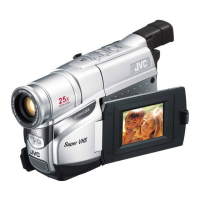
JVC COMPACT GR-SXM735 - User Manual

JVC COMPACT GR-SXM735
76 pages
Print Icon
To Next Page IconTo Next Page
Loading...
LYT0778-001A
EN
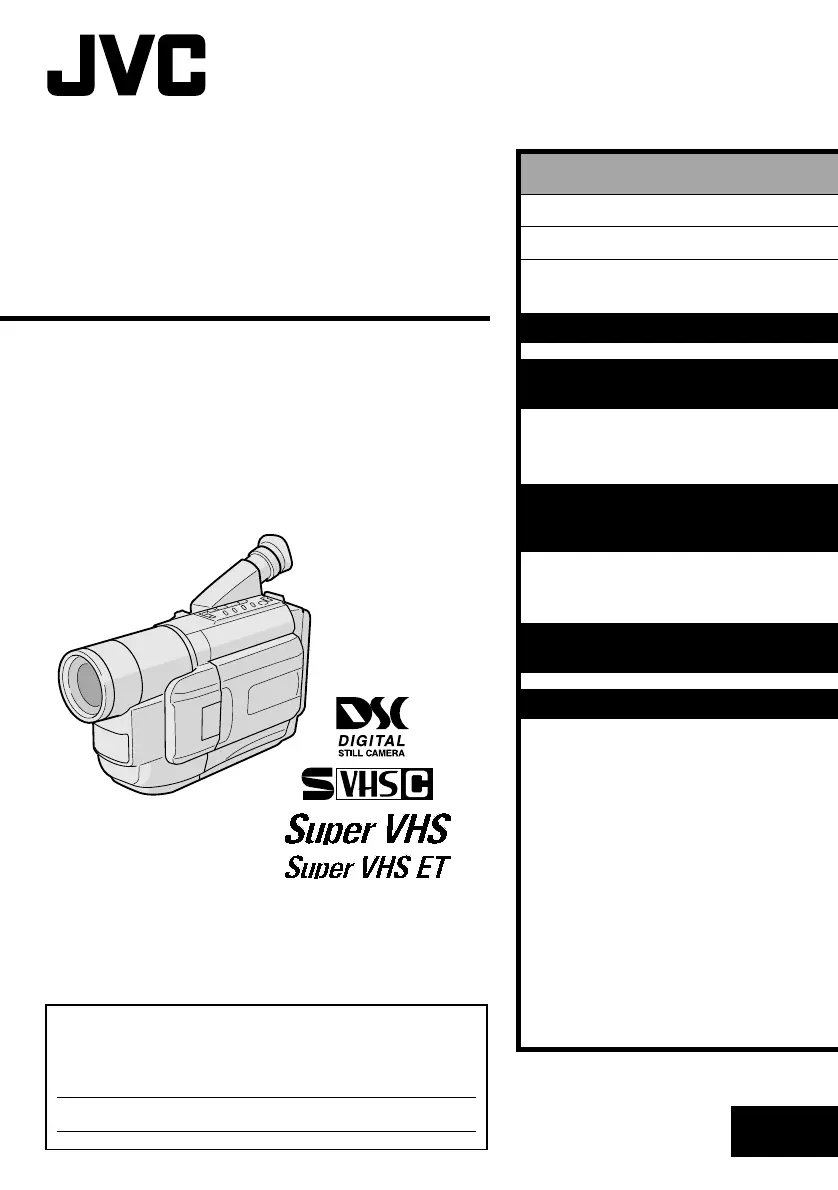
INSTRUCTIONS
GR-SXM735
COMPACT
VHS CAMCORDER
ENGLISH
CONTENTS
SAFETY PRECAUTIONS
2 – 3
PROVIDED ACCESSORIES
4
AUTOMATIC
DEMONSTRATION
6
GETTING STARTED
7 – 16
VIDEO RECORDING &
PLAYBACK
17 – 26
VIDEO RECORDING............ 18 – 21
VIDEO PLAYBACK.............. 22 – 26
DIGITAL STILL CAMERA (D.S.C.)
RECORDING &
PLAYBACK
27 – 34
D.S.C. RECORDING ............ 28 – 29
D.S.C. PLAYBACK .............. 30 – 34
ADVANCED
FEATURES
35 – 53
REFERENCES
54 – 75
TROUBLESHOOTING ............ 55 – 57
DETAILS ........................... 58 – 59
INDEX ............................. 60 – 63
TERMS ............................ 64 – 65
CAUTIONS ........................ 66 – 68
SPECIFICATIONS ......................... 69
ESPAÑOL .......................... 70 – 73
FOR SERVICING
(Only in U.S.A.) .......................... 74
WARRANTY
(Only in U.S.A.) .......................... 75
For Customer Use:
Enter below the Model No. and Serial No. which is located on the
bottom of cabinet. Retain this information for future reference.
Model No.
Serial No.

Table of Contents

Questions and Answers

  • E
    Erica ChungAug 13, 2025
    How to troubleshoot power issues with my JVC Camcorder?
    • J
      John HuberAug 13, 2025
      If your JVC Camcorder is not getting power, make sure the battery pack is correctly attached and charged. Reconnect it or charge the battery if necessary. Also, ensure the power supply is properly connected and the Power Switch is in the correct position. If the battery is completely discharged, try removing the cassette and disconnecting the power source for a few minutes before turning it back on.
  • T
    Timothy SanchezAug 16, 2025
    What to do if an error number appears on my JVC Camcorder?
    • J
      Jamie RodriguezAug 16, 2025
      If your JVC Camcorder shows an error number (like E03), turn the power off, then disconnect the power source. Wait a few minutes, then try turning it back on. If the error persists, it is recommended to consult your nearest JVC dealer.
  • T
    Todd Cunningham DDSAug 20, 2025
    Why is my JVC COMPACT GR-SXM735 not recording?
    • J
      Jesus SmithAug 20, 2025
      If your JVC Camcorder is not recording, ensure the Erase Protection tab is in the correct position for recording. If “DSC” is selected, press REFRESH for about 1 second to select “VIDEO”. Also, check that the camcorder's Power Switch is set to the correct position.
  • A
    Anthony MayAug 25, 2025
    Why is the image out of focus on my JVC COMPACT GR-SXM735?
    • D
      Dana JacksonAug 25, 2025
      If the image on your JVC Camcorder is out of focus, you may need to adjust the diopter. Also, the scene being shot might be affecting the Auto Focus; try changing the shooting scene.
  • P
    Patricia TorresAug 27, 2025
    Why aren't still images being stored on my JVC COMPACT GR-SXM735 Camcorder?
    • J
      Joseph HernandezAug 27, 2025
      If your JVC Camcorder isn't storing still images when you press SNAPSHOT, it could be because the number of remaining shots available has reached “0”. Try using the “Deleting Images” function to remove some stored images. Also, wait for the image to store, as it takes about 2 seconds after pressing SNAPSHOT.
  • D
    Donna FoxAug 31, 2025
    Why can't I delete all images on my JVC COMPACT GR-SXM735 Camcorder?
    • E
      Elizabeth StevensonAug 31, 2025
      If you can't delete all still images on your JVC Camcorder even when “ALL” is selected in the DELETE Menu Screen, it's likely that the “Protecting Images” function is active for some images. Cancel the “Protecting Images” function to delete them.
  • J
    John Day DDSSep 4, 2025
    Why is the LCD monitor on my JVC Camcorder hot?
    • A
      Andrea SilvaSep 4, 2025
      If the rear of the LCD monitor on your JVC Camcorder is hot, it's because the light used to illuminate the LCD monitor generates heat. To reduce the heat, close the LCD monitor to turn it off, or set the Power Switch to “OFF”, and allow the unit to cool down.
  • M
    Matthew SimmonsSep 8, 2025
    Why are some functions unavailable on my JVC Camcorder?
    • M
      Mario RandolphSep 8, 2025
      If some functions are unavailable on your JVC Camcorder, it might be because certain combinations of modes or effects cannot be used together. Adjust the mode or effects settings.

Summary

Safety Precautions and Important Instructions

Important Safety Instructions

Comprehensive safety guidelines for operating the camcorder safely and preventing hazards.

Getting Started Guide

Power and Battery Operation

Instructions for charging, using, and detaching battery packs and AC adapter.

Video Recording and Playback

Video Recording Procedures

Guides for shooting using viewfinder/LCD, adjusting brightness, and power switch positions.

Digital Still Camera (D.S.C.)

D.S.C. Recording and Modes

Setting snapshot modes and performing DSC recording.

D.S.C. Playback and Management

Viewing, managing, and protecting still images.

Advanced Features

Detailed Menu Adjustments

Navigating the menu system for detailed camcorder settings.

Remote Control Operation

Using the remote control for camcorder functions.

References

Troubleshooting Common Issues

Solutions for power, recording, playback, and other operational problems.

Safety Cautions and Warnings

Important warnings for video light, batteries, cassettes, and unit handling.

JVC COMPACT GR-SXM735 Specifications

General IconGeneral
BrandJVC
ModelCOMPACT GR-SXM735
CategoryCamcorder
LanguageEnglish

Related product manuals