EasyManua.ls Logo

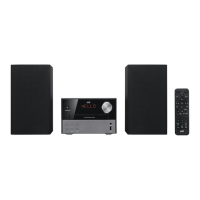
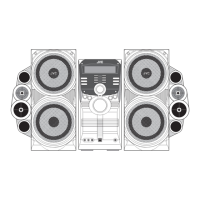
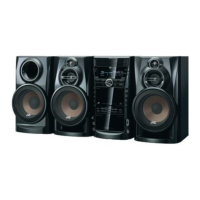
JVC DX-J36UN - User Manual

JVC DX-J36UN
91 pages
Print Icon
To Next Page IconTo Next Page
Loading...
SERVICE MANUAL
COPYRIGHT © 2009 Victor Company of Japan, Limited
No.MB666<Rev.005>
2009/2
COMPACT COMPONENT SYSTEM
MB666<Rev.005>20092SERVICE MANUAL
DX-J36UN, DX-J36EE, DX-J36UX, DX-J36UG, DX-J36US,
DX-J36UW, DX-J21UN, DX-J21J, DX-J21EE, DX-J21A,
DX-J21UW, DX-J21UX,DX-J21UG, DX-J11UN, DX-J11EE,
DX-J11UW, DX-J11UX, DX-J11UG, DX-J11UH, DX-J11US
COPYRIGHT © 2009 Victor Company of Japan, Limited
Lead free solder used in the board (material : Sn-Ag-Cu, melting point : 219 Centigrade)
Lead free solder used in the board (material : Sn-Cu, melting point : 230 Centigrade)
TABLE OF CONTENTS
1 PRECAUTION. . . . . . . . . . . . . . . . . . . . . . . . . . . . . . . . . . . . . . . . . . . . . . . . . . . . . . . . . . . . . . . . . . . . . . . . . 1-4
2 SPECIFIC SERVICE INSTRUCTIONS. . . . . . . . . . . . . . . . . . . . . . . . . . . . . . . . . . . . . . . . . . . . . . . . . . . . . . 1-7
3 DISASSEMBLY . . . . . . . . . . . . . . . . . . . . . . . . . . . . . . . . . . . . . . . . . . . . . . . . . . . . . . . . . . . . . . . . . . . . . . . 1-7
4 ADJUSTMENT . . . . . . . . . . . . . . . . . . . . . . . . . . . . . . . . . . . . . . . . . . . . . . . . . . . . . . . . . . . . . . . . . . . . . . . 1-29
5 TROUBLESHOOTING . . . . . . . . . . . . . . . . . . . . . . . . . . . . . . . . . . . . . . . . . . . . . . . . . . . . . . . . . . . . . . . . . 1-31
SUPER VIDEO
DX-J11
SP-DXJ11 CA-DXJ11 SP-DXJ11
DX-J21
SP-DXJ21W SP-DXJ21F CA-DXJ21 SP-DXJ21F
DX-J36
SP-DXJ36F SP-DXJ36F
SP-DXJ36C
CA-DXJ36
SP-DXJ36S SP-DXJ36S

Questions and Answers

  • H
    heather87Sep 23, 2025
    What does “CANNOT REC” mean on my JVC Stereo System?
    • K
      Kimberly HurstSep 23, 2025
      The System cannot perform recording.

  • D
    Devon BallAug 23, 2025
    What to do if there is no sound coming from my JVC DX-J36UN?
    • L
      Logan SimsAug 23, 2025
      Check that the speaker connections of your JVC Stereo System are correctly connected and not loose. Also, ensure headphones are not connected, as this will mute the speakers.
  • P
    Pamela TaylorAug 25, 2025
    Why won't my JVC Stereo System play the disc?
    • G
      Gary JonesAug 26, 2025
      If your JVC Stereo System displays “REGION ERR”, you may have inserted a DVD Video whose Region Code is not “1.” If not, make sure the disc is placed with the label side up.
  • J
    Jacob SandersAug 26, 2025
    What to do if no picture appears on the screen of my JVC DX-J36UN?
    • P
      Patrick NashAug 27, 2025
      Make sure the video cord connections of your JVC Stereo System are correctly connected and not loose.
  • C
    cruzjasmineAug 27, 2025
    What to do if operations are disabled on my JVC DX-J36UN?
    • J
      Jeffrey FernandezAug 27, 2025
      The built-in microprocessor of your JVC Stereo System may have malfunctioned due to external electrical interference. Unplug the AC power cord and then plug it back in to resolve this.
  • J
    Jaclyn JuarezSep 18, 2025
    Why can't I open the cassette holder on my JVC DX-J36UN?
    • M
      Matthew PierceSep 18, 2025
      The power supply from the AC power cord has been cut off while the tape was running. Turn on the JVC Stereo System.
  • A
    annsawyerSep 15, 2025
    Why is the karaoke scoring result wrong on my JVC DX-J36UN?
    • B
      brandon04Sep 15, 2025
      It is recommended to sing more than 3 minutes to obtain a correct scoring result on your JVC Stereo System. Also, check the microphone connection and input level.
  • C
    Cheryl ArmstrongSep 16, 2025
    Why doesn't the timer work on my JVC DX-J36UN?
    • A
      Anna HopkinsSep 16, 2025
      The Timer starts working only when the JVC Stereo System is turned off. It will not work if the System has been turned on when the on-time comes.
  • J
    Janice ArnoldSep 6, 2025
    Why is the audio language wrong on my JVC DX-J36UN Stereo System?
    • K
      Kelly SmithSep 6, 2025
      Some discs/files are programmed to always use the original language initially. If this happens on your JVC Stereo System, press AUDIO/MPX after starting play.
  • S
    smarshallSep 4, 2025
    What to do if the playback sounds strange on my JVC DX-J36UN?
    • G
      gharrisonSep 4, 2025
      Cancel Vocal Masking and Key adjustment on your JVC Stereo System.

JVC DX-J36UN Specifications

General IconGeneral
TypeMicro Component System
Tuner BandsFM/AM
CD PlayerYes
Number of Discs1
USB PortYes
FM TunerYes
AM TunerYes
Speakers IncludedYes
Remote ControlYes

Related product manuals