DiSc
This unit has been designed to play back tile following discs:
Video Region
Mark (Logo) Format Code*
Number
Disc Type
DVD Video
DVD Audio
Video CD
(VCD)
Super Video
CU (SVCD)
Audio CD
CD-R
CD-RW
DVD-R
DVD-RW
AUDIO A_DIO,VlOIO
@_@7_ VideoCD
NTSC
1
or
ALL
_PAeT
U_ITALAUUO
The System can play back CD-R o1"CD-RW
recorded ill the Audio CD, Video CD, SVCD,
MP3, WMA, and JPEG formats.
The System can play back DVD-R or DVD-
RW recorded in tile video format.
In addition to the above discs, this system can play back audio
data recorded oil CD Text, CD-G (CD Graphics), and CD-Extra.
• The followiug discs cannot be played back:
DVD-ROM, DVD-RAM, DVD+R, DVD+RW, CD-I (CD-I
Ready), CD-ROM, Photo CD. etc.
Playing back these discs will generate noise and damage the
speakers.
• In this manual, "file" and "track" are interchangeably used
for MP3/WMA/JPEG operations.
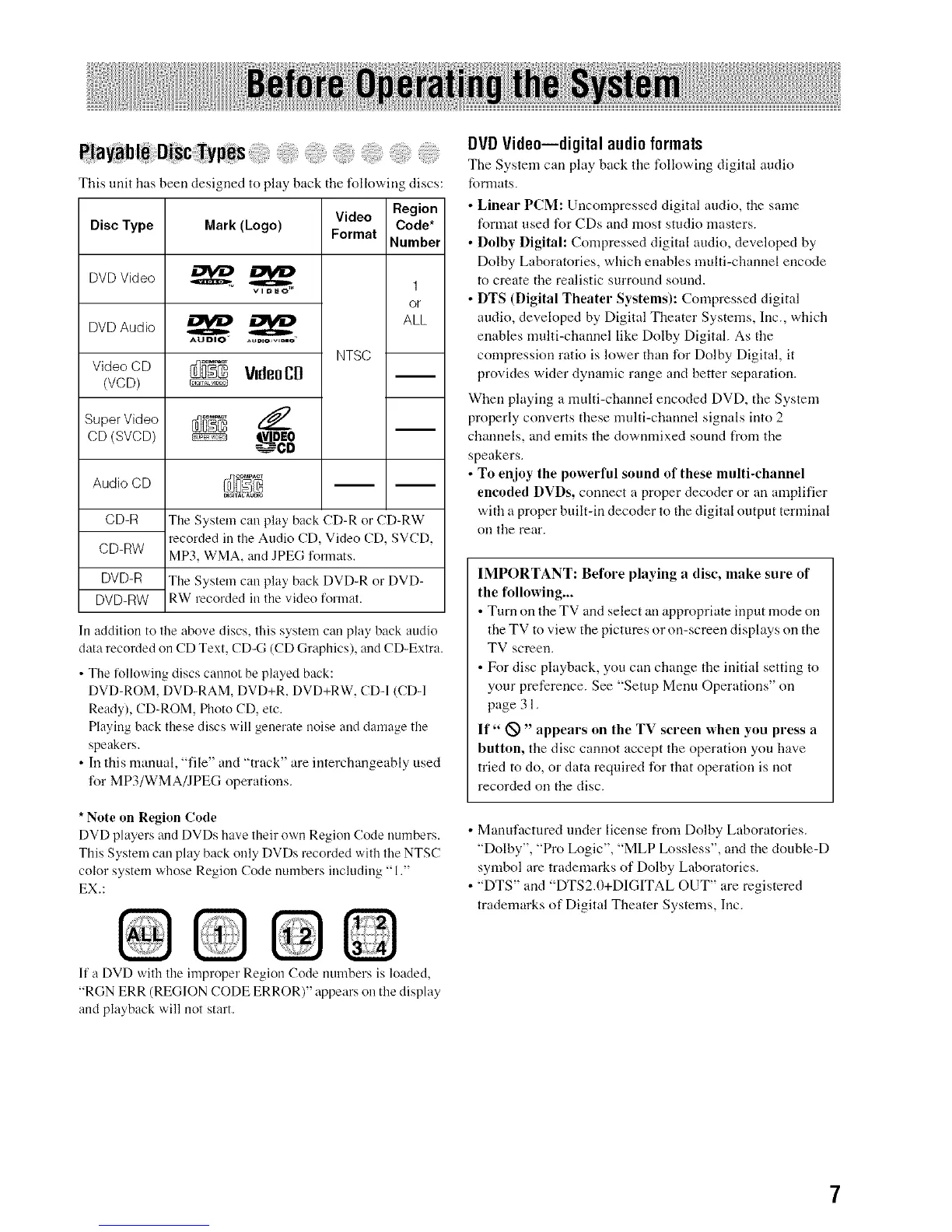
* Note on Region Code
DVD players and DVDs have their own Region (;ode numbers.
This System cau play back ouly DVDs recorded with tile NTSC
color system whose Region Code numbers iucluding "1."
EX.:
DVDVide0--digital audioformats
The System can play back tile following digital audio
formats.
• Linear PCM: Uncompressed digital audio, the same
format used for CDs and most studio masters.
• Dolby Digital: Compressed digital audio, developed by
Dolby Laboratories, which enables multi-channel encode
to create the realistic surround sound.
• DTS (Digital Theater Systems): Compressed digital
audio, developed by Digital Theater Systems, Inc., which
enables multi-channel like Dolby Digital. As the
compressiou ratio is lower than for Dolby Digital, it
provides wider dynamic range and better separation.
When playing a multi-channel encoded DVD, the System
properly converts these nmlti-channel signals into 2
channels, and emits the downmixed sound from tile
speakers.
• To enjoy the powerful sound of these multi-channel
encoded DVDs, connect a proper decoder or an amplifier
with a proper built-in decoder to the digital output terminal
Oil tile re;.tr.
IMPORTANT: Before playing a disc, make sure of
the following...
• Turn on the TV and select all appropriate input mode on
the TV to view the pictures or on-screen displays on the
TV screen.
• For disc playback, you call change the Mtial setting to
your preference. See "Setup Menu Operations" on
page 31.
If" _" appears on the TV screen when you press a
button, the disc cannot accept the operation you have
tried to do, or data required for that operation is not
recorded on the disc.
• Manufactured under license from Dolby Laboratories.
"Dolby", "Pro Logic", "MLP Lossless", and the double@
symbol are trademarks of Dolby Laboratories.
• "DTS" and "DTS2.0+DIGITAL OUT" are registered
trademarks of Digital Theater Systems, Inc.
If a DVD with tile improper Region Code nunlbers is loaded,
"RGN ERR (REGION CODE ERROR)" appears on tile display
and playback will not start.
7


 To Next Page
 Loading...