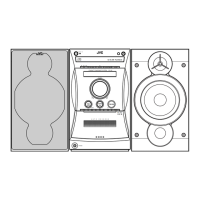
EasyManua.ls Logo

JVC FS-V30 - User Manual

JVC FS-V30
51 pages
Print Icon
To Next Page IconTo Next Page
Loading...
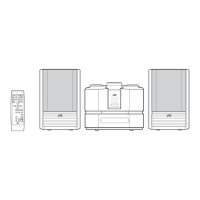
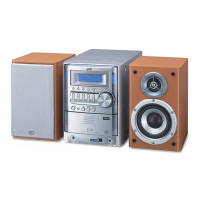
FS-V30
INSTRUCTIONS
GVT0032-001A
[J(C)]
AUTO REVERSE
AUTO TAPE SELECTOR
TAPE
DOWN UPMULTI CONTROL
TAPE FM/AM CD
STANDBY/ON
PHONES
MD/
AUX
REC
REV.
MODE
AHB
PRO
TIMER
CLOCK
VERTICAL DISC
LOADING MECHANISM
COMPACT
DIGITAL AUDIO
VOLUME
CD
OPEN/CLOSE
REMOTE CONTROL RM-RXFSV5
DIMMER SLEEP
DISPLAY FM MODE MD/AUX
AHB PRO
AUTO
PRESET
CD
PROGRAM RANDOM REPEAT
BASS TREBLE CANCEL
UP
SET
DOWN
TUNER
BAND
TAP E
VOLUME
CD
COMPACT COMPONENT SYSTEM FS-V30
POWER
POWER
MANUEL D’INSTRUCTIONS
COMPACT COMPONENT SYSTEM
SYSTEME DE COMPOSANTS COMPACT
For Customer Use:
Enter below the Model No. and Serial No.
which are located either on the rear, bot-
tom or side of the cabinet. Retain this
information for future reference.
Model No.
Serial No.
COVER.FS-V30[J(C)] 00.3.27, 6:10 PM3

Questions and Answers

  • C
    chunterAug 14, 2025
    What to do if JVC FS-V30 remote control is not working?
    • J
      Jessica BeckerAug 14, 2025
      If you're unable to operate the remote control for your JVC Speaker System, first, ensure that there is a clear path between the remote control and the sensor on the unit by removing any obstructions. If that doesn't work, replace the batteries in the remote control.
  • S
    Shannon DukeAug 17, 2025
    How to fix JVC FS-V30 when no sound is heard?
    • R
      Richard CarlsonAug 17, 2025
      If no sound is coming from your JVC Speaker System, first, check all connections to ensure they are correct and secure. Second, make sure headphones are not connected, as this will disable the speakers.
  • I
    ijohnsonAug 20, 2025
    Why is JVC Speaker System radio reception so poor?
    • B
      Brittany BarrAug 21, 2025
      To improve poor radio reception on your JVC Speaker System: * Reconnect the antenna securely. * Adjust the position and direction of the AM Loop Antenna if it's too close to the system. * Extend the FM Wire Antenna to the position where you get the best reception.
  • P
    Paul BoydAug 25, 2025
    What to do if operations are disabled on JVC FS-V30 Speaker System?
    • C
      cpughAug 25, 2025
      If the operations on your JVC Speaker System are disabled, it may be due to a malfunction of the built-in microprocessor caused by external electrical interference. To resolve this, unplug the system and then plug it back in.
  • H
    Heather BarnesAug 27, 2025
    How to fix JVC FS-V30 when CD does not play?
    • T
      Tammy LewisAug 27, 2025
      If the CD does not play on your JVC Speaker System, make sure that the CD is inserted correctly with the label side up.
  • B
    Brianna CarterAug 31, 2025
    What causes CD skipping on JVC FS-V30?
    • D
      Debra Dean MDAug 31, 2025
      If the CD skips while playing on your JVC Speaker System, the CD might be dirty or scratched. Try cleaning the CD, and if that doesn't work, replace it.
  • A
    Amber FitzpatrickSep 3, 2025
    Why won't the CD cover open or close on my JVC FS-V30 Speaker System?
    • C
      colebowersSep 3, 2025
      If the CD cover of your JVC Speaker System does not open or close, ensure that the AC power cord is properly plugged in.
  • A
    Angela GarciaSep 6, 2025
    What to do if the cassette holder cannot be opened on JVC FS-V30?
    • A
      Alicia HallSep 7, 2025
      If the cassette holder on your JVC Speaker System cannot be opened, and the power cord was unplugged during tape playing, plug in the power cord, press the POWER button, and then press the TAPE 0 button.
  • R
    rhodesjessicaSep 9, 2025
    Why is my JVC Speaker System unable to record?
    • H
      hwhitakerSep 9, 2025
      If you are unable to record on your JVC Speaker System, check the cassette. If the record protect tabs are removed, cover the holes on the back edge of the cassette with adhesive tape.

Summary

Safety Warnings and Precautions

Electrical Safety and Fire Prevention

General warnings regarding electrical hazards, fire risks, and exposure to rain or moisture.

Power Switch and Standby Operation

Explanation of the power switch function and the system's standby mode indicator lights.

Laser Product Safety

Information on Class 1 laser product safety and precautions for invisible laser radiation.

Safe Use Instructions

UL Safety Guidelines

Comprehensive safety instructions and precautions for using the appliance, including UL standards.

System Features and Setup

Getting Started

Remote Control Operation

Instructions on installing batteries and using the remote control for system operation.

Using the CD Player

CD Player Operations

Advanced CD Playback Modes

Using the Tuner

Using the Cassette Deck (Listening)

Using the Cassette Deck (Recording)

Recording and CD Direct Recording

Steps for standard recording, and directly recording from CDs to cassette tapes.

Using the Timers

Recording Timer Functions

Setting the Recording Timer

Guide to setting the system for automatic recording of radio broadcasts at scheduled times.

Troubleshooting

Common Issues and Solutions

A guide to diagnosing and resolving common operational problems with the system.

Service and Support

Limited Warranty Information

Warranty Terms and Service Procedures

Details of the JVC limited warranty, including coverage, customer responsibilities, and exclusions.

JVC FS-V30 Specifications

General IconGeneral
BrandJVC
ModelFS-V30
CategorySpeaker System
LanguageEnglish

Related product manuals