EasyManua.ls Logo

JVC FS-L30 - User Manual

JVC FS-L30
48 pages
Print Icon
To Next Page IconTo Next Page
Loading...
GVT0080-002A
[C]
For Customer Use:
Enter below the Model No. and Serial No.
which are located either on the rear, bot-
tom or side of the cabinet. Retain this
information for future reference.
Model No.
Serial No.
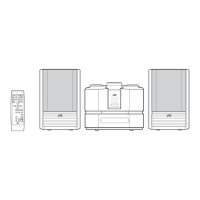
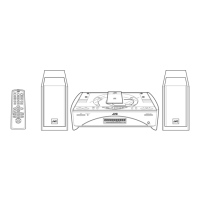
FS-L30—Consists of CA-FSL30 and SP-UXL30
COMPACT COMPONENT SYSTEM
SYSTEME DE MICROCOMPOSANTS
INSTRUCTIONS
MANUEL D’INSTRUCTIONS
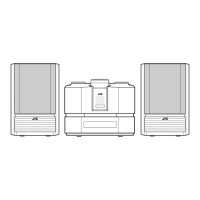
SP-UXL30 SP-UXL30CA-FSL30
STANDBY/ON
DISPLAY
CLOCK
/TIMER
SLEEP
BASS
TREBLE
DOWN
CANCEL
SET
0CD
PRGM RANDOM REPEAT
AHB PRO
DIMMER
VOLUME
REV.MODE FM MODE
AUTO
PRESET
1
4
7
10
2
5
8
3
6
9
+10
RM-SFSL30J REMOTE CONTROL
UP
7
CD
3/8
TAPE
23
FM/AM AUX/MD
COMPACT
DIGITAL AUDIO
CD-R/RW PLAYBACK
REC REV. MODE AHB PRO
VOLUME
BASS TREBLE
PHONES
AUTO REVERSE
CD TAPE
FM/AM
COMPACT COMPONENT SYSTEM FS-L30
CLOCK/TIMER AUX/MD
DOWN
UP
STANDBY / ON
+
PUSH
OPEN
0
Cover_FS-L30[C]f 02.2.12, 1:25 PM1

Table of Contents

Questions and Answers

  • E
    Elizabeth RandolphJul 29, 2025
    Why can't I operate my JVC FS-L30 with the remote control?
    • W
      William JenkinsJul 29, 2025
      If you are unable to operate your JVC Speaker System using the remote control, first ensure that there is a clear path between the remote control and the remote sensor on the unit. Remove any obstructions that may be blocking the signal. The batteries may also be exhausted.
  • M
    Megan VincentAug 2, 2025
    How to troubleshoot no sound on JVC FS-L30?
    • B
      Brent JohnsonAug 2, 2025
      If your JVC Speaker System isn't producing any sound, start by checking all the connections to ensure they are correctly and securely in place. Also, make sure headphones are not plugged in, as this will prevent sound from coming through the speakers.
  • C
    cabrerasarahAug 6, 2025
    What to do if my JVC Speaker System operations are disabled?
    • E
      Elaine FarmerAug 6, 2025
      If your JVC Speaker System operations are disabled, the built-in microprocessor may have malfunctioned due to external electrical interference. To resolve this, unplug the AC power cord from the outlet, wait a few seconds, and then plug it back in. This should reset the system and restore normal operation.
  • F
    Francisco FrazierAug 10, 2025
    How to fix noisy broadcasts on JVC Speaker System?
    • M
      Michelle Mcdonald MDAug 10, 2025
      If you find it hard to listen to broadcasts on your JVC Speaker System due to noise, it might be due to disconnected antennas. Reconnect the antennas correctly and securely. Also, try changing the position and direction of the AM loop antenna if it's too close to the unit, and ensure the FM antenna is fully extended and properly positioned.
  • J
    Jordan PotterAug 14, 2025
    What to do if the JVC FS-L30 disc tray won't open?
    • B
      Bryan HernandezAug 14, 2025
      If your JVC Speaker System's disc tray won't open or close, ensure that the AC power cord is properly plugged in.
  • M
    Megan LewisAug 19, 2025
    What causes discontinuous disc sound on JVC Speaker System?
    • S
      Sarah ReedAug 19, 2025
      If the sound from a disc is discontinuous on your JVC Speaker System, the disc may be scratched or dirty. Try cleaning or replacing the disc.
  • U
    uramirezAug 23, 2025
    What to do if the JVC FS-L30 Speaker System cassette holder won't open?
    • V
      Veronica WillisAug 25, 2025
      If the cassette holder on your JVC Speaker System cannot be opened, it might be because the power supply from the AC power cord was cut off while the tape was running. Turn the unit on to resolve this issue.

Summary

Safety Warnings and Precautions

Electric Shock Hazards

General warnings about opening the unit and internal voltage.

Operating and Environmental Cautions

Warnings on usage, moisture, and installation.

Additional Safety and Compliance Information

Laser Product Safety

Precautions for Class 1 Laser Product.

Controls and Operation Guide

Remote Control Layout

Description of buttons on the remote control.

Unit Controls and Indicators

Front Panel Layout

Description of buttons and indicators on the main unit.

Display Window Information

Getting Started

System Connections

Connecting Speakers

Instructions for attaching the speaker wires to the unit.

Common Operations

Powering the Unit On;Off

Instructions for standby and complete power off.

Audio Adjustments and Source Selection

Adjusting Volume and Tone

Controls for sound level, bass, and treble.

Listening to FM and AM Broadcasts

Playing Back CDs (CD;CD-R;CD-RW)

Normal CD Playback

How to play a CD from start to finish.

CD Playback Modes

Playing Back Tapes

Recording Audio

Recording onto Cassette Tapes

Steps for recording audio from sources.

CD to Tape Recording Methods

CD Direct Recording

Copying entire CDs to tape.

One Track Recording

Recording specific tracks from CD to tape.

Using Timers and Sleep Functions

Daily and Recording Timer Setup

Automating playback or recording schedules.

Sleep Timer Operation

Troubleshooting Guide

Common Issues and Solutions

Troubleshooting steps for typical problems.

Technical Specifications

JVC FS-L30 Specifications

General IconGeneral
Impedance6 Ohms
Remote ControlYes
Weight3.5 kg
Tuner BandsAM/FM
CD PlayerYes
Woofer12 cm
Power Output20 Watts per channel (RMS)

Related product manuals