37
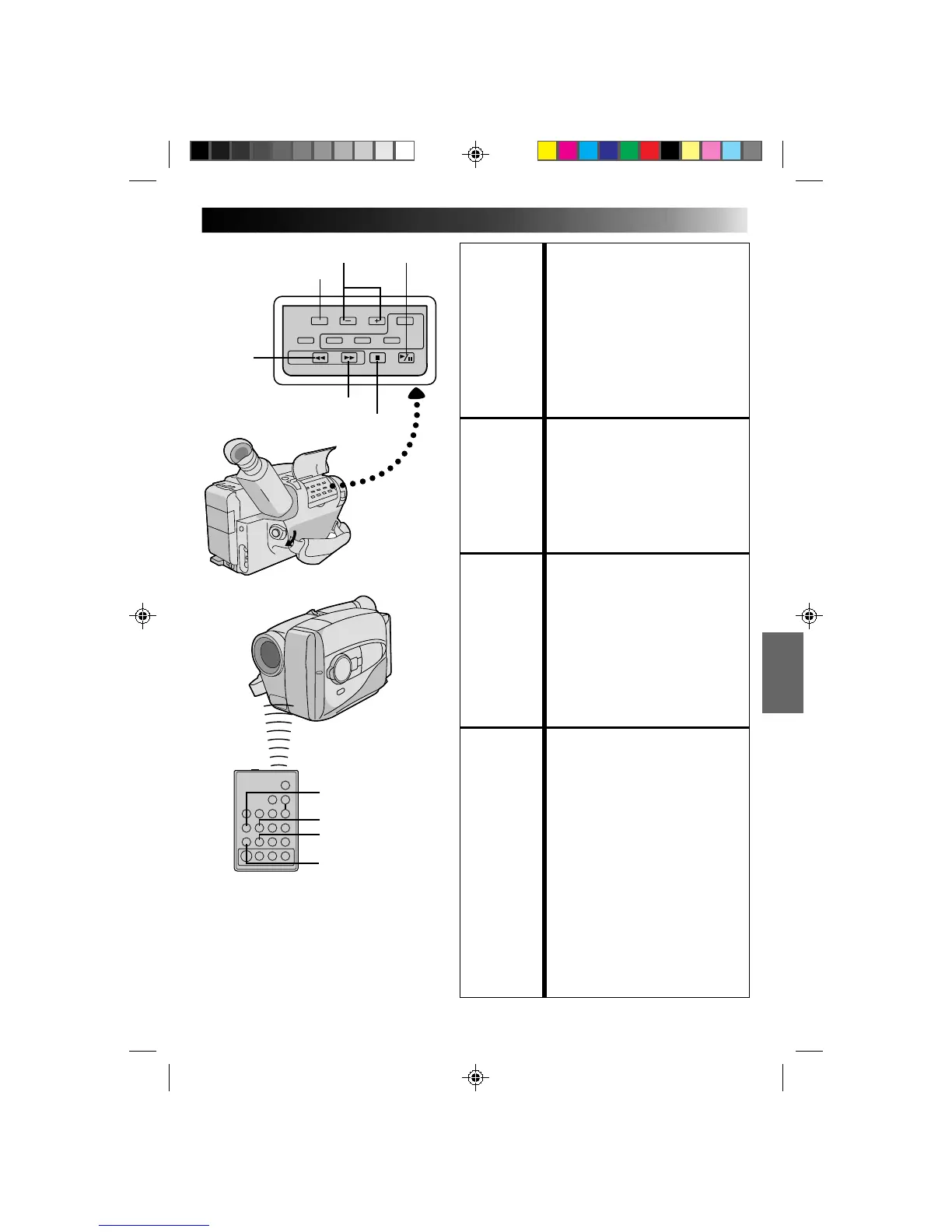
FEATURE: Manual Tracking
PURPOSE: To eliminate noise bars that appear
on the screen.
OPERATION: 1) Press either TRACKING button as
many times as necessary for best
picture.
NOTES: ●
To reset TRACKING to the original
preset, press both TRACKING
buttons simultaneously.
●
Manual Tracking may not work
with tapes recorded on other VCRs
or camcorders.
FEATURE: Still Playback
PURPOSE: To pause during playback.
OPERATION: 1) Press PLAY/PAUSE during
playback.
2) To resume normal playback, press
PLAY/PAUSE again.
NOTE:
Noise bars appear and pictures may
become monochrome during Still
Playback. This is normal.
FEATURE: Shuttle Search
PURPOSE: To allow high-speed search in either
direction.
OPERATION:
Forward Search
1) Press FF during playback. (Speed is
7 times normal.)
Reverse Search
1) Press REW during playback.
(Speed is as noted above.)
NOTE:
Noise bars appear and pictures may
become monochrome or darken in
Shuttle Search. This is normal.
FEATURE: Counter Memory Function
PURPOSE: To make it easier to locate a specific
tape segment.
OPERATION: 1) Press COUNTER R/M and hold for
more than 2 seconds. The counter
resets to “0:00:00”.
2) Press COUNTER R/M less than 1
second. “M” appears.
3) After recording or playback, press
STOP, then REW. The tape
automatically stops at or close to
0:00:00.
4) Press PLAY/PAUSE to start
playback.
NOTES: ●
The counter memory functions in
the FF and REW modes.
●
To disable Counter Memory
Function, press COUNTER R/M so
the “M” disappears.
FF
COUNTER R/M
PLAY/PAUSETRACKING
STOP
PLAYBACK
Features
REW
FF
PLAY
REW
PAUSE
RM-V704U
(provided with GR-AX760,
optional for GR-AX660)



 To Next Page