50
oipQW
R
d
s
OIPa
YT
U
E
f
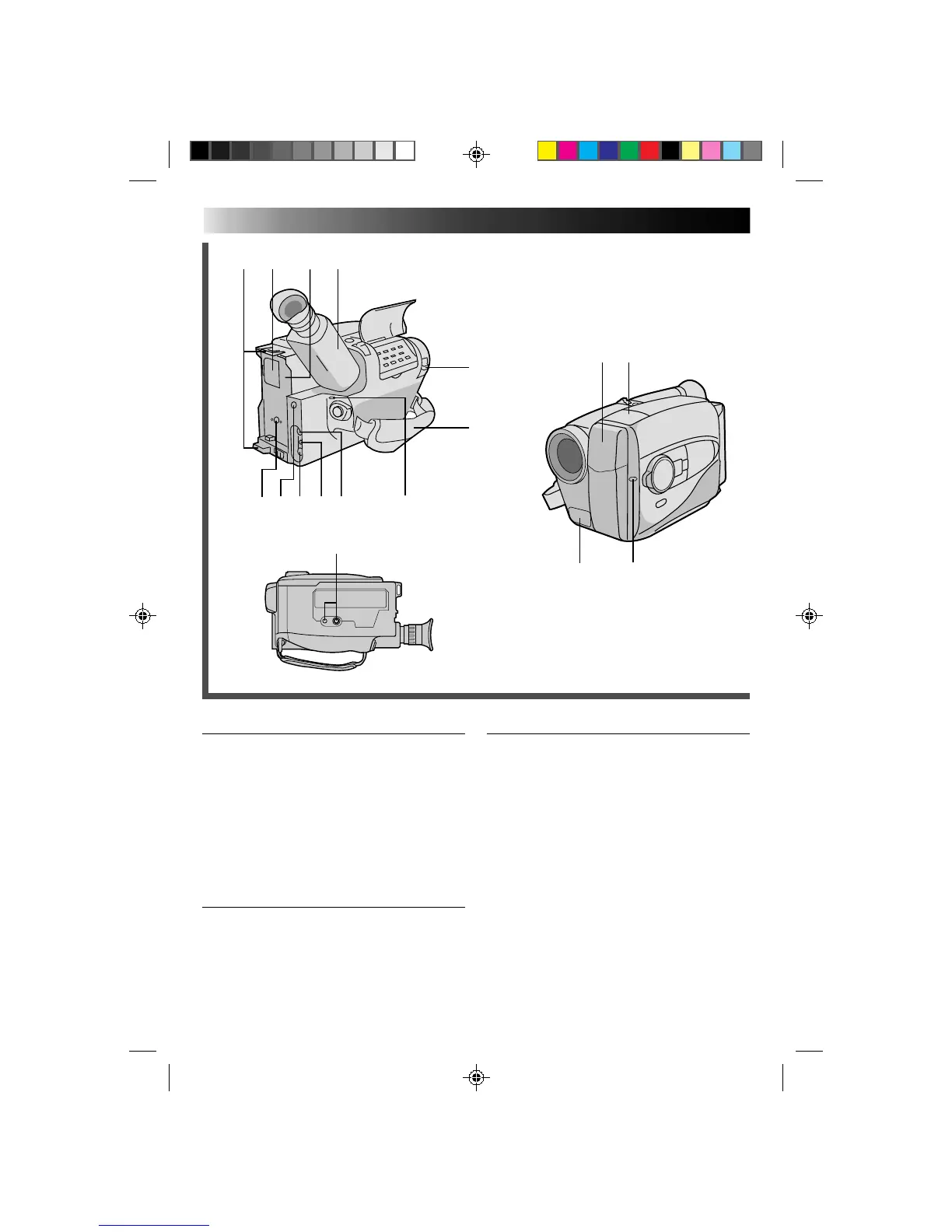
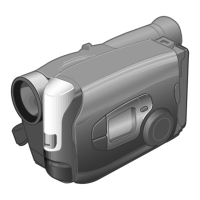
Connectors
i DC IN Jack ............................................ Z pg. 9
o JLIP (Joint Level Interface Protocol) Connector.
•Connect the Editing Cable when performing
Random Assemble Editing (Z pg. 42).
•In the future, it will be used to connect the
camcorder to a device such as a personal
computer.
p VIDEO Out Jack .................................. Z pg. 37
Q RF DC OUT Jack .................................Z pg. 37
W AUDIO Out Jack .................................Z pg. 37
Indicators
E Tally Lamp .......................................... Z pg. 16
R Power On Indicator............................. Z pg. 16
Other Parts
T Video Light .......................................... Z pg. 19
Y Microphone ........................................ Z pg. 45
U Infrared beam sensor window ............. Z pg. 15
(Be careful not to cover this area; built-in
here is the sensor necessary for shooting.)
I Shoulder Strap Eyelets ......................... Z pg. 14
O Clock Battery Compartment ................ Z pg. 10
P Battery Pack Mount ...............................Z pg. 8
a Electronic Viewfinder .......................... Z pg. 10
s LENS COVER Switch ............................. Z pg. 5
d Grip Strap ........................................... Z pg. 14
f Tripod Mounting Socket ...................... Z pg. 14


 To Next Page