RECORDING
Set REC MODE, TAPE LENGTH and DATE/TIME
in SYSTEM MENU.
(_ _, pg. 18 - 22, "MENU SETTINGS")
1 Remove the lens cap. Set the Power Switch _)
to "[]" or "_}" while pressing down the Lock
Button _) located on the switch.
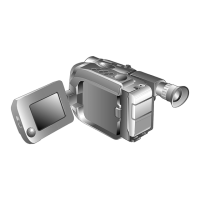
Shooting while using the viewfinder: Make sure
the LCD monitor is closed and locked.
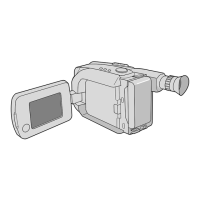
Shooting while using the LCD monitor: Make
sure the LCD monitor is fully open.
The camcorder enters the Record-Standby mode
and "PAUSE" _ is displayed.
• The viewfinder and LCD monitor cannot be used
simultaneously on this camcorder. Therefore,
when opening the LCD monitor and tilting it
upward to 180 °, you cannot view any image in the
viewfinder, however you can shoot yourself while
viewing your own image in the LCD monitor.
2 Press the Recording Start/Stop Button O. REC
appears while recording is in progress.
• To stop recording, press the Recording Start/Stop
Button O. The camcorder re-enters the Record-
Standby mode.
To AdjustThe Brightness Of The LCD Monitor:
When the Power Switch (]) is set to "[_", adjust
"LCD BRIGHT" in SYSTEM MENU (_J pg. 18, 22).
When the Power Switch _) is set to "[]" or
"OFF", this adjustment cannot be performed.
PLAYBACK
1 Load a tape (_, pg. 8, "Loading/Unloading A
Cassette").
Set the Power Switch _) to "PLAY" while
pressing down the Lock Button _) located on the
switch. To start playback, press I_/11 (_).
To stop playback temporarily (Still Playback), press
I_/11 _). To stop playback, press • !_). Press
!_) to rewind, or _ I_I to fast-forward the tape.
High-speed picture search (Shuttle Search) is
possible by pressing _ _) or _ I_I during
playback (holding _ !_) or _ I_I down during
playback continues search until released). To
resume normal playback, press I_/11 _.
ForVlDEO RECORDING/VIDEO PLAYBACK
• The camcorder shuts off automatically after about
5 minutes in the Record-Standby or Stop mode.
To turn on again, set the Power Switch _) to
"OFF", then to "[]", "[]" or "PLAY".
• When the Power Switch _) is set to "8", "[]" or
"PLAY" and the LCD monitor is opened at an
angle of 60 degrees or more, the LCD monitor
switches on and the viewfinder switches off
automatically to save power.
• The playback picture can be viewed in the
viewfinder (with the LCD monitor shut), on the
LCD monitor or on a connected TV (_,° pg. 15,
"Connections To A TV/VCR").
• To remove the indications, _, pg. 20, 21,
DISPLAY or OSD OUTPUT in SYSTEM MENU.
• To control the speaker volume, rotate the MENU
Wheel O towards "+" to turn up, or towards "-" to
turn down. While shooting, sound is not heard
from the speaker.


 To Next Page