2. Avoid using the unit...
.... in places subject to excessive humidity or dust.
.... in places subject to soot or steam such as near a cooking
stove
.... in places subject to excessive shock or vibration.
.... near a television set.
.... near appliances generating strong magnetic or electric
fields (speakers, broadcasting antennas, etc.).
.... in places subject to extremely high (over 4O°C or 104°F)
extremeIy tow (under O_'Cor 32°F) temperatures
3. DO NOT leave the unit...
.... in places of over 5O°C (122°F)
.... in places where humidity is extremely low (below 35%) or
extremely high (above 80%).
.... in direct sunlight.
.... in a ctosed car in summer.
.... near a heater.
.... in dusty pIaces such as a beach.
4. To protect the unit, DO NOT...
.... allow it to become wet.
.... drop the unit or strike it against hard objects.
.... subject it to shock or excessive vibration during transpor-
tation.
.... keep the Iens directed at extremely bright objects for tong
periods
.... direct the eyepiece of the viewfinder at the sun.
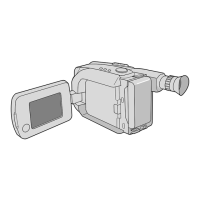
.... carry it by holding the viewfinder or the LCD monitor Be
sure to hold the main unit with both hands or use the grip
.... swing it excessively when using the shoulder strap
LCD Monitor
1. To prevent damage to the LCD monitor,
DO NOT...
.... push it strongty or apply any shocks
.... place the camcorder with the LCD monitor on the bottom.
2. To prolong service life.,.
.... avoid rubbing it with coarse cloth.
3. Be aware of the following phenomena for LCD monitor
use, These are not malfunctions:
• While using the camcorder, the surface around the LCD
monitor and/or the back of the LCD monitor may heat up
• If you leave power on for a long time, the surface around the
LCD monitor becomes hot
About moisture condensation...
• You may have observed that pouring a cold liquid into a
glass will cause drops of water to form on the glass'
outer surface This same phenomenon occurs on the
head drum of a camcorder when it is moved from a cool
place to a warm place, after heating a cold room, under
extremely humid conditions or in a ptace directly
subjected to the cool air from an air conditioner
• Moisture on the head drum can cause severe damage to
the video tape, and can lead to internal damage to the
camcorder itself.
Serious malfunctioning
If malfunctioning occurs, stop using the unit immediately
and consult your local JVC dealer
For Your Maintenance
1. After Use
_1) Set the Power Switch to "OFF" to turn off the
camcorder
_2_Open the LCD monitor to an angte of over 60 degrees
Slide EJECT to open the cassette hotder, then remove
the cassette
_3) Close and lock the cassette holder by pressing the
Close button
_;4._Close and lock the LCD monitor.
_ Slide BATTERY RELEASE to remove the battery pack
_) Attach the provided tens cap to the camcorder's lens
2. CleaningThe Camcorder
_ Wipe gently the exterior with a soft c_oth Put c_oth in
diluted mild soap and wring it well to wipe off heavy dirt,
then wipe again with a dry cloth.
_ Open the LCD monitor and wipe it gently with a soft
cloth. Be careful not to damage the monitor Ctose the
LCD monitor.
_3_Blow the lens with a blower brush, then wipe it gently
with lens cleaning paper.
_ Turn the eyepiece counterclockwise and pull it oat
Remove dust from the viewfinder using a bIower brush.
Re-attach the eyepiece and turn it clockwise
• Avoid using strong cleaning agents such as benzine or
alcohol
• Cleaning should be done only after the battery pack has
been removed or other power units have been disconnected.
• Mould may form if the lens is left dirty.
• When using a cleaner or chemically treated ctoth, refer to
the cautions that came with it.
• When removing the eyepiece, be sure to hold the viewfinder
secureIy
This device complies with Part 15 of FCC Rules. Operation is
subject to the following two conditions:
(1) This device may not cause harmful
interference, and (2) this device must accept any interference
received, including interference that may cause undesired
operation.
Change or modifications not approved by the party responsible
for compliance could void the user's authority to operate the
equipment. This equipment has been tested and found to
comply with the fimits for a Class B digital device, pursuant to
Part 15 of the FCC Rules. These limits are designed to provide
reasonable protection against harmful interference in a
residential installation. This equipment generates, uses, and
can radiate radio frequency energy and, if not installed and
used in accordance with the instructions, may cause harmful
interference to radio communications. However, there is no
guarantee that interference will not occur in a particular
installation, tf this equipment does cause harmful intederence
to radio or television reception, which can be determined by
turning the equipment off and on, the user is encouraged to try
to correct the interference by one or more of the following
measures:
Reorient or relocate the receiving antenna.
Increase the separation between the equipment and
receiver.
Connect the equipment into an outlet on a circuit different
from that to which the receiver is connected.
Consult the dealer or an experienced radio/TV technician for
help.
This Class B digital apparatus complies with Canadian
ICES-003.
Cet appareil numerique de la classe Best conforme a la
norme NMB-OO3du Canada.


 To Next Page
 Loading...