2 EN
MasterPage: Left
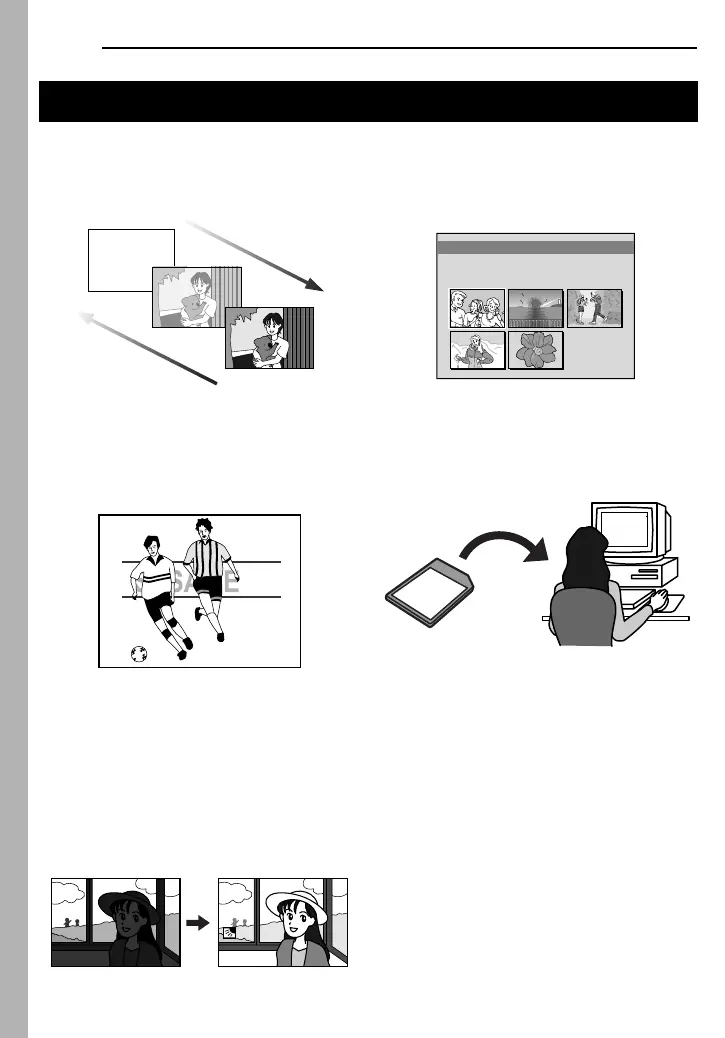
Wipe/Fader Effects
You can use the Wipe/Fader Effects to make
pro-style scene transitions. (墌 pg. 48)
Program AE with Special Effects
For example, “SPORTS” mode allows fast-
moving images to be captured one frame at a
time, for vivid, stable slow-motion. (墌 pg. 48)
Backlight Compensation
Simply pressing the BACK LIGHT button
brightens the image darkened by backlight.
(墌 pg. 46)
● You can also select a spot metering area so
that more precise exposure compensation
is available. (墌 pg. 46, Spot Exposure
Control)
Navigation Function
The Navigation Function helps you check
tape contents by making thumbnail images
on a memory card. (墌 pg. 49)
E-Mail Clip Recording
You can record video clips on the memory
card as files which can be sent via e-mail.
(墌 pg. 32)
Major Features of this Camcorder
Fade in
Fade out
ONITNAV I GA
1 2 3
4 5
TC : 13 : 23 : 15
.54DATE : 2 ’04 3:29
GR-DF540PAL.book Page 2 Friday, January 28, 2005 12:05 PM



 To Next Page