22 EN
A
M
5S
OFF
P
L
A
Y
A
M
5S
OFF
P
L
A
Y
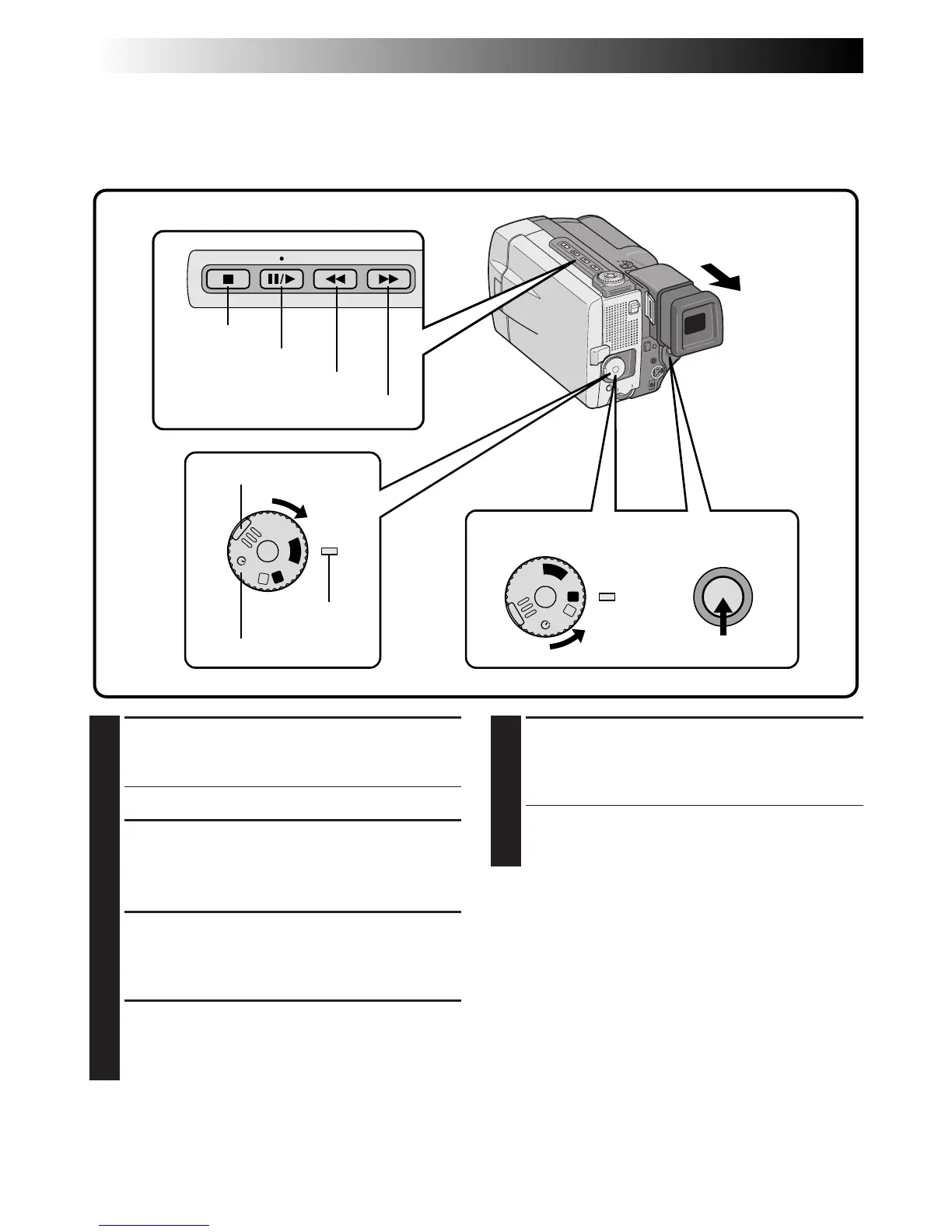
1
SELECT OPERATION MODE
Turn the Power Dial to “PLAY” while pressing
down the lock button located on the dial.
•The power lamp comes on.
2
PULL OUT VIEWFINDER OR OPEN
LCD MONITOR
Pull out the viewfinder fully or open the LCD
monitor to approx. 90° degrees.
3
START SEARCH
Press
4
/6, then press
2
or
3
. Watch in the
viewfinder or the LCD monitor for the spot
where you want to begin recording.
4
ENGAGE STILL MODE
Once you find the spot at which you want to
start recording, press
4
/6 twice to engage the
Still mode.
5
START RECORDING
Turn the Power Dial to any operation mode
except “PLAY” and “OFF”, then press START/
STOP.
•Start recording from a point prior to the end
of the last recording. A few seconds of the
end of the last recording will be erased.
NOTE:
If you start recording from the end of the previous
recording leaving no blank space, there may be
situations where a clean transition is not possible.
Recording From The Middle Of A Tape
When removing a tape on which you were recording, or when you resume recording on a tape after playing
back the recording previously made (without taking the tape out between recordings), perform this proce-
dure.
RECORDING
Basic Recording (Cont.)
Stop button
Play/Pause button
Lock button
Power Dial
START/STOP
button
Rewind button
Power lamp
Fast-forward button



 To Next Page