30 EN
RECORDING
Advanced Features (Cont.)
1
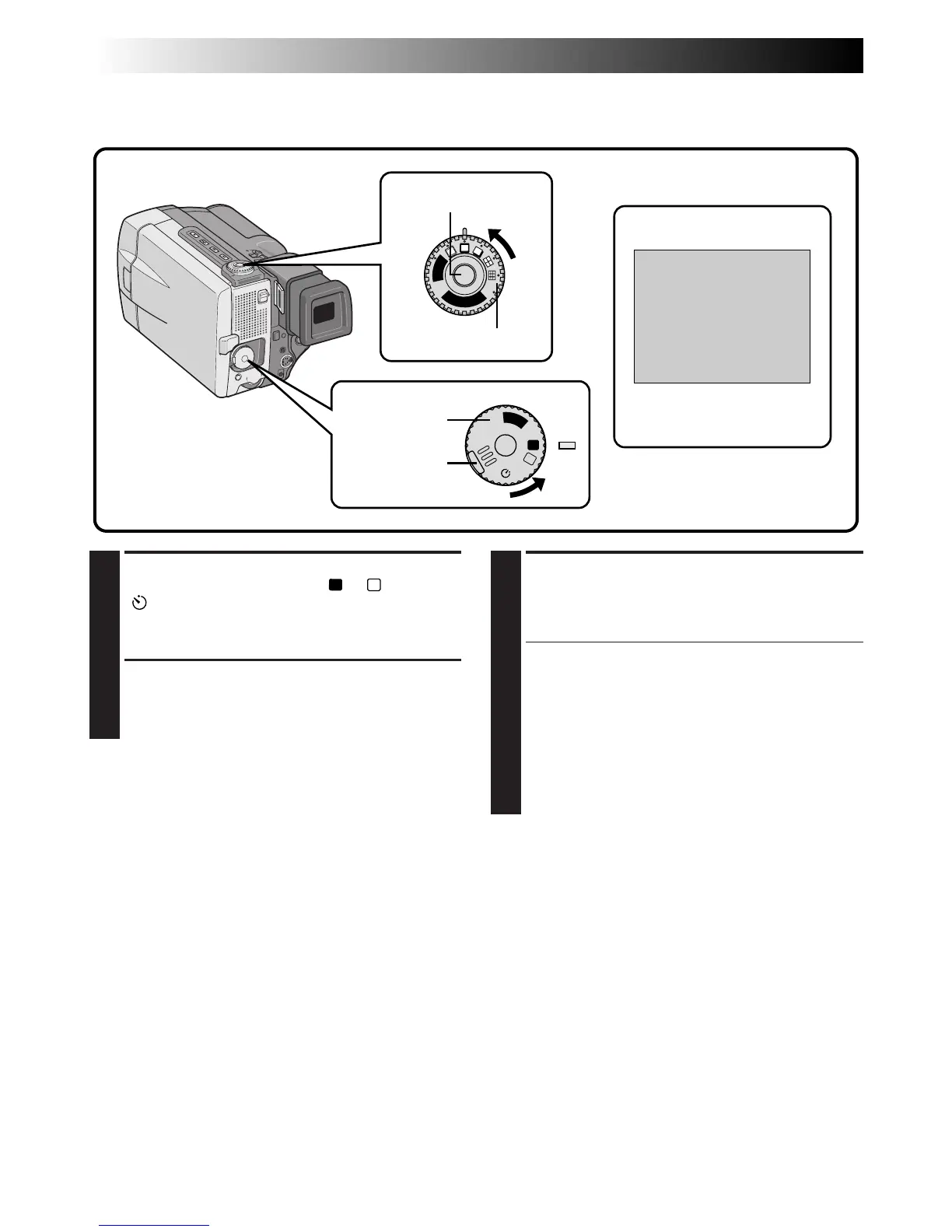
SELECT OPERATION MODE
First turn the Power Dial to “
A
”, “
M
”, “5S” or
“ ” while pressing down the lock button
located on the dial. Make sure the viewfinder
is pulled out or the LCD monitor is open fully.
2
SELECT PRO SNAPSHOT MODE
Choose the appropriate mode among five Pro
Snapshot modes (Z pg. 31) by turning the
Progressive Dial (SNAPSHOT Dial).
Pro Snapshot
Use your camcorder like a regular camera and take a snapshot, or several of them in succession.
PHOTO
A
M
5S
OFF
P
L
A
Y
B
A
R
S
N
A
P
S
H
O
T
V
I
D
E
O
Power Dial
Lock button
Display
During snapshot
3
TAKE PRO SNAPSHOT (Except for
Color bar)
Press the Progressive Button (SNAPSHOT
Button).
If you press during Record-Standby . . .
.... “PHOTO” appears and a still image will be
recorded for approx. 6 seconds, then the
camcorder re-enters the Record-Standby
mode.
If you press during Recording . . .
.... “PHOTO” appears and a still image will be
recorded for approx. 6 seconds, then the
normal recording resumes.
To Perform Pro Snapshot Recording During
Progressive Video Recording (
Z
pg. 46) . . .
.... turn the Progressive Dial to the Pro Snapshot
mode you want, then press the Progressive
Button. To end recording, set the Progressive
Dial to “VIDEO” again, then press the Progres-
sive Button.
Progressive Button
Progressive Dial



 To Next Page