56 EN
7
INPUT CORRECTION DATA
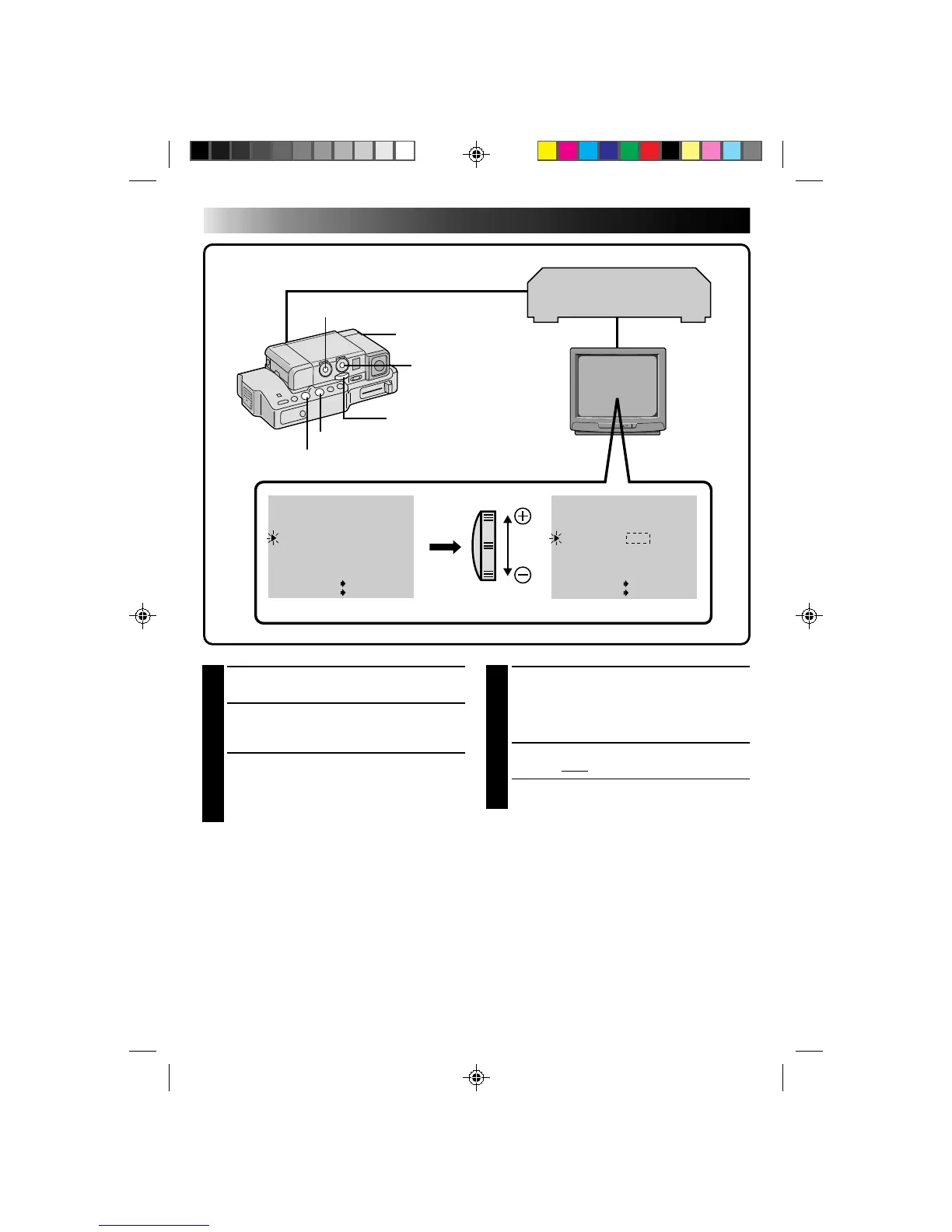
If the VCR is quick, slide the Zoom Lever
toward “–”; if the VCR is slow, slide toward
“+”. The adjustment range is from –1.3 to +1.3
seconds, in 0.1-second increments.
8
CLOSE MENU
Press SET twice.
•Now perform Random Assemble Editing
beginning with step 2 on page 52.
NOTE:
Depending on the recorder, there may be situations
where the timing difference cannot be fully
corrected.
4
SELECT OPERATION MODE
Set the Power Dial to “PLAY” and press PLAY.
5
ACCESS PLAYBACK MENU
Press MENU. The Playback Menu appears on
the TV screen.
6
SELECT FUNCTION
Place the pointer next to “SYNCHRO” by
sliding the Zoom Lever, then press SET. The
pointer stops blinking, indicating that the
function has been selected.
T
W
48
kHz
MODE
32
kHz
MODE
SYNCHRO
DISPLAY
T I ME CODE
END
FU LL SOUND
SOUND
1
0.0
ON
OFF
ITEM ZOOM SW .
SET SET BUTTON
48
kHz
MODE
32
kHz
MODE
SYNCHRO
DISPLAY
T I ME CODE
END
FU LL SOUND
SOUND
1
–0.1
ON
OFF
ITEM ZOOM SW .
SET SET BUTTON
SET BUTTON
MENU BUTTON
POWER DIAL
ZOOM LEVER
PLAYBACK MENU
STOP BUTTON
PLAY BUTTON
EDITING
(Cont.)
VCR (Recording deck)



 To Next Page