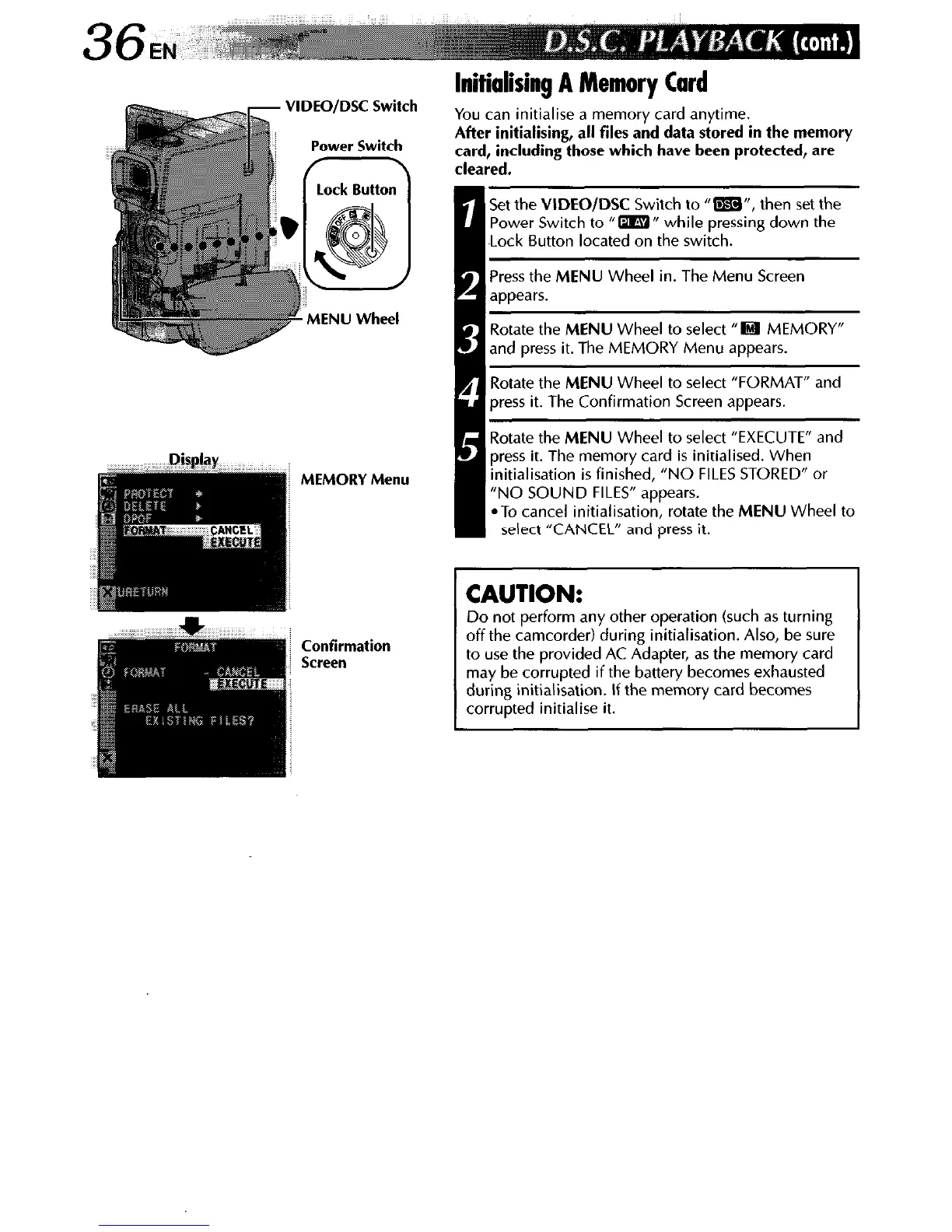
VlDEO/DSC
Switch
MEMORY Menu
Confirmation
Screen
lnitialising A Memory Card
You can initialise a memory card anytime.
After initialising,
all files and data stored in the memory
card, including those which have been protected, are
cleared.
jet the VIDEO/DSC Switch to “m”, then set the
lower Switch to “ml’ while pressing down the
.ock Button located on the switch.
‘ress the MENU Wheel in. The Menu Screen
appears.
cotate the MENU Wheel to select “H MEMORY”
rnd press it. The MEMORY Menu appears.
iotate the MENU Wheel to select “FORMAT” and
)ress it. The Confirmation Screen appears.
totate the MENU Wheel to select “EXECUTE” and
lress it. The memory card is initialised. When
nitialisation is finished, “NO FILES STORED” or
‘NO SOUND FILES” appears.
@To cancel initialisation, rotate the MENU Wheel to
select “CANCEL” and press it.
CAUTION:
Do not perform any other operation (such as turning
off the camcorder) during initialisation. Also, be sure
to use the provided AC Adapter, as the memory card
may be corrupted if the battery becomes exhausted
during initialisation. If the memory card becomes
corrupted initialise it.



 To Next Page